Finding the perfect domain name is an important first step when launching a website, starting an online business, or building a personal brand. But before you create a logo, purchase hosting, or publish your first page, you need to know whether your preferred domain name is available.
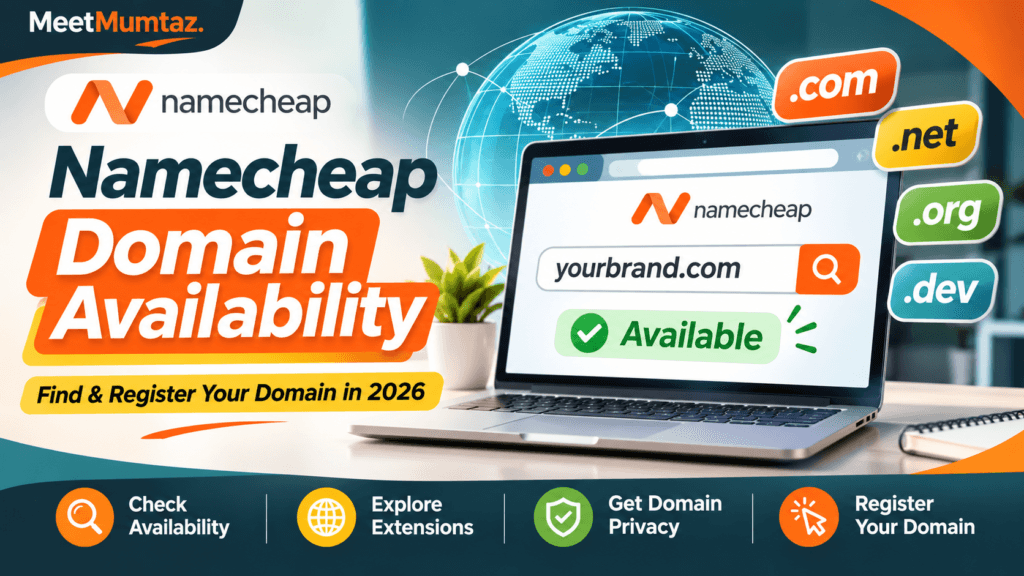
The Namecheap domain availability checker helps you search for domain names, explore alternative extensions, identify premium domains, and compare registration options.
Whether you’re looking for a .com domain for a business, a .org domain for an organization, or a .dev domain for a development project, Namecheap provides a convenient way to explore your options.
In this guide, you’ll learn how to check domain availability on Namecheap, understand search results, compare registration and renewal costs, and register a domain for your next website.
Affiliate Disclosure: This article contains affiliate links. If you purchase through our links, MeetMumtaz may earn a commission at no additional cost to you.
Namecheap Domain Availability Checker: Quick Overview
Before searching for your domain, here’s a quick overview of the main features.
| Feature | Namecheap Domain Search |
|---|---|
| Availability checker | Free |
| Domain extensions | .com, .net, .org, .co, .io, .dev, .ai and more |
| Domain registration | Paid; prices vary by extension |
| Domain privacy | Free for eligible domain registrations |
| Premium domains | Supported, with separate pricing |
| Bulk domain search | Available through Beast Mode |
| Domain transfers | Available for eligible domains |
| Customer support | 24/7 support advertised |
| Check Domain Availability | |
The domain availability search is free. Registration costs apply only when you decide to purchase a domain.
What Is Namecheap Domain Availability?
Namecheap domain availability checks whether a particular website address is available for registration.
For example, imagine you’re starting a business called BrightNest Studio.
You might want to register:
- brightneststudio.com
- brightneststudio.net
- brightneststudio.co
- brightneststudio.org
Some of these domain names might be available, while others could already be registered or reserved.
Namecheap’s search tool helps identify which options are available and whether alternative domain extensions could work for your business.
Why Is Domain Availability Important?
Checking domain availability before launching your website helps you avoid several problems.
First, it prevents you from building a brand around a domain you cannot register.
Second, it helps you compare alternative names before investing in branding or marketing.
Third, it allows you to evaluate registration costs and choose an extension that fits your audience.
A domain name is more than a website address. It can become part of your business identity, professional email address, and long-term online presence.
How to Check Namecheap Domain Availability: Step-by-Step
Checking whether a domain is available takes only a few steps.
Step 1: Visit Namecheap Domain Search
Open Namecheap and navigate to its domain name search tool.
You can use the button below to start exploring available domains.
Find an Available Domain Name
Search your preferred domain, compare extensions, and review registration options.
Search Domains on NamecheapStep 2: Enter Your Preferred Domain Name
Type your desired website name into the domain search field.
For example:
brightneststudio.com
You can enter a complete domain name or search for variations using different extensions.
Try to choose a name that’s easy to spell, pronounce, and remember.
Step 3: Review the Domain Availability Results
After submitting your search, Namecheap displays available and unavailable domain options.
You may encounter several statuses:
Available: The domain can currently be registered.
Taken: The domain is already registered or reserved.
Special: A promotional registration price may apply.
Premium: The domain is offered at a higher price because it has been designated or listed as a premium name.
A premium domain may be offered by its existing owner or directly through a registry.
Step 4: Explore Alternative Domain Extensions
If your preferred .com domain is unavailable, consider other extensions.
For example, a technology business might explore .net, while a developer portfolio could consider .dev.
However, choosing another extension should make sense for your brand.
Avoid selecting an unfamiliar extension solely because it’s inexpensive.
Step 5: Add Your Domain to the Cart
Once you’ve found an available domain, select the registration option.
Double-check the spelling before adding it to your cart.
Even a small typo can lead to registering the wrong domain name.
Step 6: Review the Registration Price
Before checkout, confirm the first-year registration price, renewal price, registration term, and any applicable fees.
Some domains are available at promotional prices during their first registration period.
These discounts may not apply to renewals.
Step 7: Complete Domain Registration
Create or sign in to your Namecheap account, enter the required information, review the available privacy settings, and complete the purchase.
After successful registration, your domain should appear in your account’s domain management area.
Namecheap Domain Extensions: Which Should You Choose?
Different domain extensions serve different audiences and branding purposes.
| Extension | Common use | Best suited for |
|---|---|---|
| .com | General websites | Businesses, blogs, online stores |
| .net | General and technology websites | Technology brands, services |
| .org | Organizations and communities | Nonprofits, associations |
| .co | Business branding | Startups, companies |
| .io | Technology branding | SaaS products, startups |
| .dev | Developer websites | Portfolios, developer tools |
| .ai | Artificial intelligence branding | AI products, technology companies |
These descriptions reflect common uses, not universal registration restrictions.
Some extensions have additional eligibility or registration requirements.
Is a .com Domain Better for SEO?
A .com extension does not automatically give a website higher Google rankings.
Search engines evaluate many factors, including content quality, relevance, usability, and authority.
Choose a domain extension that visitors recognize and that fits your business identity.
For most general business websites, .com remains a familiar option, but it isn’t the only suitable choice.
How Much Does a Namecheap Domain Cost in 2026?
Domain registration costs vary depending on the extension, promotional offer, and selected registration period.
Some extensions are relatively inexpensive during their first year, while others have higher registration and renewal costs.
Premium domains can cost considerably more than standard registrations.
Rather than relying on a promotional headline price, review the full cost of ownership.
Registration Price vs Renewal Price
The registration price is what you pay when initially purchasing the domain.
The renewal price is what you pay when extending its registration.
These prices may differ significantly.
For example, consider a hypothetical domain that costs $9 for the first year and $20 for each subsequent year.
The total registration and renewal cost over three years would be:
$9 + $20 + $20 = $49.
This is an illustrative calculation, not a current Namecheap price quote.
Always check the official Namecheap domain pricing page for current rates.
Are There Additional Domain Fees?
Some domain extensions may include applicable registry or ICANN-related fees.
Special registration conditions can also apply to certain country-code and other extensions.
Review the final checkout total before completing your purchase.
What If Your Desired Domain Name Is Taken?
Discovering that your preferred domain is unavailable doesn’t mean you have to abandon your business idea.
Several alternatives may be worth exploring.
1. Try Another Extension
If the .com version is taken, check whether a suitable .net, .co, or another extension is available.
However, consider whether visitors might confuse your website with the existing domain.
2. Modify the Domain Name
Try adding a relevant word that describes your business or service.
For example, a photography brand might include words such as studio, photos, or creative.
Keep the name natural rather than adding unnecessary words or numbers.
3. Consider a Premium Domain
Some registered domains are available for resale.
Namecheap may display premium listings or options to make an offer.
Before purchasing a premium domain, evaluate the price, potential branding value, and renewal terms.
4. Check for Trademark Conflicts
A domain name being available does not guarantee that it’s legally safe to use.
Search for existing business names and trademarks that could conflict with your intended brand.
This is particularly important for commercial websites.
What Is a Premium Domain on Namecheap?
A premium domain is a domain name offered at a higher price than a typical registration.
Premium domains may be short, memorable, commercially attractive, or contain desirable words.
There are two important categories:
Aftermarket premium domains: Previously registered domains offered for sale by their owners.
Registry premium domains: Domains assigned premium pricing by the domain registry.
Their purchase and renewal terms can differ.
A premium domain can provide branding benefits, but it does not guarantee SEO rankings, visitors, or sales.
For many new websites, a standard domain with a memorable name is a more affordable option.
Does Namecheap Offer Free Domain Privacy?
Namecheap provides free domain privacy protection for eligible domain registrations.
Domain registration requires certain contact information, and registration data may be accessible through domain registration lookup systems.
Privacy protection can help reduce public exposure of eligible registrant contact details.
However, privacy availability depends on the extension and applicable registry rules.
It also does not remove the requirement to provide accurate registration information.
Check the privacy eligibility of your selected domain before completing registration.
How to Check Multiple Domains Using Namecheap Beast Mode
If you’re considering several brand names, checking them individually can take time.
Namecheap offers a bulk domain search feature called Beast Mode.
This tool allows you to explore multiple domain names and apply filters to narrow the results.
For example, you can search different brand variations and compare their availability across several extensions.
Depending on the available interface options, filters can help you narrow results by price, domain extension, premium status, and availability.
Who Should Use Bulk Domain Search?
Bulk searching is useful for:
- Entrepreneurs evaluating several business names.
- Developers creating multiple websites.
- Agencies researching domains for clients.
- Businesses comparing brand variations.
- Website owners planning additional projects.
Beast Mode is particularly helpful when you haven’t finalized your brand name and want to compare several possibilities.
Namecheap Domain Availability vs WHOIS Lookup
Domain availability search and WHOIS lookup serve different purposes.
Domain availability checking helps determine whether a domain can currently be registered.
WHOIS or registration data lookup provides available information about an existing domain registration.
Depending on the registry and privacy settings, registration data may include the registrar, registration dates, nameservers, and other technical information.
Personal registrant information may be hidden or redacted.
A WHOIS lookup does not automatically provide permission to contact or purchase a registered domain.
Can You Register a Domain Without Hosting?
Yes. You can register a domain without purchasing web hosting at the same time.
A domain name is your website’s address, while web hosting provides the infrastructure needed to store and deliver your website content.
For example, you could register a domain today and connect it to a hosting service later.
If you’re preparing to launch a WordPress website, explore our web hosting guide to compare hosting options for different website requirements.
You may also want to set up professional email addresses using your domain.
Our business mail hosting guide explains what to consider when choosing an email hosting service.
Can You Transfer an Existing Domain to Namecheap?
If you already own a domain registered with another provider, you may be able to transfer it to Namecheap.
However, domain transfers are different from new registrations.
Transfer eligibility depends on the extension, registry rules, domain status, and other requirements.
For many generic top-level domains, transfer restrictions apply during the first 60 days after initial registration or a previous transfer.
You may need to unlock the domain and obtain an authorization code from your current registrar.
Before transferring, verify that your website, email, and DNS settings will continue functioning correctly.
Common Mistakes to Avoid When Buying a Domain
Choosing a Difficult Domain Name
A complicated domain can be harder for visitors to remember and type.
Avoid unnecessary hyphens, numbers, and confusing spellings unless they are genuinely part of your brand.
Ignoring Renewal Costs
A low first-year price can be attractive, but the regular renewal cost matters more for long-term ownership.
Compare both before purchasing.
Forgetting to Check Trademarks
A domain can be available even when its name conflicts with an existing trademark.
Do appropriate research before using a domain for commercial purposes.
Buying Too Many Extensions
Registering multiple extensions can help protect a brand in some circumstances.
However, every additional domain may create ongoing renewal costs.
Purchase only the extensions that support your actual business needs.
Ignoring Domain Security
Use a strong password and enable two-factor authentication where available.
Keep your registrar account secure because unauthorized access can put your website and email services at risk.
Forgetting to Renew
An expired domain can interrupt website access and email delivery.
Consider renewal reminders or auto-renewal, and keep your account contact and payment details current.
Is Namecheap a Good Choice for Domain Registration?
Namecheap offers several useful domain management features, including an availability checker, a broad selection of extensions, bulk searching, domain privacy for eligible registrations, and customer support.
For buyers who want to search and register domains through one platform, these features make it worth considering.
However, no registrar is automatically the best choice for every domain extension or every buyer.
Compare registration prices, renewal costs, privacy eligibility, support, and account management features before deciding.
Ready to Register Your Domain?
Search your preferred domain name, explore available extensions, and review registration and renewal costs before buying.
Check Namecheap Domain AvailabilityFrequently Asked Questions
How do I check Namecheap domain availability?
Visit Namecheap’s domain search tool, enter your preferred domain name, and review the availability results. You can also explore alternative extensions.
Is the Namecheap domain checker free?
Yes. Checking whether a domain is available is free. You pay when you choose to register or purchase a domain.
Why does Namecheap show my domain as taken?
The domain may already be registered by another owner or reserved by the registry. You can search alternative extensions or investigate whether it is available for resale.
Can I buy a domain that is already taken?
Sometimes. If the domain owner is willing to sell, you may be able to purchase it through a marketplace or negotiated transaction. A sale is not guaranteed.
Does Namecheap offer free WHOIS privacy?
Namecheap offers free privacy protection for eligible domain registrations. Availability depends on the extension and registry rules.
Is .com better than .net for SEO?
Neither extension automatically guarantees higher search rankings. Choose an extension that fits your audience, brand, and business goals.
Can I use Namecheap only for domain registration?
Yes. You can register your domain with Namecheap and use another compatible provider for web hosting or email.
What is Namecheap Beast Mode?
Beast Mode is Namecheap’s bulk domain search tool. It helps users research multiple names and extensions using filtering options.
Are premium domains worth buying?
Premium domains can be valuable for branding, but their higher costs are not always justified. Consider your budget, business goals, and renewal terms before purchasing.
Do Namecheap domain prices change?
Yes. Registration prices can change based on promotional offers, extensions, registry pricing, and other factors. Renewal prices may also differ from initial registration costs.
Final Verdict
Checking Namecheap domain availability is a practical starting point for anyone planning a new website, online store, blog, or business.
Namecheap’s search tool helps you discover available domains, compare extensions, identify premium options, and review registration details.
Before buying, focus on choosing a memorable name, checking for trademark conflicts, comparing registration and renewal costs, and understanding any extension-specific requirements.
A good domain name should be easy for visitors to remember and suitable for your long-term brand.
Ready to begin? Check your preferred domain name on Namecheap and explore the available options for your website.