
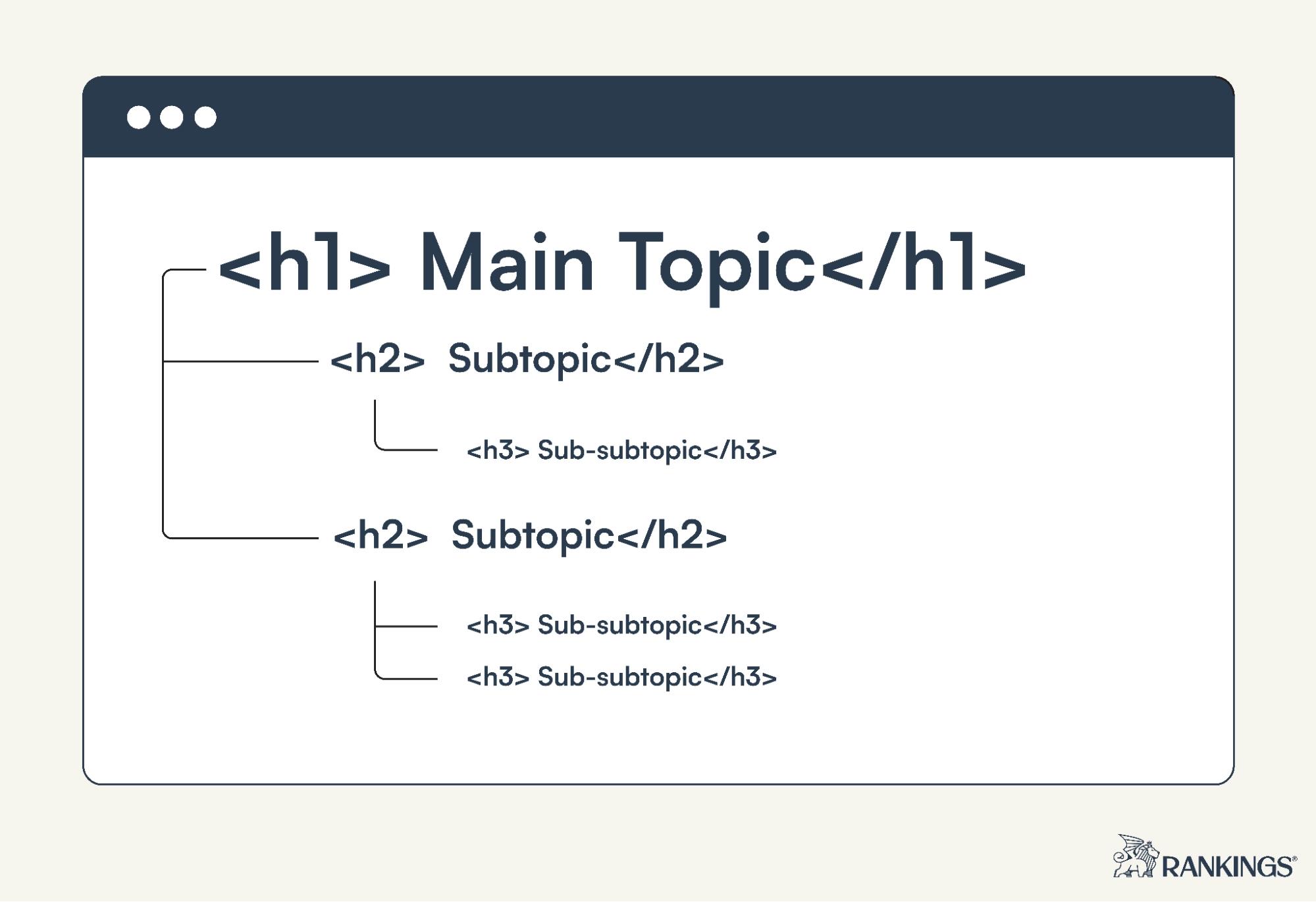
A heading tag in HTML is used to define titles and section headings on a web page. HTML provides six heading levels—<h1> through <h6>—which help organize content into a logical hierarchy.
At first glance, heading tags may look like a simple formatting feature. In practice, they are much more important. Well-structured HTML heading tags make a page easier to scan, help assistive technologies understand its organization, and give search engines clearer context about the relationship between sections.
HTML defines heading elements from H1 through H6. MDN also recommends using heading levels in descending order without unnecessarily skipping levels when structuring content.
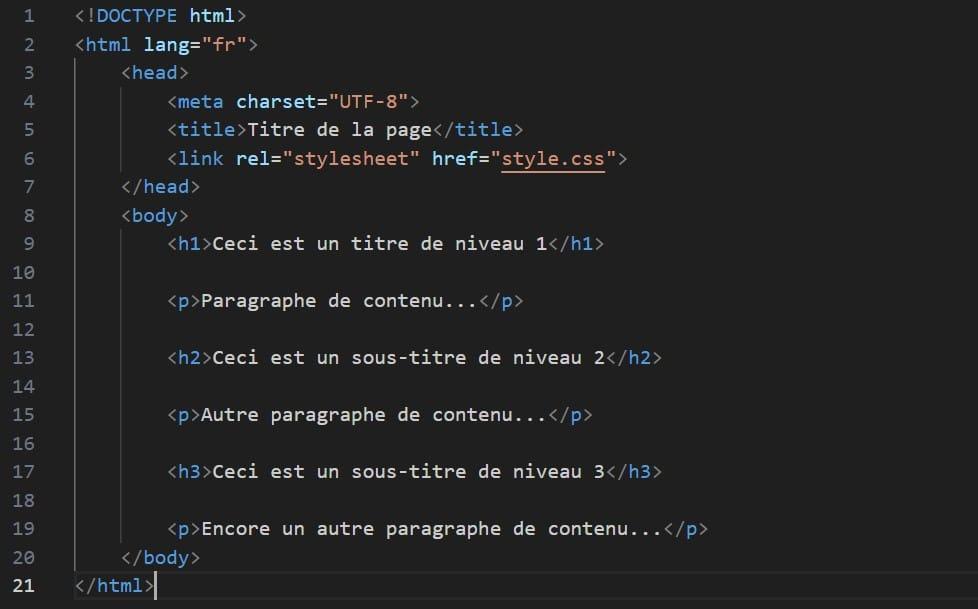
What Is a Heading Tag in HTML?
An HTML heading tag marks text as a heading rather than an ordinary paragraph. The six available levels are:
<h1>Main Page Heading</h1>
<h2>Main Section</h2>
<h3>Subsection</h3>
<h4>Smaller Subsection</h4>
<h5>Lower-Level Heading</h5>
<h6>Lowest-Level Heading</h6>
H1 normally represents the highest-level heading, while H2–H6 create progressively deeper levels within the content.
Think of them like the structure of a book:
H1 → Book title
├── H2 → Chapter
│ ├── H3 → Section
│ └── H3 → Section
└── H2 → Chapter
├── H3 → Section
└── H3 → Section
The important point is that heading tags describe content structure, not simply text size. CSS can make virtually any text large and bold, but that does not give it the semantic meaning of an actual heading. MDN recommends using appropriate semantic HTML rather than relying on visual styling alone.
What Is an H1 Tag?
If you’ve wondered what is an H1 tag, it is the <h1> HTML element used for the highest-level heading of a page or piece of content.
For example:
<h1>Beginner's Guide to Technical SEO</h1>The text between <h1> and </h1> becomes the H1 heading.
A useful way to think about it is:
Page title/topic → H1
Major topics → H2
Sections within those topics → H3
Further subdivisions → H4 and below
That makes the relationship between different parts of your content much easier to understand.
H1 Tag Example. Here’s a simple H1 tag example for an article about WordPress speed:
<article>
    <h1>How to Improve WordPress Website Speed</h1>

    <p>
        This guide explains practical ways to make a
        WordPress website load faster.
    </p>
</article>
Suppose the article covers hosting, images and caching. Its structure could then become:
<h1>How to Improve WordPress Website Speed</h1>

<h2>Choose Better Web Hosting</h2>

<h2>Optimize Your Images</h2>

<h3>Compress Large Images</h3>

<h3>Use Modern Image Formats</h3>

<h2>Configure Website Caching</h2>
Notice how the headings describe relationships rather than simply changing font sizes.
H1 Tag Examples for Different Pages
Different types of pages naturally need different H1 wording.
| Page type | H1 tag example |
|---|---|
| Blog post | <h1>How to Create an XML Sitemap</h1> |
| Product page | <h1>Men's Lightweight Running Shoes</h1> |
| Service page | <h1>WordPress Website Development</h1> |
| Category page | <h1>SEO Tools</h1> |
| Tutorial | <h1>How to Add Schema Markup to WordPress</h1> |
| Tool page | <h1>Heading Tag Analyzer</h1> |
The H1 should make the page’s primary subject immediately understandable rather than being written merely to contain keywords.
HTML Heading Tags: H1 to H6 Explained
The six HTML heading tags form a hierarchy.
H1
H1 represents the highest-level heading.
<h1>Complete Guide to On-Page SEO</h1>
H2
H2 is useful for major sections beneath the primary topic.
<h2>Keyword Research</h2>
<h2>Title Tag Optimization</h2>
<h2>Internal Linking</h2>
H3
H3 divides an H2 section into more specific subsections.
<h2>Internal Linking</h2>

<h3>Use Descriptive Anchor Text</h3>
<h3>Link to Relevant Pages</h3>
<h3>Fix Broken Internal Links</h3>
H4 to H6
H4, H5 and H6 allow additional levels when genuinely necessary.
<h2>Technical SEO</h2>
<h3>Crawlability</h3>
<h4>Robots.txt</h4>
<h5>Disallow Rules</h5>
Deep heading levels are available, but that doesn’t mean every article needs all six. A simple article may need only H1, H2 and H3.
What Is the Correct HTML Heading Structure?
A clean structure might look like this:
<h1>SEO Guide</h1>
<h2>On-Page SEO</h2>
<h3>Title Tags</h3>
<h3>Heading Tags</h3>
<h2>Technical SEO</h2>
<h3>XML Sitemaps</h3>
<h3>Robots.txt</h3>
<h2>Off-Page SEO</h2>
Visually:
H1: SEO Guide
│
├── H2: On-Page SEO
│   ├── H3: Title Tags
│   └── H3: Heading Tags
│
├── H2: Technical SEO
│   ├── H3: XML Sitemaps
│   └── H3: Robots.txt
│
└── H2: Off-Page SEO
This makes each subsection’s parent topic obvious.
Should You Skip Heading Levels?
A cleaner approach is generally to maintain a logical hierarchy rather than jumping levels purely for visual appearance.
For example, instead of:
<h1>SEO Guide</h1>
<h4>Keyword Research</h4>
<h2>Technical SEO</h2>
prefer:
<h1>SEO Guide</h1>
<h2>Keyword Research</h2>
<h2>Technical SEO</h2>
And when a subsection belongs under Keyword Research:
<h1>SEO Guide</h1>

<h2>Keyword Research</h2>
<h3>Search Intent</h3>
<h3>Keyword Difficulty</h3>

<h2>Technical SEO</h2>
MDN’s writing guidance similarly recommends descending heading levels without skipping them.
Why Heading Tags Matter for SEO
Heading tags can help make content easier to interpret because they establish relationships among topics and subtopics.
For SEO-focused content, good headings also encourage you to build a page around a clear topical structure rather than producing one large block of text.
Consider this heading:
Bad:
More Information
Better:
How HTML Heading Tags Affect Page Structure
The second heading tells both the reader and machines much more about the section.
However, headings shouldn’t become a place to repeat the same keyword unnaturally.
For example:
Heading Tag in HTML
Best Heading Tag in HTML
Heading Tag in HTML SEO
Heading Tag in HTML Example
That sounds mechanical.
Instead, use headings that describe what each section actually answers.
Heading Tags and Accessibility
Heading structure isn’t only an SEO consideration.
People using screen readers may navigate through a document by its headings. MDN specifically notes that screen-reader users rely on headings to understand document structure and advises using heading elements for genuine section headings rather than merely to make text visually prominent.
This means:
<div class="big-bold-text">Technical SEO</div>may visually resemble a heading, but:
<h2>Technical SEO</h2>communicates that semantic role directly.
Correct semantic HTML therefore benefits users as well as page structure.
Common HTML Heading Tag Mistakes
Several problems appear frequently on websites:
| Problem | Better approach |
|---|---|
| Using headings only to make text larger | Use CSS for styling and headings for structure |
| Empty heading elements | Give genuine headings descriptive visible text |
| Random H2/H5/H3 hierarchy | Maintain logical parent-child levels |
| Putting every sentence in a heading | Reserve headings for actual sections |
| Keyword stuffing headings | Write headings primarily for clarity |
Using bold <div> elements as headings | Use semantic H1–H6 elements where appropriate |
| Generic headings such as “More” | Describe what the section actually covers |
Empty or hidden headings are particularly problematic for accessibility because headings are used as navigation landmarks by some assistive-technology users.
How to Check the Heading Tags on Your Page
You can inspect the HTML manually, but larger pages can contain many headings, making structural problems harder to spot.
This is exactly where our existing tool should enter the content funnel.
Use the Heading Tag Analyzer on MeetMumtaz to inspect the heading structure of a webpage and review how its H1–H6 elements are organized.
The internal link should point to:
/heading-tag-analyzer/
For WordPress, use anchor text such as Heading Tag Analyzer rather than something generic like “click here.” Descriptive link text is also preferable from an accessibility perspective.
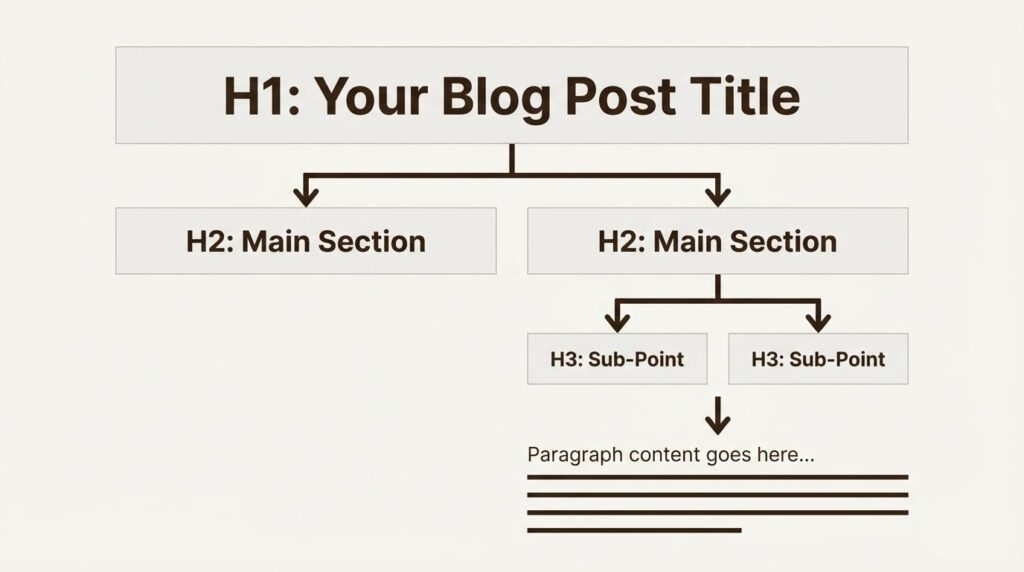
A Practical Heading Structure for a Blog Post
For most informational articles, you can start with a structure like:
<h1>Primary Article Topic</h1>

<p>Introduction...</p>

<h2>What Is the Topic?</h2>

<p>Explanation...</p>

<h2>Why Is It Important?</h2>

<p>Explanation...</p>

<h2>How Does It Work?</h2>

<h3>Step One</h3>
<p>...</p>

<h3>Step Two</h3>
<p>...</p>

<h2>Common Mistakes</h2>

<h2>Frequently Asked Questions</h2>
Don’t force H3, H4 or deeper headings into an article just because they exist. Use them when the content actually contains subsections.
Heading Tag in HTML: Quick Best-Practice Checklist
Before publishing a page, check that your heading structure makes sense even when you read only the headings.
A practical checklist is:
- Make the main topic immediately clear.
- Use H2s for major sections.
- Use H3s for genuine subsections of an H2.
- Avoid choosing heading levels just because you prefer their default font size.
- Keep headings descriptive and useful.
- Avoid repetitive keyword stuffing.
- Don’t leave headings empty.
- Use semantic heading elements instead of styling ordinary text to imitate headings.
- Check the finished page’s heading hierarchy before publishing.
Final Thoughts
Understanding the heading tag in HTML is a basic but important part of creating well-structured web pages.
H1 through H6 give content a hierarchy: H1 represents the highest-level topic, H2 introduces major sections, and lower heading levels can organize increasingly specific subsections. A logical structure makes content easier to scan and can also improve accessibility because assistive technologies use semantic headings to navigate documents.
Once a page is published, don’t rely only on how the headings look visually. Analyze the actual heading structure with your Heading Tag Analyzer and fix missing, empty or poorly organized headings before they become part of a larger site-wide problem.
FAQs
What is a heading tag in HTML?
A heading tag is an HTML element from <h1> through <h6> used to identify headings and organize page content into levels.
What is an H1 tag?
An H1 is the highest-level HTML heading element and generally communicates the primary topic of a page or article.
What are HTML heading tags?
They are the six semantic heading elements <h1>, <h2>, <h3>, <h4>, <h5> and <h6>.
Can I use multiple H2 and H3 tags?
Yes. Use as many as the content structure genuinely requires, while maintaining logical relationships between sections and subsections.
Should I use H1 tags just to make text larger?
No. Heading elements should represent actual headings. Visual appearance should be controlled with CSS.
Do heading tags guarantee higher Google rankings?
No. Heading structure alone doesn’t guarantee rankings. Its value is in organizing content clearly and semantically as part of a broader SEO and user-experience strategy.


