

An online JSON formatter helps you turn messy, compact, or difficult-to-read JSON data into a clean and structured format. Instead of manually adding indentation, line breaks, and spacing, you can format JSON in seconds and make complex data much easier to inspect, debug, and understand.
JSON is widely used for exchanging structured data between websites, APIs, applications, and servers. Although machines can process minified JSON easily, developers often need a human-readable version when reviewing an API response, troubleshooting an application, or checking whether JSON syntax is valid.
In this guide, you’ll learn how JSON formatting works, why validation matters, how JSON encoding differs from formatting, and how to handle JSON strings correctly.
What Is JSON?
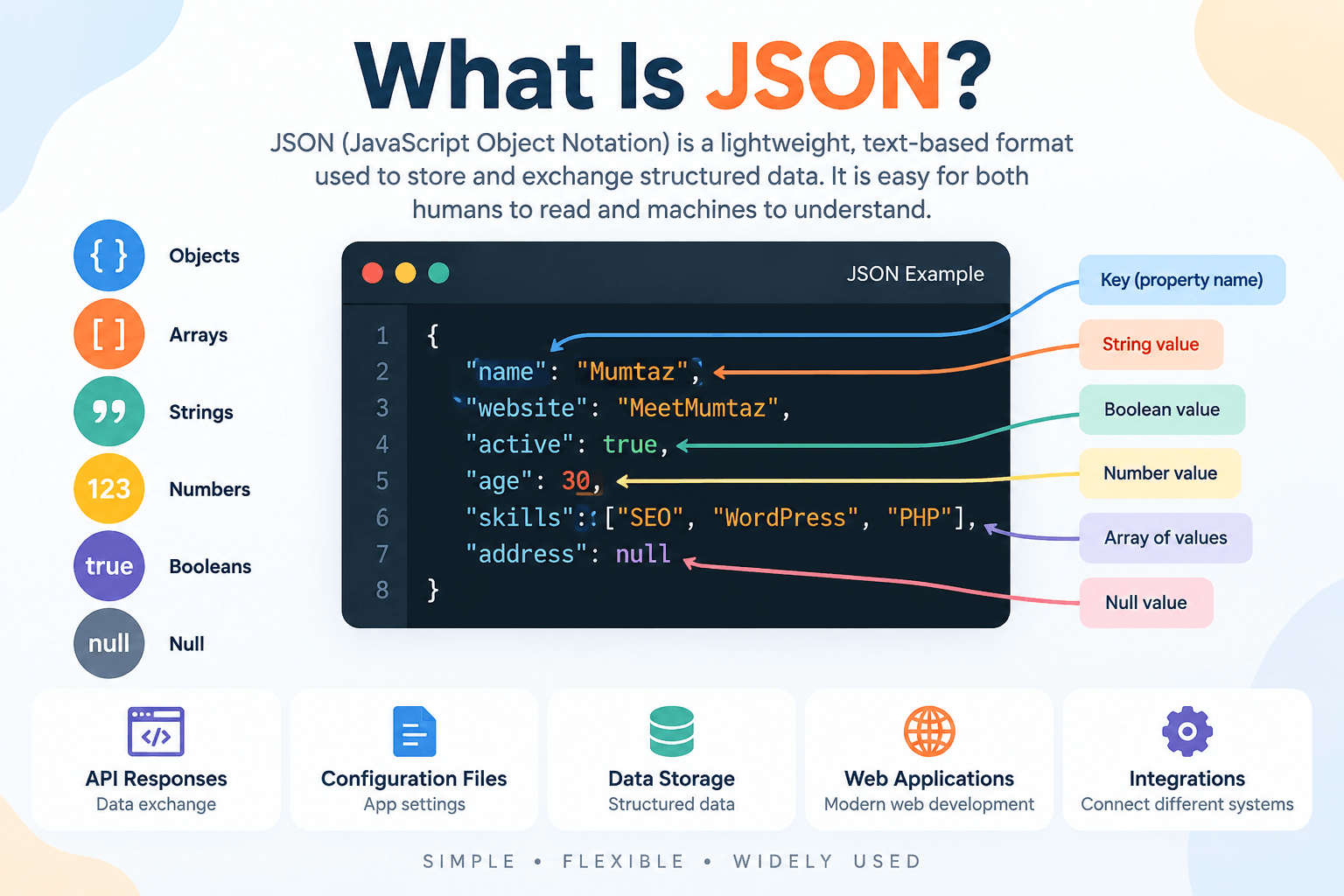
JSON stands for JavaScript Object Notation. It is a lightweight text-based format used to represent structured data.
A simple JSON object might look like this:
{
  "name": "Mumtaz",
  "website": "MeetMumtaz",
  "active": true
}
JSON organizes information using objects, arrays, keys, values, strings, numbers, Boolean values, and null.
Because JSON is text-based and supported across many programming environments, it is commonly used for API responses, configuration files, web applications, data storage, and communication between different systems.
What Is an Online JSON Formatter?
An online JSON formatter is a browser-based tool that takes JSON input and restructures it into a readable format.
For example, minified JSON may look like this:
{"name":"Mumtaz","website":"MeetMumtaz","active":true}After formatting, the same data becomes:
{
  "name": "Mumtaz",
  "website": "MeetMumtaz",
  "active": true
}
The underlying information has not changed. The formatter has simply added indentation, spacing, and line breaks to improve readability.
This is particularly useful when working with large API responses or deeply nested JSON objects.
Why Use an Online JSON Formatter?
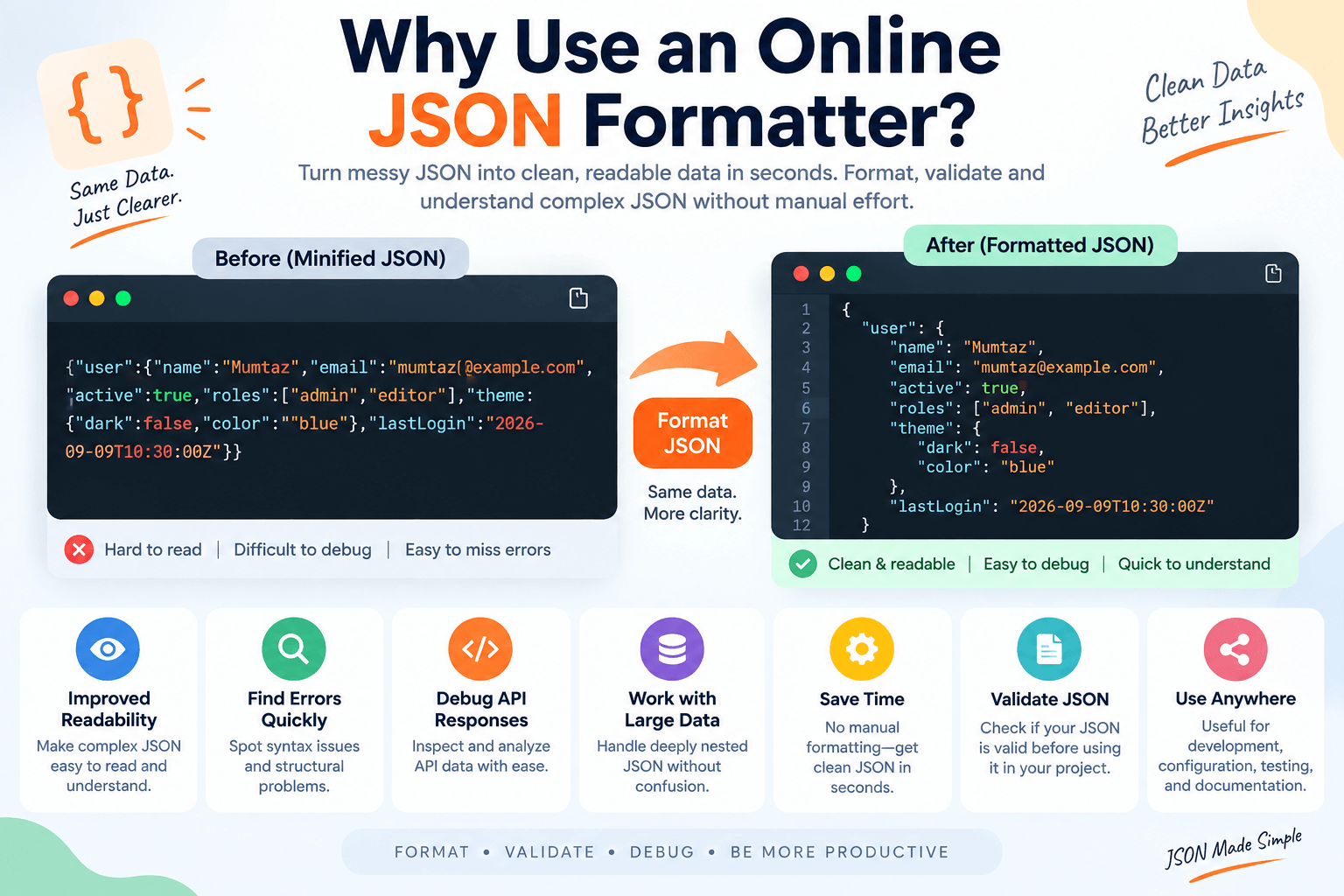
JSON can become difficult to read when it contains many nested objects, arrays, or properties.
An online JSON formatter provides a quick way to organize that data without manually editing every line.
It can help you:
- Make minified JSON easier to read
- Inspect nested objects and arrays
- Identify structural problems
- Debug API responses
- Review configuration data
- Validate JSON syntax
- Prepare JSON for documentation
- Minify formatted JSON when needed
For developers, readable JSON can significantly simplify troubleshooting because relationships between objects and values become much easier to see.
How Does an Online JSON Formatter Work?
A JSON formatter generally follows a simple process.
First, you paste or enter JSON into the input field. The tool then parses the supplied data according to JSON syntax rules.
If the JSON is valid, the formatter reconstructs it with consistent indentation and line breaks.
For example:
{"user":{"name":"Ali","role":"admin"},"active":true}can become:
{
  "user": {
    "name": "Ali",
    "role": "admin"
  },
  "active": true
}
If the input contains invalid syntax, a formatter with validation functionality may instead indicate that the JSON cannot be parsed.
The original data values should remain unchanged during ordinary formatting.
JSON Formatting vs JSON Validation
Formatting and validation are closely related, but they perform different jobs.
JSON formatting improves the visual structure of data.
JSON validation checks whether the input follows valid JSON syntax.
Consider this example:
{
  "name": "Mumtaz",
  "active": true,
}
The trailing comma after true makes this invalid under standard JSON syntax.
Simply making data look structured does not necessarily mean it is valid. A useful formatter and validator can therefore help you both improve readability and identify syntax problems.
Common JSON Syntax Errors
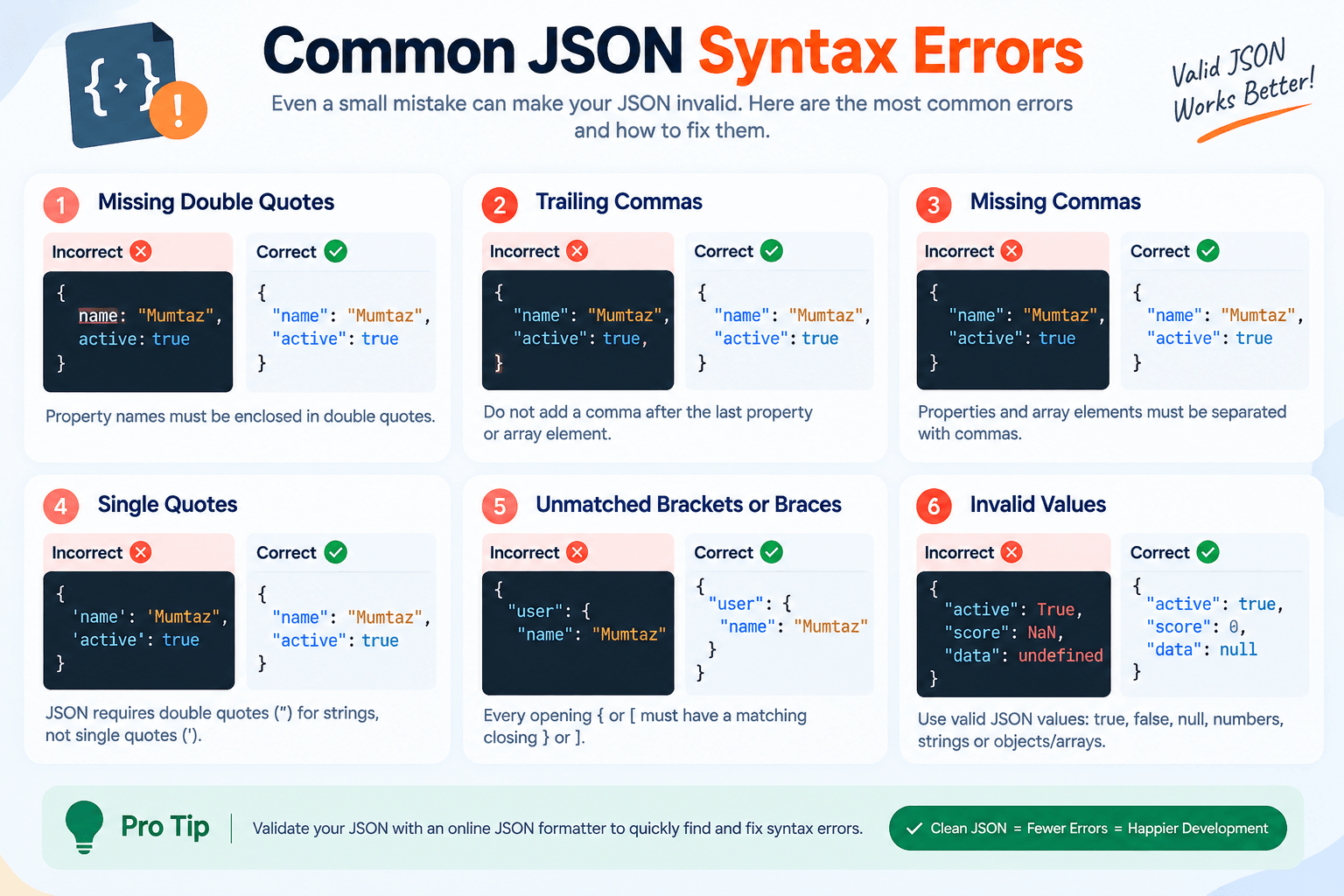
Even a small syntax mistake can prevent JSON from being parsed correctly.
Some common problems include:
Missing Double Quotes
JSON property names must use double quotes.
Incorrect:
{name: "Mumtaz"}Correct:
{"name": "Mumtaz"}Trailing Commas
Standard JSON does not allow a trailing comma after the final property or array element.
Incorrect:
{
  "name": "Mumtaz",
}
Correct:
{
  "name": "Mumtaz"
}
Missing Commas
Properties and array elements need appropriate separators.
Incorrect:
{
  "name": "Mumtaz"
  "active": true
}
Single Quotes
Standard JSON requires double quotes around strings.
Incorrect:
{'name': 'Mumtaz'}Correct:
{"name": "Mumtaz"}Unmatched Brackets or Braces
Every opening { or [ must have the appropriate closing character.
With large nested datasets, formatting makes these structural relationships considerably easier to inspect.
What Does Pretty Print JSON Mean?
“Pretty print” means displaying JSON with indentation, whitespace, and line breaks so that humans can read its structure more easily.
Minified:
{"product":"Laptop","price":899,"available":true}Pretty printed:
{
  "product": "Laptop",
  "price": 899,
  "available": true
}
Pretty printing is useful during development, debugging, documentation, and code review.
It usually increases the amount of whitespace in the data, so minified JSON may still be preferred when minimizing payload size matters.
What Is JSON Minification?
JSON minification does the opposite of pretty formatting.
It removes unnecessary spaces and line breaks while preserving the actual data.
For example:
{
  "name": "Mumtaz",
  "active": true
}
may be minified to:
{"name":"Mumtaz","active":true}Minification can make JSON more compact for transmission or storage, while formatting makes it easier for people to inspect.
A JSON tool may therefore provide both Format and Minify options.
What Is JSON Encoding?
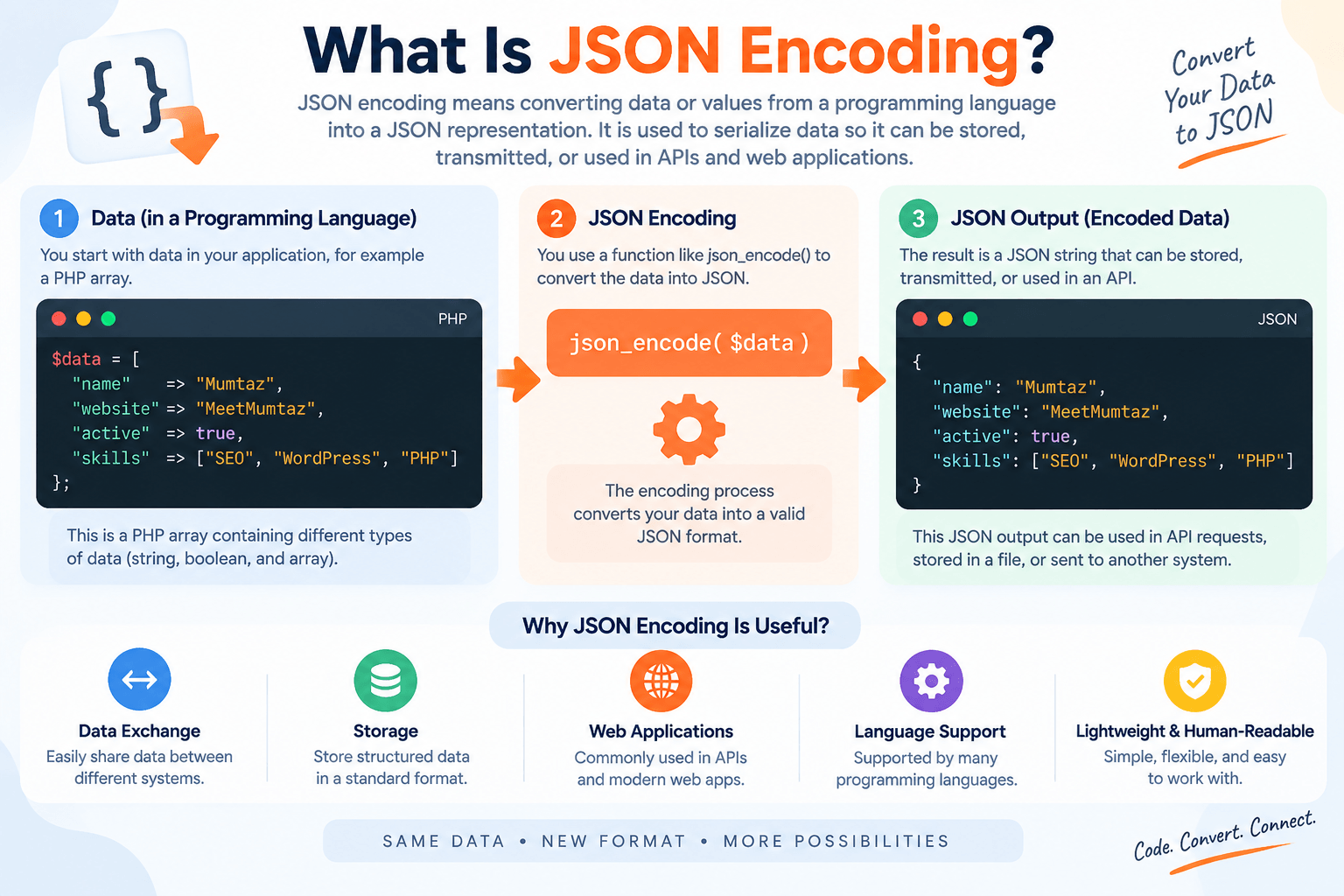
JSON encoding means converting compatible data or values into a JSON representation.
This is different from merely formatting existing JSON.
For example, an application may have data representing a user name, role, and status. JSON encoding can serialize that information into JSON that can be stored or transmitted.
In PHP, json_encode() is a built-in function used for this purpose.
A simplified example is:
$data = [
    "name" => "Mumtaz",
    "active" => true
];

echo json_encode($data);
The resulting JSON representation can look like:
{"name":"Mumtaz","active":true}Understanding this difference is important when searching for a json_encode online solution: encoding data into JSON and formatting already-valid JSON are related tasks, but they are not identical operations.
JSON Formatter vs JSON Encoder
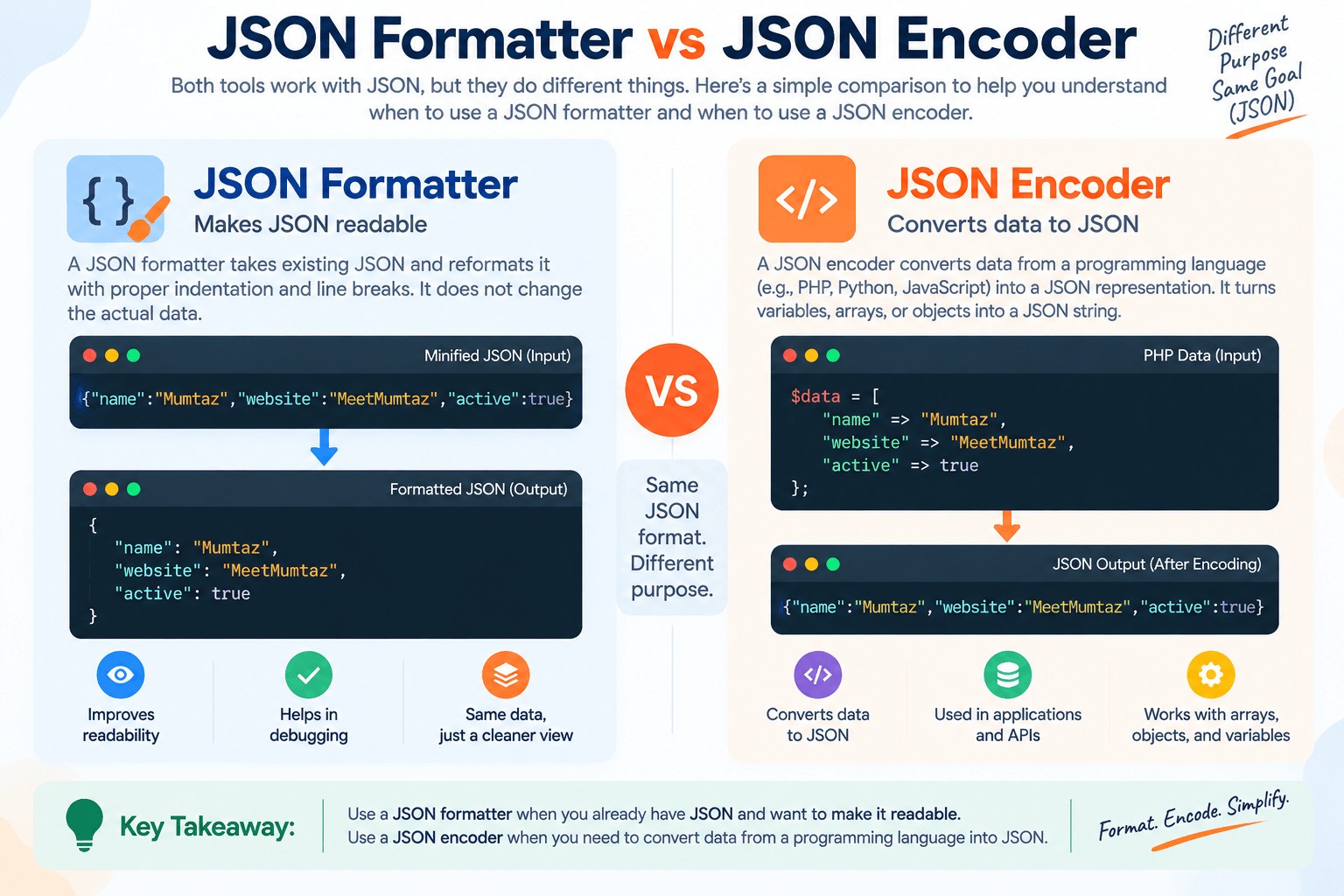
A JSON formatter primarily changes presentation.
A JSON encoder changes compatible input data into a JSON representation.
Think of it this way:
Formatter: JSON → readable JSON
Encoder: compatible data/value → JSON representation
If you already have valid but unreadable JSON, formatting is normally what you need.
If you have data that needs to be serialized into JSON, you are dealing with encoding.
What Is a JSON String?
A JSON string is a string value represented according to JSON syntax.
For example:
"MeetMumtaz"is a valid JSON string value.
Within an object:
{
  "website": "MeetMumtaz"
}
"website" is a property name and "MeetMumtaz" is a string value.
Strings use double quotes and certain characters inside them must be escaped correctly.
Understanding this becomes particularly important when JSON itself needs to be represented inside another string.
How to Convert JSON to String Online
People searching for json to string online may be trying to accomplish different tasks.
You may simply want compact JSON on one line:
{"name":"Mumtaz","website":"MeetMumtaz"}Or you may need a JSON object represented as an escaped string for use inside code, another JSON property, a request body, or a particular application.
For example, a JSON object:
{"name":"Mumtaz"}when represented as the contents of a JSON string requires escaping of its internal quotation marks.
The exact output you need therefore depends on where the resulting string will be used.
An online JSON tool can help with formatting and minification, but developers should distinguish between minifying JSON and serializing/escaping JSON as a string.
JSON Object vs JSON String
This distinction causes a lot of confusion.
A JSON object:
{
  "name": "Mumtaz"
}
and a string containing serialized JSON are not the same type of value.
An application expecting an object may not correctly handle a string containing object-shaped text, and vice versa.
When integrating APIs, always check the expected data type rather than converting an object to a string simply because the visible content looks similar.
How to Format JSON Online
Using an online JSON formatter should be straightforward.
Step 1: Copy the JSON you want to inspect.
Step 2: Open the JSON Formatter & Validator.
Step 3: Paste your JSON into the input area.
Step 4: Select the formatting or validation option provided by the tool.
Step 5: Review the formatted output.
If validation fails, inspect the input for missing quotation marks, commas, braces, brackets, or other syntax problems.
Once the JSON is valid, you can use the formatted version for debugging, development, or documentation.
When Is an Online JSON Formatter Useful?
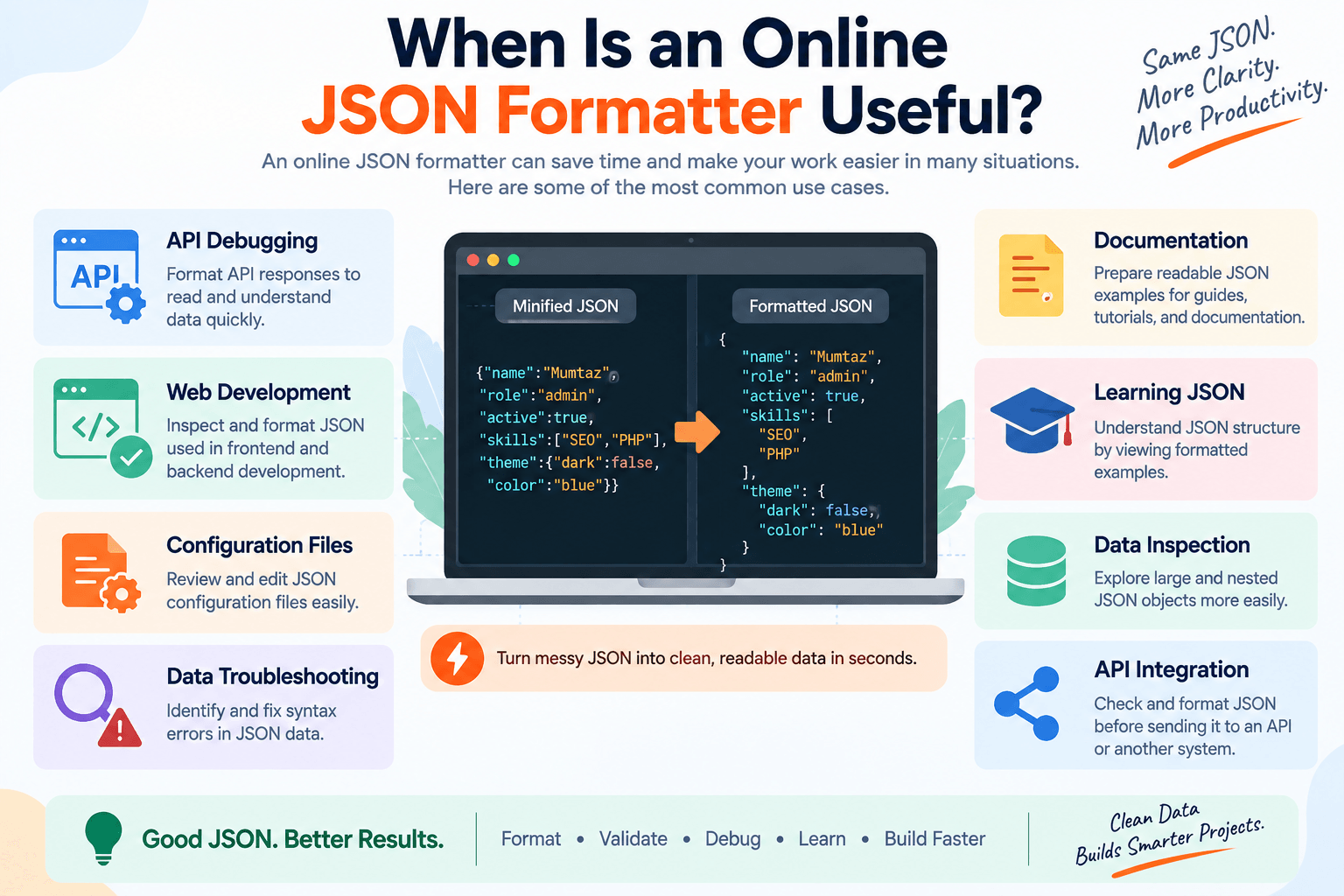
JSON formatters are useful in many development workflows.
API Debugging
APIs frequently return JSON responses. Formatting those responses makes nested information easier to inspect.
Web Development
Frontend and backend developers commonly exchange structured information using JSON.
Configuration Files
Many tools and applications use JSON-based configuration. Proper formatting makes settings easier to review.
Data Troubleshooting
When an application fails to parse JSON, validation can help reveal syntax errors.
Documentation
Readable JSON examples are much easier to understand than long minified strings.
Learning JSON
Beginners can compare compact and formatted versions to understand objects, arrays, properties, and nested structures.
Is It Safe to Use an Online JSON Formatter?
That depends on the tool and the data you are processing.
Avoid pasting passwords, authentication tokens, API keys, personal records, confidential business information, or other sensitive data into an online tool unless you understand how that tool processes and stores submitted information.
For non-sensitive JSON, browser-based formatting can be a convenient option.
When dealing with confidential data, locally processed or trusted development tools may be more appropriate.
JSON Formatting Best Practices
Good JSON formatting is mostly about consistency and correctness.
Use predictable indentation, keep object structures logical, choose clear property names, validate syntax before using the data, and avoid unnecessary complexity where a simpler structure would work.
For development teams, consistent formatting also makes code reviews and debugging easier.
When transferring JSON between systems, remember that pretty formatting is primarily for humans. Applications generally care about the underlying data structure rather than whitespace.
Online JSON Formatter for Developers
An online JSON formatter can save time when you need a quick inspection without opening an IDE or writing a script.
It is especially convenient for:
- Checking API output
- Formatting copied JSON
- Validating configuration snippets
- Reviewing nested structures
- Minifying JSON
- Troubleshooting syntax errors
For repeated development workflows or highly sensitive data, local development tools may still be preferable.
Final Thoughts
An online JSON formatter provides a simple way to transform difficult-to-read JSON into clean, structured data. When combined with validation, it can also help identify common syntax errors before the JSON is used by an application or API.
Formatting, minification, encoding, and string conversion are related concepts, but they should not be confused with one another. Formatting changes readability, minification removes unnecessary whitespace, JSON encoding creates a JSON representation of compatible data, and converting JSON to a string may require serialization or escaping depending on the destination.
Whether you’re formatting an API response, looking for a json_encode online workflow, or trying to understand how to convert json to string online, knowing these distinctions will help you choose the correct operation and avoid common JSON errors.
FAQs
What is an online JSON formatter?
An online JSON formatter is a browser-based tool that restructures JSON with indentation and line breaks to make the data easier to read and inspect.
Does formatting JSON change its data?
Proper formatting should not change the underlying values or structure. It primarily changes whitespace and indentation to improve readability.
What is the difference between formatting and validating JSON?
Formatting improves the appearance and readability of JSON, while validation determines whether the input follows valid JSON syntax.
What does json_encode do?
json_encode() is commonly associated with PHP and converts a compatible PHP value into its JSON representation. It is an encoding operation rather than simply a formatting operation.
How do I convert JSON to a string online?
The correct method depends on what you mean by a string. You may need minified JSON on one line or an escaped serialized representation for use inside another string. Check the requirements of the application receiving the output.
Is minified JSON still valid JSON?
Yes, provided the underlying syntax is valid. Removing unnecessary whitespace does not make valid JSON invalid.
Why is my JSON invalid?
Common causes include trailing commas, missing double quotes, single-quoted strings, missing separators, invalid escape sequences, and unmatched braces or brackets.
Is it safe to paste JSON into an online formatter?
Avoid submitting sensitive information such as passwords, API keys, authentication tokens, or confidential records unless you trust and understand how the tool handles your data.


