

Search engines need a way to understand which areas of your website they can crawl. One of the simplest files used for this purpose is robots.txt.
A properly configured robots.txt file can provide instructions to search engine crawlers, point them toward your XML sitemap, and help prevent unnecessary crawling of selected website areas.
If you’re searching for a free robots.txt generator by webnewstips. com or simply need an easy robots.txt generator for your website, the important thing is not the name of the generator. What matters is whether the tool creates valid robots.txt directives that match your crawling requirements.
In this guide, you’ll learn what robots.txt is, how a robots.txt generator works, what User-agent, Allow, Disallow, and Sitemap directives mean, where the file belongs, and which common mistakes you should avoid.
What Is a Robots.txt File?
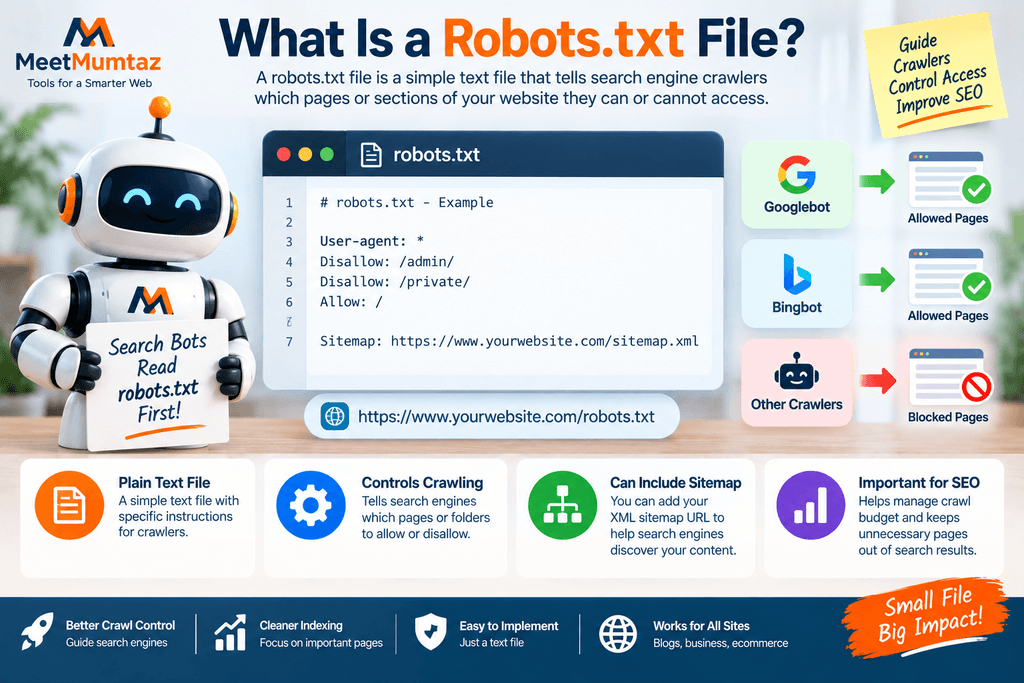
A robots.txt file is a plain-text file placed at the root of a website.
For example:
https://example.com/robots.txt
The file contains instructions that supported web crawlers can read before crawling different areas of the website.
A simple robots.txt file might look like this:
User-agent: *
Disallow: /private/
Sitemap: https://example.com/sitemap.xml
In this example, the file communicates two basic instructions:
- Crawlers matching the rule should avoid the
/private/path. - The website’s XML sitemap can be found at the specified URL.
Robots.txt is primarily a crawl-management mechanism. It should not be treated as a password system or a reliable method for hiding confidential information.
What Is a Robots.txt Generator?
A robots.txt generator is a tool that helps create robots.txt rules without requiring you to manually write every directive.
Instead of starting with an empty text file, you can specify things such as:
- Which crawlers the rules apply to
- Which paths should be allowed
- Which paths should be disallowed
- Your XML sitemap URL
- Other supported crawling instructions
The generator then formats those choices into robots.txt syntax.
This is especially useful for website owners who understand what they want crawlers to do but don’t want to risk simple formatting mistakes.
Why Use a Free Robots.txt Generator?
Robots.txt syntax is relatively simple, but small mistakes can have significant consequences.
For example, an overly broad Disallow rule may prevent crawlers from accessing important sections of a website.
A free robots.txt generator can make the initial setup easier by providing a structured way to create common directives.
A generator can help you:
- Build a basic robots.txt file quickly
- Create User-agent rules
- Add Allow directives
- Add Disallow directives
- Include an XML sitemap
- Reduce basic syntax mistakes
- Understand the structure before uploading the file
However, a generator cannot decide your SEO strategy for you.
You still need to understand what you’re allowing or blocking.
How Does a Robots.txt Generator Work?

The basic workflow is straightforward:
Choose crawler → Add rules → Add sitemap → Generate → Review → Upload → Test
First, you select or enter the User-agent.
Next, you define the paths that should be allowed or disallowed.
If you have an XML sitemap, you can add its URL.
The generator then combines those inputs into a plain-text robots.txt file.
For example:
User-agent: *
Disallow: /temporary/
Allow: /
Sitemap: https://example.com/sitemap.xml
You should always review the generated file before placing it on a live website.
Automation makes creation easier, but it doesn’t remove the need for verification.
What Does User-agent Mean in Robots.txt?
The User-agent directive identifies which crawler a group of rules applies to.
For example:
User-agent: *
The asterisk generally represents all crawlers that follow the Robots Exclusion Protocol.
You can also create rules for particular crawlers when necessary.
A robots.txt file can contain multiple groups, each beginning with a User-agent directive.
For many basic websites, a general rule for all supported crawlers is enough.
What Does Disallow Mean?
The Disallow directive tells matching crawlers which paths they should not crawl.
Example:
Disallow: /private/
This asks the crawler not to crawl URLs under that path.
Another example:
Disallow: /testing/
This may be useful if a public website contains a crawlable area that you don’t want search bots spending time exploring.
But use Disallow carefully.
Blocking an important directory accidentally can create crawling problems across many pages.
What Does Allow Mean?
The Allow directive can be used to permit crawling of a particular path, including in situations where a broader parent path has been restricted for crawlers that support the directive.
For example, a configuration might contain:
Disallow: /folder/
Allow: /folder/public-page/
The intended idea is that the broader folder is restricted while a particular path within it remains crawlable.
Rules involving overlapping paths can become more complicated, so they should always be tested rather than assumed to work as intended.
What Does Sitemap Mean in Robots.txt?
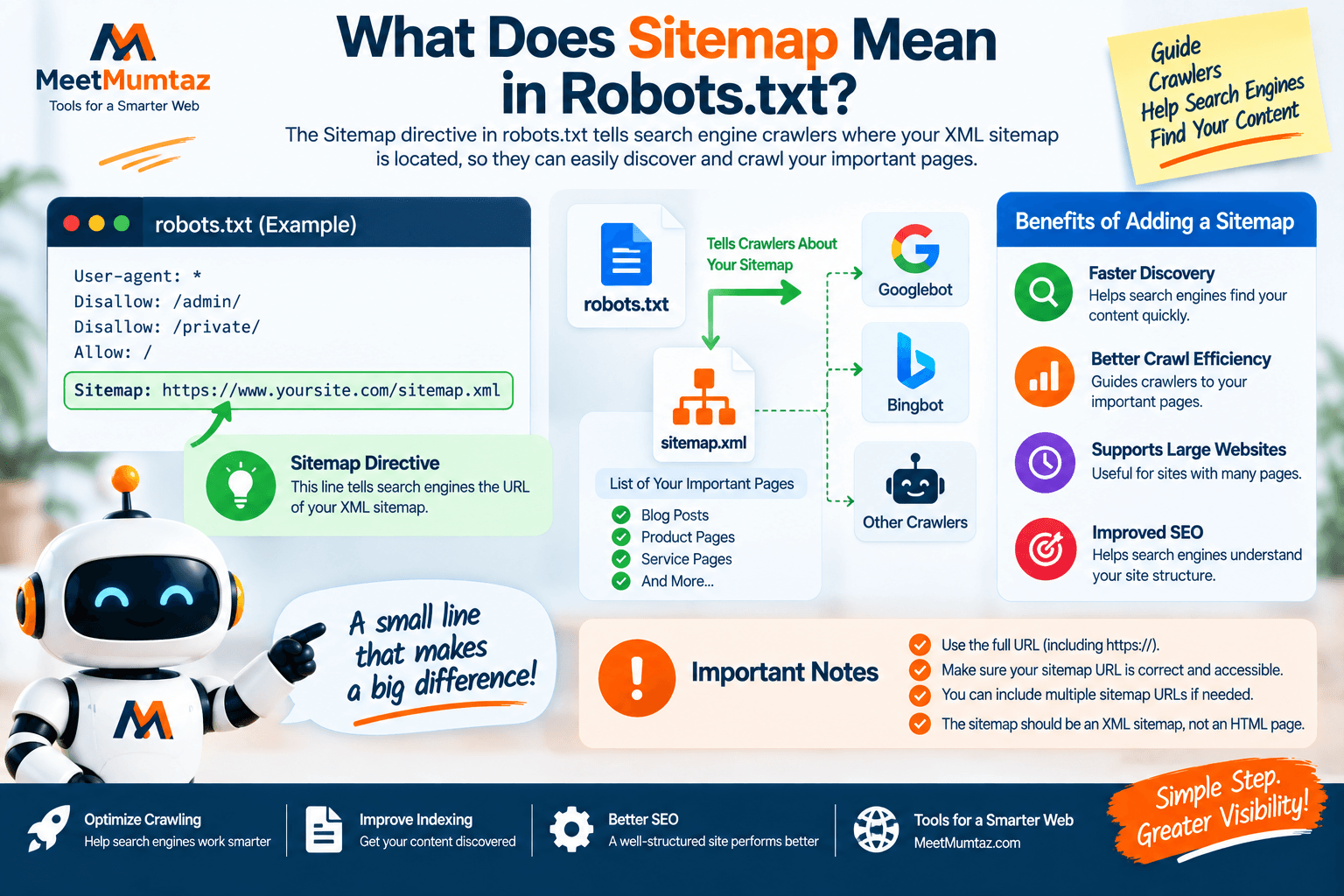
You can include the location of your XML sitemap in robots.txt.
Example:
Sitemap: https://example.com/sitemap.xml
This helps crawlers discover the sitemap URL.
A sitemap and robots.txt serve different purposes.
Robots.txt provides crawling instructions.
XML sitemap provides a structured list or set of URLs you want search engines to discover.
They can work together, but one does not replace the other.
Where Should Robots.txt Be Located?
The robots.txt file belongs at the root of the relevant website host.
For example:
https://example.com/robots.txt
Not:
https://example.com/blog/robots.txt
and not:
https://example.com/files/robots.txt
If you want robots.txt rules to apply to example.com, crawlers expect the file at the root location.
After uploading or configuring it, visit the robots.txt URL directly in your browser to confirm that it is accessible.
How to Generate a Robots.txt File
You can create a robots.txt file in a few steps.
Step 1: Decide What Crawlers Should Access
Before generating anything, decide whether there are website areas you genuinely need to restrict from crawling.
Don’t block directories simply because they look technical.
Step 2: Choose the User-agent
For general rules, you may use:
User-agent: *
If you need crawler-specific behavior, configure the appropriate group carefully.
Step 3: Add Disallow Rules
Enter only the paths you intentionally want to restrict.
For example:
Disallow: /private-area/
Review every blocked path before continuing.
Step 4: Add Allow Rules if Needed
If a restricted area contains a specific path that should remain crawlable, an Allow rule may be appropriate.
Step 5: Add Your Sitemap
Include the complete sitemap URL.
For example:
Sitemap: https://example.com/sitemap.xml
Step 6: Generate the File
Use your robots.txt generator to create the formatted output.
Step 7: Review Every Rule
Don’t immediately upload generated code.
Read every line and confirm that it represents what you intended.
Step 8: Publish and Test
Make the robots.txt file available at the site’s root and test important URLs against the intended rules.
Basic Robots.txt Example
A simple configuration could look like this:
User-agent: *
Allow: /
Sitemap: https://example.com/sitemap.xml
This is a relatively open configuration.
It tells supported crawlers that crawling is generally allowed and provides the sitemap location.
Your actual configuration may differ depending on your website.
Robots.txt Example With a Blocked Directory
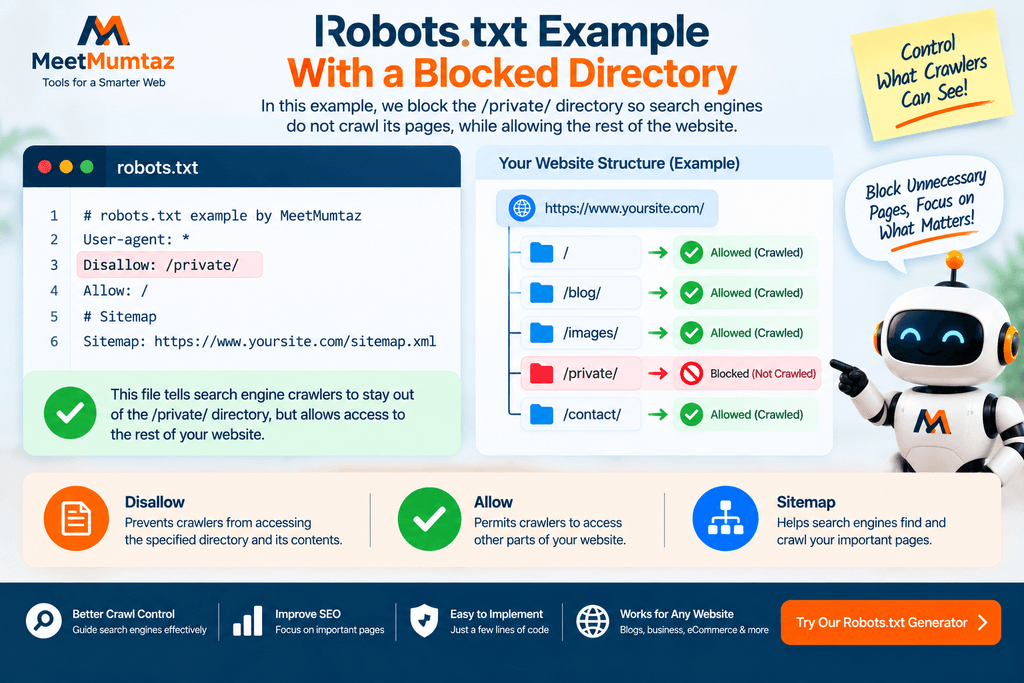
Suppose you don’t want supported crawlers crawling a specific temporary directory.
You might use:
User-agent: *
Disallow: /temporary/
Sitemap: https://example.com/sitemap.xml
This doesn’t mean that the directory has become private.
It is a crawling instruction, not an access-control system.
Should You Block Your Entire Website?
You may encounter a rule like:
User-agent: *
Disallow: /
This broadly tells matching crawlers not to crawl the site.
That can be appropriate in some controlled situations, such as certain development or staging environments, but it can be disastrous if accidentally left on a public website that you want search engines to crawl.
Before launching a website, always inspect robots.txt for broad blocking rules.
Robots.txt and SEO
Robots.txt can play an important role in technical SEO because crawling is part of how search engines discover and process website content.
A sensible robots.txt configuration can help guide crawlers away from areas that don’t need crawling.
However, robots.txt isn’t an SEO ranking booster by itself.
Adding more rules does not make a website rank higher.
In fact, unnecessary restrictions can create problems by preventing search engines from accessing resources or pages they need.
A good robots.txt file is usually deliberate and relatively simple.
Does Robots.txt Prevent Google Indexing?
This is one of the most important robots.txt concepts.
Blocking crawling and preventing indexing are not the same thing.
A robots.txt Disallow rule is primarily a crawling instruction.
If a URL is discoverable through links or other sources, search engines may still know that the URL exists even when crawling is restricted.
If your goal is to prevent a page from appearing in search results, you should understand indexing controls such as the noindex directive rather than assuming robots.txt alone solves the problem.
Also be careful: if a crawler is prevented from accessing a page, it may not be able to see a noindex directive placed inside that page.
Robots.txt vs. Noindex
Robots.txt and noindex solve different problems.
Robots.txt
Primarily controls crawling.
Example:
Disallow: /example/
Noindex
Tells supported search engines that a page should not be included in search results when they can crawl and process the directive.
Example:
<meta name="robots" content="noindex">
A common SEO mistake is treating these as interchangeable.
They are not.
Choose the directive based on whether you’re trying to control crawling or indexing.
Robots.txt vs. XML Sitemap
Another common misunderstanding is that robots.txt and XML sitemaps compete with each other.
They actually have different jobs.
Robots.txt
Tells crawlers where they may or may not crawl according to your rules.
XML Sitemap
Helps search engines discover important URLs.
A website can use both.
In fact, robots.txt is a convenient location for publishing the sitemap URL.
Robots.txt vs. Meta Robots Tag
A robots.txt file exists at the website host level and provides crawler instructions for URL paths.
A meta robots tag exists within an HTML page.
Example:
<meta name="robots" content="noindex, follow">
The meta robots tag can communicate page-level indexing and crawling-related directives after the crawler accesses the page.
Understanding the difference helps prevent technical SEO mistakes.
Robots.txt vs. X-Robots-Tag
The X-Robots-Tag is an HTTP response header that can communicate robots directives.
It can be useful for resources where an HTML meta tag isn’t suitable.
For example, indexing directives for certain non-HTML resources may be handled through HTTP headers.
This is different from robots.txt, which controls crawler access patterns.
Technical SEO often involves choosing the right mechanism for the right purpose rather than trying to solve everything with one file.
Can Robots.txt Protect Private Content?
No.
You should never rely on robots.txt to secure sensitive information.
The file is publicly accessible, and anyone can usually visit:
example.com/robots.txt
A Disallow rule can even reveal the existence of a directory.
Sensitive areas should use appropriate security controls such as:
- Authentication
- Authorization
- Server-side access restrictions
- Proper application security
Robots.txt is for crawler guidance, not privacy.
Should CSS and JavaScript Be Blocked?
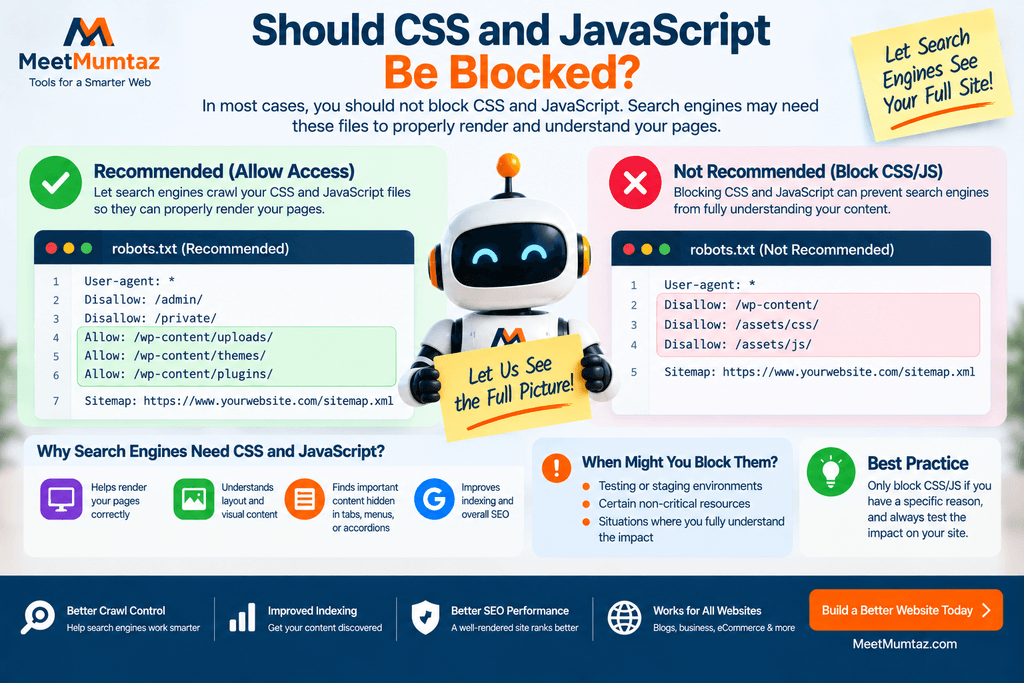
In most modern SEO situations, you should be cautious about blocking CSS and JavaScript resources that search engines need to render your pages properly.
Search engines may use these resources to understand how the page appears and functions.
Broad rules that block important asset directories can interfere with rendering.
Before blocking a resource directory, ask:
Does a search engine need this resource to understand my page?
If the answer may be yes, blocking it deserves careful consideration.
Robots.txt for WordPress Websites
WordPress websites often have their own robots.txt considerations.
Depending on the configuration, WordPress may generate a virtual robots.txt file even when no physical robots.txt file exists on the server.
Before replacing or customizing it, check what your website currently serves at:
https://yourdomain.com/robots.txt
For a WordPress site, avoid blindly copying robots.txt templates from another website.
Different sites use different:
- Plugins
- Themes
- URL structures
- Ecommerce systems
- Search features
- Custom directories
Your robots.txt file should match your own website.
Robots.txt for Ecommerce Websites
Large ecommerce websites may contain many URLs generated by:
- Filters
- Sorting
- Search
- Parameters
- Account areas
- Cart functionality
- Faceted navigation
This can make crawl management more complicated.
However, blocking everything that looks duplicate isn’t automatically the right solution.
Robots.txt should be part of a broader technical SEO strategy that may also involve:
- Canonicalization
- Internal linking
- URL structure
- Indexing directives
- Sitemap management
Large ecommerce sites should test changes carefully because a single broad rule can affect thousands of URLs.
Robots.txt for Staging Websites
Staging and development sites should generally not compete with the production website in search results.
However, robots.txt alone isn’t the strongest way to secure a staging environment.
A staging website is better protected through proper access restrictions when possible.
This prevents unauthorized visitors and crawlers from accessing the content in the first place.
If robots.txt is also used, treat it as an additional crawler instruction rather than your security layer.
What Is a Robot Text Generator?
The phrase robot text generator can be confusing.
In the context of website SEO, users searching for a robot text generator may actually be looking for a robots.txt generator.
Robots.txt is pronounced similarly to “robots text,” which can lead to variations in search queries.
A robots.txt generator does not generate writing from a robot.
It creates crawler instructions such as:
User-agent
Allow
Disallow
Sitemap
If your goal is to control search engine crawling, a robots.txt generator is the appropriate tool.
Is a Robotic Text Generator the Same as a Robots.txt Generator?
No.
A robotic text generator sounds like a tool designed to generate written text automatically.
A robots.txt generator has a completely different purpose.
A robots.txt generator creates technical crawler directives.
For example:
User-agent: *
Disallow: /private/
A writing generator, chatbot, or AI content tool creates human-readable text.
The similar terminology can be confusing, but technically they are unrelated tools.
What Does “Generate a Friendly Robot” Mean?
The phrase generate a friendly robot is also different from creating a robots.txt file.
It may refer to generating a robot illustration, character, chatbot personality, or AI-related content.
A robots.txt generator doesn’t create a visual or conversational robot.
However, you can think of a properly configured robots.txt file as creating crawler-friendly instructions for search engines.
Instead of trying to “generate a friendly robot,” the SEO objective is to create a search-engine-friendly robots.txt file that clearly communicates which areas crawlers should and shouldn’t access.
What Is “Free Robots.txt Generator by Webnewstips Com”?
Some users may search for the phrase free robots.txt generator by webnewstips com when trying to locate a particular online generator or when looking generally for a free way to create robots.txt rules.
Regardless of which website or generator you use, evaluate the generated file itself.
A useful robots.txt generator should allow you to understand and review:
- User-agent rules
- Allow directives
- Disallow directives
- Sitemap URLs
- Generated output
Don’t publish a robots.txt file simply because a tool generated it.
The final responsibility for the directives remains with the website owner.
Common Robots.txt Mistakes
Robots.txt files are small, but mistakes can affect large portions of a website.
Here are several common problems.
Accidentally Blocking the Entire Site
Disallow: /
can broadly restrict crawling.
Always check for this before launching a website.
Blocking Important Pages
Don’t add a directory to Disallow without understanding which URLs are inside it.
Blocking Important Resources
CSS or JavaScript needed for rendering may be accidentally restricted.
Using Robots.txt for Security
A Disallow rule does not protect confidential information.
Confusing Noindex With Disallow
Crawling and indexing are related but different concepts.
Copying Another Website’s File
A robots.txt file should reflect your own website architecture.
Forgetting the Sitemap
If appropriate, include the correct absolute XML sitemap URL.
Publishing Without Testing
Always verify the final configuration.
How to Check Your Existing Robots.txt File
Open your domain followed by:
/robots.txt
For example:
https://example.com/robots.txt
Review the file and ask:
- Is it accessible?
- Are the User-agent groups correct?
- Are important directories accidentally blocked?
- Are important resources crawlable?
- Is the sitemap URL correct?
- Are there outdated rules?
- Does the file match the current website structure?
Robots.txt shouldn’t be a “set it once and forget it forever” file.
Review it after major website changes.
How to Test a Robots.txt File
After creating your file, don’t rely only on visual inspection.
Test important URL patterns against the intended crawler rules.
Pay particular attention to:
- Homepage
- Blog posts
- Product pages
- Category pages
- Important CSS files
- Important JavaScript files
- Images if relevant
- Admin or private-looking paths
- Sitemap location
Your objective is not merely to confirm that robots.txt exists.
Your objective is to confirm that it communicates the correct crawling behavior.
When Should You Update Robots.txt?
Consider reviewing robots.txt when you:
- Launch a new website
- Move from staging to production
- Redesign the website
- Change URL structure
- Add an ecommerce system
- Change SEO plugins
- Add new directories
- Modify faceted navigation
- Change sitemap structure
- Discover crawling problems
You don’t need to edit robots.txt frequently if nothing has changed.
Unnecessary changes can introduce new mistakes.
Robots.txt Optimization Checklist
Before finalizing your robots.txt file, review this checklist.
File Location
Is the file available at the root of the correct host?
User-agent
Do your crawler groups target the intended bots?
Disallow
Are you blocking only the paths you actually intend to restrict?
Allow
Are any required exceptions configured correctly?
Sitemap
Is the sitemap URL complete and accurate?
Important Pages
Can crawlers access the pages you want appearing in search?
Resources
Are necessary CSS, JavaScript, and other rendering resources accessible?
Security
Are you avoiding the use of robots.txt as a privacy mechanism?
Indexing
Are you using the correct indexing controls when you actually want pages removed from search?
Testing
Have you tested important URLs after making changes?
If all of these checks are satisfied, your robots.txt configuration is much less likely to cause unexpected crawling problems.
Frequently Asked Questions
What is a robots.txt generator?
A robots.txt generator is a tool that helps create crawler directives such as User-agent, Allow, Disallow, and Sitemap rules in robots.txt format.
Is a free robots.txt generator safe to use?
A generator can simplify file creation, but you should always review its output before publishing it. Incorrect rules can restrict crawling of important website content.
What is a robot text generator?
In SEO-related searches, robot text generator may be an informal or mistaken way of referring to a robots.txt generator. Robots.txt creates crawler instructions rather than normal written content.
Is a robotic text generator the same as robots.txt?
No. A robotic text generator usually implies automated writing, while robots.txt is a technical file used to provide crawler instructions.
Can a robots.txt file stop a page from being indexed?
Robots.txt primarily controls crawling. It should not be treated as a guaranteed method of preventing a URL from appearing in search results.
Can I use robots.txt to hide private pages?
No. Robots.txt is publicly accessible and is not a security mechanism. Protect sensitive content with proper access controls.
Should I add my XML sitemap to robots.txt?
Providing the absolute sitemap URL in robots.txt can help crawlers discover it.
Where should I upload robots.txt?
It should be accessible from the root of the relevant website host, such as https://example.com/robots.txt.
Should I block WordPress admin pages?
Don’t blindly copy a generic WordPress robots.txt configuration. Review your specific setup and ensure any rules don’t unintentionally block resources search engines need.
What does “generate a friendly robot” have to do with robots.txt?
Technically, nothing. The phrase generally refers to creating a robot character or similar content. For SEO, the useful concept is creating a crawler-friendly robots.txt file with clear and appropriate directives.
What is free robots.txt generator by webnewstips com?
It appears to be a search phrase used by people looking for a particular or free robots.txt generation solution. Whichever generator you choose, review and test the resulting directives before applying them to a live website.
Final Thoughts
A robots.txt file may contain only a few lines, but those lines can influence how search engine crawlers access large sections of your website.
Whether you searched for a free robots.txt generator by webnewstips com, a robot text generator, or simply a reliable way to create robots.txt rules, focus on the quality of the final configuration rather than the name of the tool.
Define the correct User-agent, use Allow and Disallow carefully, include your XML sitemap where appropriate, and never treat robots.txt as a security system.
Most importantly, review and test the generated file before publishing it.
A good robots.txt file isn’t necessarily a complicated one. It is one that gives search engine crawlers clear, deliberate, and technically appropriate instructions for your website.


