

Web pages can contain dozens or even hundreds of links hidden across navigation menus, articles, images, buttons, footers, and other HTML elements. Manually finding and copying every link can quickly become time-consuming, especially when analyzing a large webpage.
An extract URL tool simplifies this process by scanning webpage content and identifying URLs automatically. Instead of searching through source code manually, you can collect links in a structured format within seconds.
Whether you want to extract URLs for SEO analysis, find internal and external links, inspect webpage source code, or extract text from website content, understanding how URL extraction works can save considerable time.
You can use the URL Extractor to quickly find and organize URLs from webpage content.
What Does Extract URL Mean?
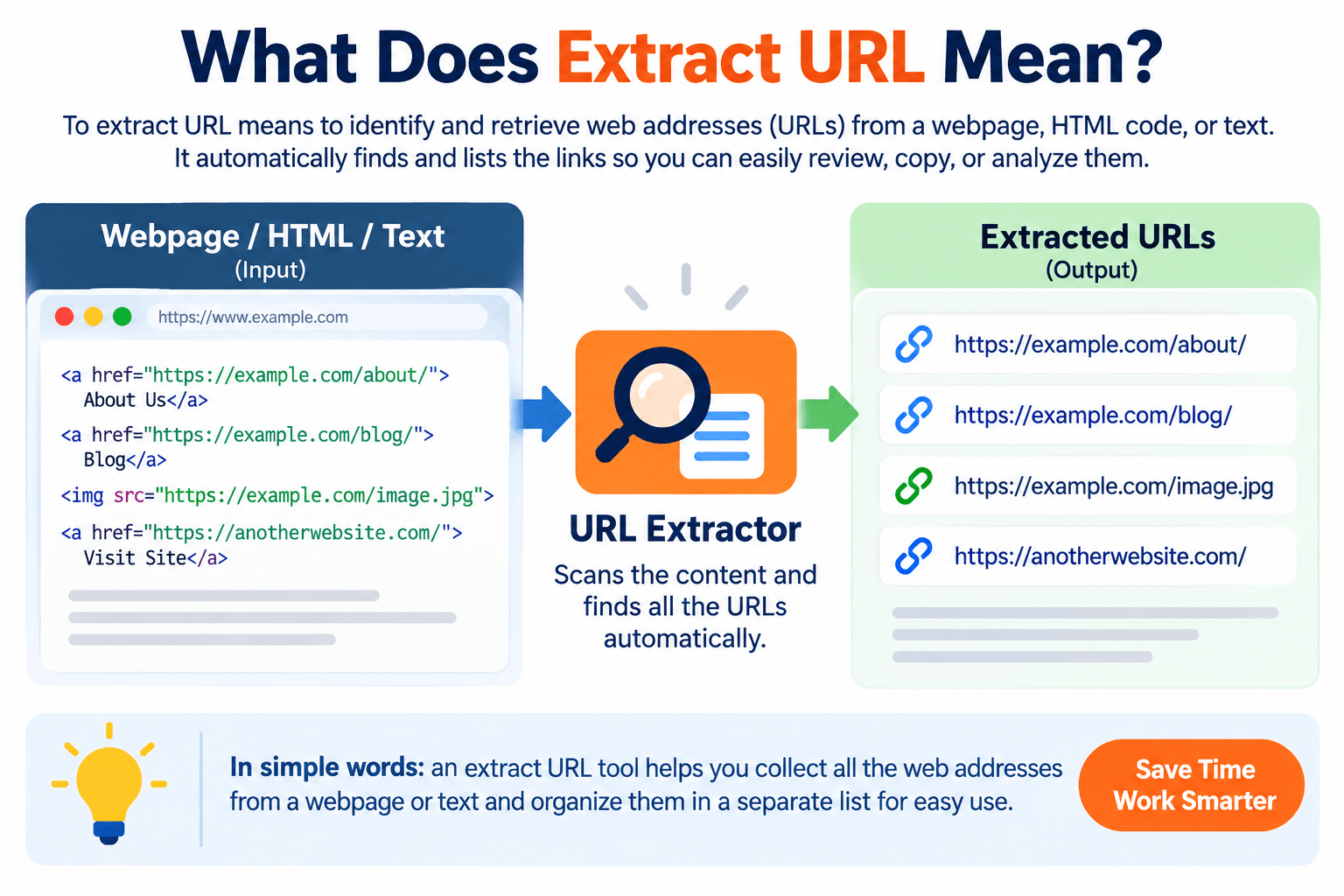
To extract URL means to identify and retrieve web addresses from a webpage, HTML document, text block, or another source.
For example, a webpage may contain links such as:
A URL extraction tool identifies these addresses and presents them separately so they can be reviewed, copied, or analyzed.
Depending on the tool, extracted links may include:
- Internal links
- External links
- Absolute URLs
- Relative URLs
- Image URLs
- Resource links
- Navigation links
- Download links
This makes URL extraction useful for SEO professionals, developers, content marketers, website owners, researchers, and anyone working with webpage data.
How Does a URL Extractor Work?
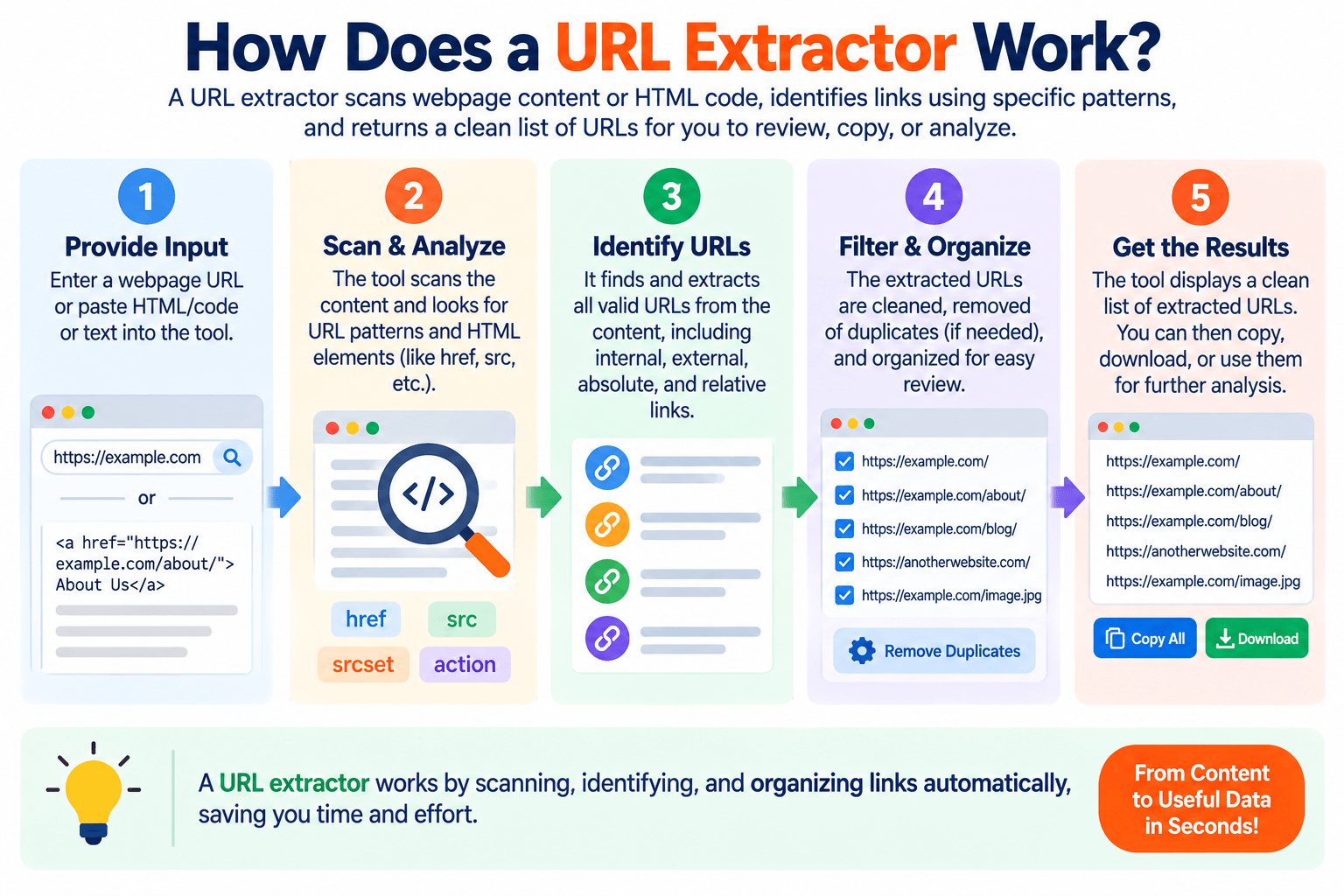
A URL extractor analyzes supplied content and looks for patterns or HTML elements containing links.
On a typical webpage, hyperlinks are commonly created using an anchor element:
<a href="https://example.com/page/">Example Page</a>
The URL is stored inside the href attribute.
A URL extraction tool can identify these attributes and return the associated addresses.
Depending on how a particular tool is designed, it may process pasted HTML/text directly or retrieve a publicly accessible webpage before analyzing its markup.
The general process is simple:
- Provide the webpage URL, HTML, or text.
- Start the extraction process.
- The tool analyzes the supplied content.
- URLs are identified.
- Extracted links are displayed for review or copying.
For developers who want to inspect markup itself, the Source Code Viewer can also help examine webpage source code.
Why Extract URLs From a Website?
There are many reasons to extract URLs from webpages.
Find Internal Links
Internal links connect pages within the same website.
For example:
linking to:
Extracting these URLs can help you understand how pages are connected.
For deeper link analysis, you can use the Internal Link Analyzer to review internal linking across webpage content.
Identify External Links
External links point from one domain to another.
Extracting them can help website owners identify which external resources are being referenced and review whether those destinations are still relevant.
Audit Website Links
URL extraction can provide a starting list for checking links during an SEO audit.
Once links have been collected, they can be reviewed for redirects, broken destinations, inconsistent protocols, or other issues.
MeetMumtaz’s Broken Link Checker can help with the next stage of identifying problematic links.
Collect URLs for Research
Researchers and content teams sometimes need a list of resources referenced on a page.
Rather than copying every hyperlink manually, extraction can organize them more efficiently.
Extract URL for SEO Analysis
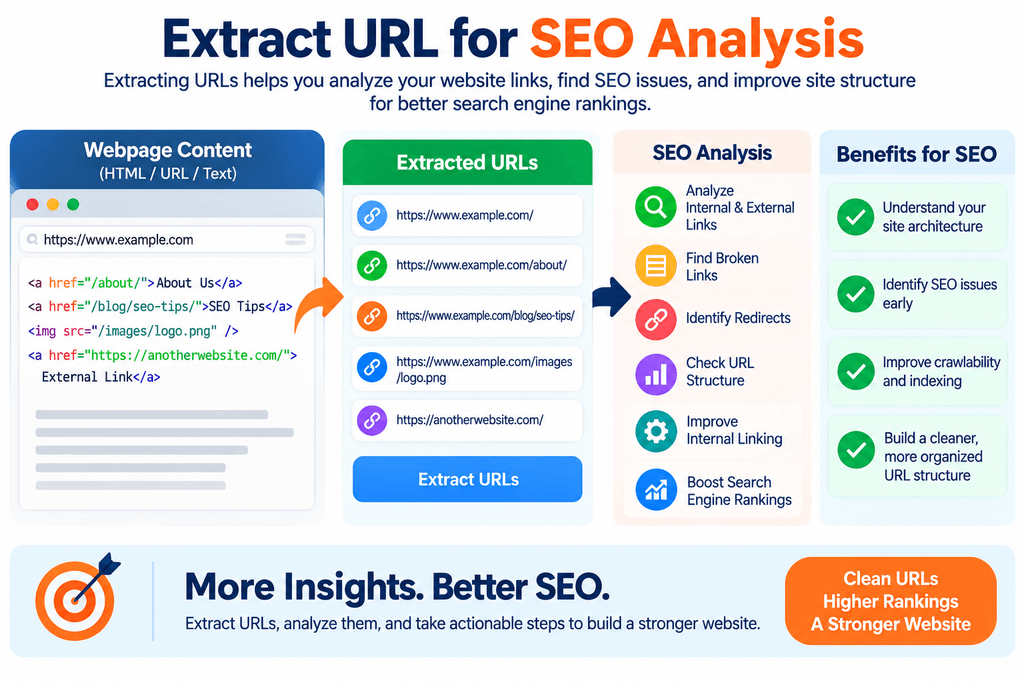
URLs are fundamental to technical SEO.
Search engines discover content partly by following links between crawlable pages. Understanding which URLs appear on a page can therefore help during website audits.
An extraction workflow can help identify:
- Internal links
- External links
- Repeated links
- Unexpected destinations
- HTTP URLs
- Tracking URLs
- Redirect targets
- Unusual URL structures
After collecting links, you can use an SEO Friendly URL Checker to review whether important URLs use a clean and understandable structure.
Google’s URL structure best practices also provide guidance on creating URLs that are easier for search engines and users to understand.
Internal URLs vs. External URLs
Understanding this distinction is important when analyzing extracted links.
Internal URL
An internal URL belongs to the same website or domain being analyzed.
For example, on example.com:
is an internal URL.
External URL
An external URL points to another domain.
For example:
would be an external link from example.com.
Both types can be useful during an audit, but they serve different purposes.
Internal links help users and crawlers navigate your own website, while external links connect visitors to resources on other websites.
Absolute URLs vs. Relative URLs
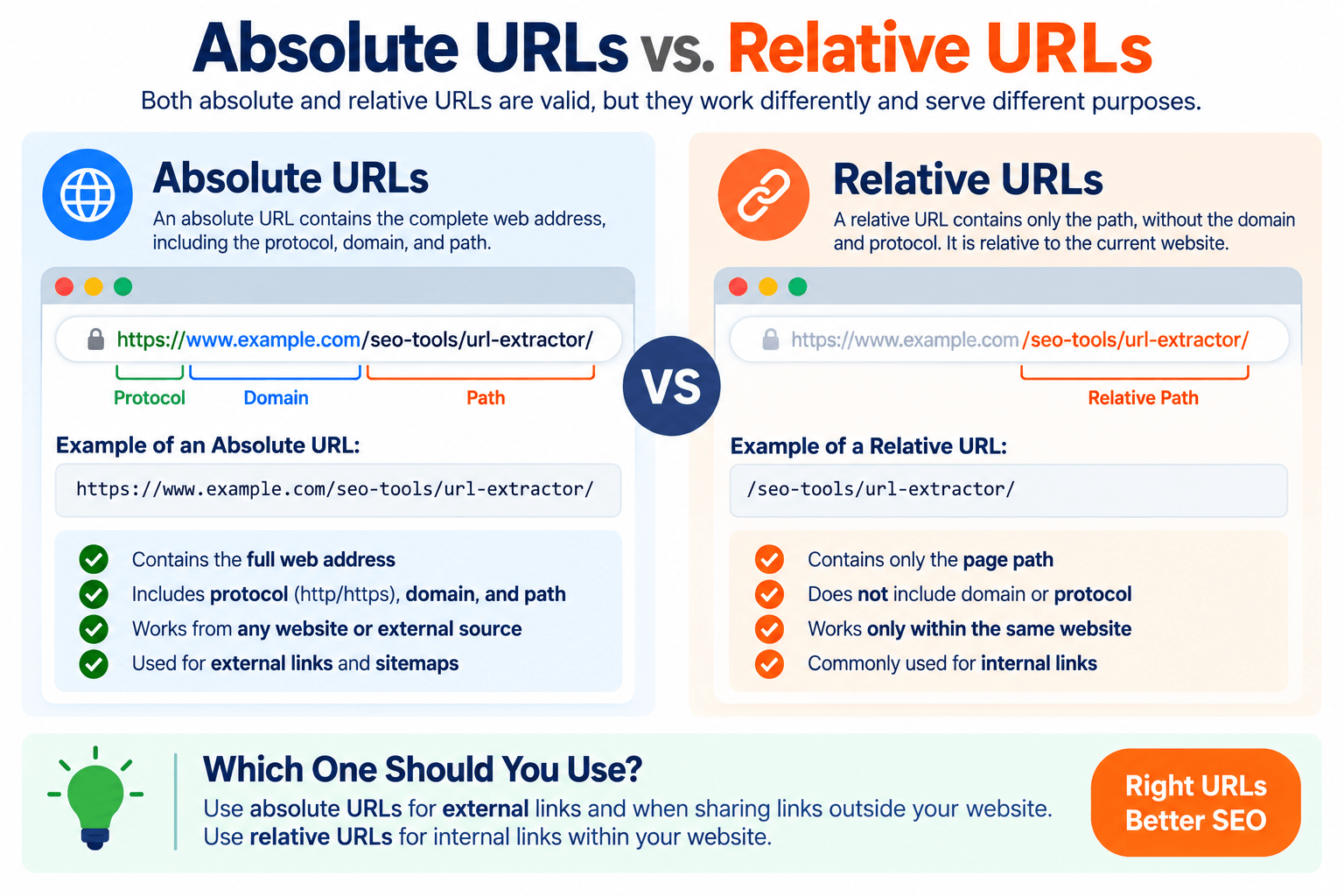
When you extract URLs, you may encounter both absolute and relative formats.
Absolute URL
An absolute URL contains the complete web address:
Relative URL
A relative URL provides a path relative to the current website:
/seo-tools/url-extractor/
Browsers can resolve relative links based on the page’s base URL.
An extraction tool may preserve relative URLs or convert them into absolute URLs, depending on how the tool works.
What Is a Code Extractor From URL?
People searching for a code extractor from URL are often looking for a way to retrieve or inspect the HTML source associated with a webpage.
When your browser loads a webpage, it receives HTML and may also load CSS, JavaScript, images, fonts, and other resources.
A source-code tool can help you inspect the HTML returned for a page.
For example, you might find:
<title>Example Page</title>
<meta name="description" content="Example description">
<a href="/seo-tools/">SEO Tools</a>
<img src="/images/example.webp" alt="Example">
If your goal is specifically to inspect HTML rather than simply collect links, use the Source Code Viewer.
It is important to understand that viewing publicly delivered source code does not necessarily expose server-side application code such as PHP, Python, database logic, credentials, or private backend files. Browsers normally receive the generated output rather than the private server-side source.
URL Extractor vs. Source Code Viewer
Although these tools are related, they solve different problems.
A URL Extractor focuses on finding links or URL-like values within supplied content.
A Source Code Viewer focuses on displaying the webpage’s HTML source so you can inspect its markup.
For example, if your goal is:
“Show me every link found in this content.”
Use a URL extractor.
If your goal is:
“Show me the HTML behind this webpage.”
Use a source-code viewer.
In some workflows, you may use both: inspect the source first and then extract relevant URLs for further analysis.
How to Extract Text From Website Content
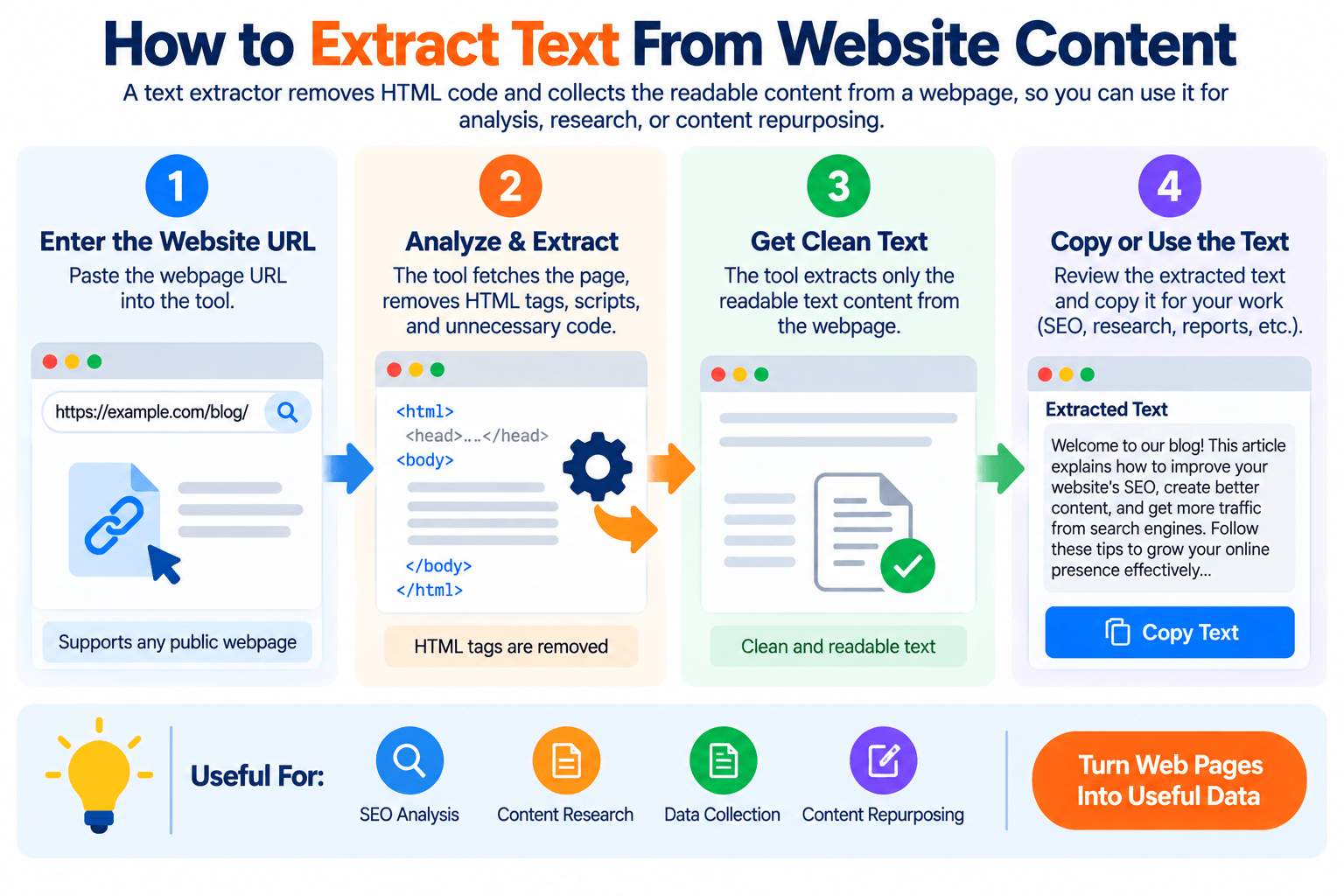
Another related task is to extract text from website content.
Webpages contain both visible content and markup. A text extraction process attempts to separate useful text from HTML elements.
For example, this HTML:
<h1>SEO Tools</h1>
<p>Explore useful tools for website optimization.</p>
could be represented as:
SEO Tools
Explore useful tools for website optimization.
Text extraction can be useful for content analysis, research, migration work, auditing, or preparing webpage information for further processing.
However, extracting text is different from extracting URLs. One focuses on human-readable content, while the other focuses on web addresses.
URL Extraction vs. Text Extraction
The difference is straightforward.
URL extraction finds:
Text extraction finds:
Learn how to optimize your website.
A webpage may contain both, so the appropriate method depends on what information you need.
If you’re performing SEO analysis, you may eventually need both the page content and its links.
Can You Extract URLs From HTML?
Yes. HTML is one of the most common sources for URL extraction.
Links can appear in several attributes, including:
href
src
srcset
action
Depending on the extraction goal, you may want only <a href> hyperlinks or a broader set of resource URLs.
For example:
<a href="/about/">About</a>
contains a navigational link, while:
<img src="/images/logo.webp">
contains an image resource URL.
This distinction matters because a page may contain many more resource URLs than ordinary clickable hyperlinks.
How to Extract URLs From HTML Code
Suppose you have this HTML:
<a href="https://example.com/about/">About</a>
<a href="https://example.com/blog/">Blog</a>
<a href="https://anotherwebsite.com/guide/">SEO Guide</a>
A URL extractor could return:
https://example.com/about/
https://example.com/blog/
https://anotherwebsite.com/guide/
This is significantly easier to analyze than searching through a large HTML document manually.
How to Extract URLs From Text
URLs aren’t limited to HTML.
A plain-text document might contain:
Visit https://example.com/tools/ for more information.
A text-aware URL extractor can identify the address within the sentence and return:
This can be useful when processing reports, exported data, notes, or other text containing multiple links.
How to Extract URLs Step by Step
Using a URL extraction tool is generally straightforward.
Step 1: Provide the Content
Paste the webpage content, HTML, or other supported input into the extractor.
If the tool supports fetching webpages directly, you may instead enter a publicly accessible page URL.
Step 2: Run the Extraction
Start the extraction process.
The tool analyzes the content and identifies supported URL patterns.
Step 3: Review the Extracted URLs
Check the results for internal, external, relative, absolute, or duplicate URLs.
Step 4: Copy the Results
Copy the extracted links for auditing, development, research, or another workflow.
Step 5: Analyze the URLs
Extraction is often only the beginning.
For example, you can check URL structure, identify broken links, analyze internal linking, or review redirect behavior.
The complete collection of SEO Tools can help with several of these follow-up checks.
How URL Extraction Helps With Internal Linking
Internal linking is important for website navigation and content discovery.
Extracting links from a page allows you to see which internal destinations are referenced and may help uncover:
- Pages receiving many links
- Important pages receiving few links
- Duplicate destinations
- Outdated links
- Unexpected URL variants
- Links pointing through redirects
A dedicated Internal Link Analyzer can provide a more focused analysis when internal linking is the primary concern.
Finding Broken Links After You Extract URLs
A URL list can become especially useful when combined with link checking.
A page may contain links that once worked but now return an error or point to content that has moved.
The workflow becomes:
Extract URLs → Check destinations → Identify broken links → Fix or update them
Use the Broken Link Checker when you need to investigate potentially broken destinations.
If a page has permanently moved to a new address, a suitable redirect may be required. The 301 Redirect Generator can help create common redirect rules.
Can URL Extraction Find Image URLs?
Potentially, yes—but it depends on what the extractor is designed to scan.
Images are commonly referenced through src or srcset attributes rather than <a href> links.
For example:
<img src="https://example.com/images/product.webp">
A broad resource URL extractor may detect this address, while a hyperlink-only extractor may not.
Always check what types of URLs a particular tool supports before assuming every resource will be included.
Can URL Extraction Find JavaScript and CSS Files?
Again, this depends on the extraction method.
Stylesheets may appear as:
<link rel="stylesheet" href="/assets/style.css">
JavaScript files may appear as:
<script src="/assets/app.js"></script>
A resource-focused extractor can potentially identify these URLs.
This can be useful for developers inspecting webpage assets, but it is different from extracting ordinary page-to-page links.
Can You Extract URLs From JavaScript-Rendered Pages?
This can be more complicated.
Some websites add links dynamically after JavaScript runs. If an extraction tool only analyzes the initial HTML response, dynamically generated links may not appear in its results.
A browser-rendering crawler may discover more of these links because it executes JavaScript before analyzing the final page.
Therefore, URL extraction results can differ depending on whether a tool examines raw HTML or a rendered webpage.
URL Extraction and Website Crawling Are Not the Same
A URL extractor normally analyzes URLs available in a particular input or webpage.
A crawler can follow discovered links and continue exploring additional pages across a website.
For example:
URL extractor: Finds links on Page A.
Crawler: Finds links on Page A, visits them, finds links on those pages, and continues according to its crawl rules.
This distinction becomes important when auditing larger websites.
Common Problems When Extracting URLs
URL extraction isn’t always perfectly straightforward.
You may encounter:
- Duplicate URLs
- Relative paths
- Tracking parameters
- Fragment identifiers
- JavaScript-generated links
- Redirecting URLs
- Encoded URLs
- Mail and telephone links
- Image/resource URLs
- Non-crawlable links
The correct treatment depends on the purpose of your analysis.
For example, an SEO audit may care primarily about crawlable HTTP and HTTPS page URLs rather than mailto: or tel: links.
Should Duplicate URLs Be Removed?
Often, yes—but not automatically in every situation.
A webpage may link to the same destination multiple times from its navigation, body content, sidebar, and footer.
If you’re building a unique list of destinations, removing duplicates makes the output easier to analyze.
If you’re studying link frequency or placement, however, duplicates may contain useful information.
Decide whether to deduplicate based on what you’re trying to measure.
Is It Safe to Extract URLs From Public Websites?
Extracting publicly visible URLs for ordinary analysis is different from attempting to bypass authentication, access restrictions, or technical protections.
Website owners and developers should respect applicable terms, access controls, copyright, privacy requirements, and reasonable request rates when collecting website data.
For search-engine crawling concepts, Google’s Googlebot documentation explains how Google’s crawler accesses web content.
Best Practices for URL Extraction
For cleaner and more useful results:
- Decide whether you need hyperlinks, resource URLs, or both.
- Keep internal and external URLs distinguishable.
- Normalize relative URLs when necessary.
- Decide whether tracking parameters should be retained.
- Remove duplicates when unique destinations are the goal.
- Check extracted links for redirects and errors.
- Respect access restrictions and website policies.
- Verify important results instead of relying entirely on automation.
These practices make extracted URL lists much easier to use for SEO and development tasks.
Frequently Asked Questions
What does extract URL mean?
To extract URL means to identify and retrieve web addresses from webpage content, HTML, text, or another supported source.
How can I extract URLs from a webpage?
You can use a URL extraction tool to analyze webpage content or HTML and return detected links in a separate list.
Can I extract URLs from HTML?
Yes. URLs can be extracted from HTML attributes such as href and src, depending on what types of links or resources you want to collect.
What is a code extractor from URL?
The phrase code extractor from URL commonly refers to a tool that retrieves or displays webpage HTML for inspection. It generally cannot expose private server-side source code that isn’t delivered to the browser.
Can I extract text from website pages?
Yes. Text extraction removes or interprets HTML markup so that human-readable webpage content can be collected separately.
Is URL extraction useful for SEO?
Yes. Extracted URLs can support internal-link audits, external-link reviews, broken-link checks, URL structure analysis, redirect audits, and other technical SEO workflows.
Can a URL extractor crawl an entire website?
Not necessarily. Extracting URLs from one page and crawling an entire website are different processes. A crawler follows discovered links across additional pages, while a basic extractor may only analyze the supplied input.
Can URL extractors find image and CSS URLs?
Some can. The result depends on whether the tool analyzes only hyperlink href attributes or also scans resource attributes such as src and srcset.
Final Thoughts
An extract URL tool provides a fast way to identify links without manually searching through webpage content or large blocks of HTML.
Whether you need to extract URLs for an SEO audit, inspect links while using a code extractor from URL, or extract text from website content for further analysis, choosing the right extraction method can make the workflow much more efficient.
Start by using the URL Extractor to collect links, then analyze them with tools such as the Internal Link Analyzer, Broken Link Checker, and SEO Friendly URL Checker to turn a simple list of URLs into useful website insights.


