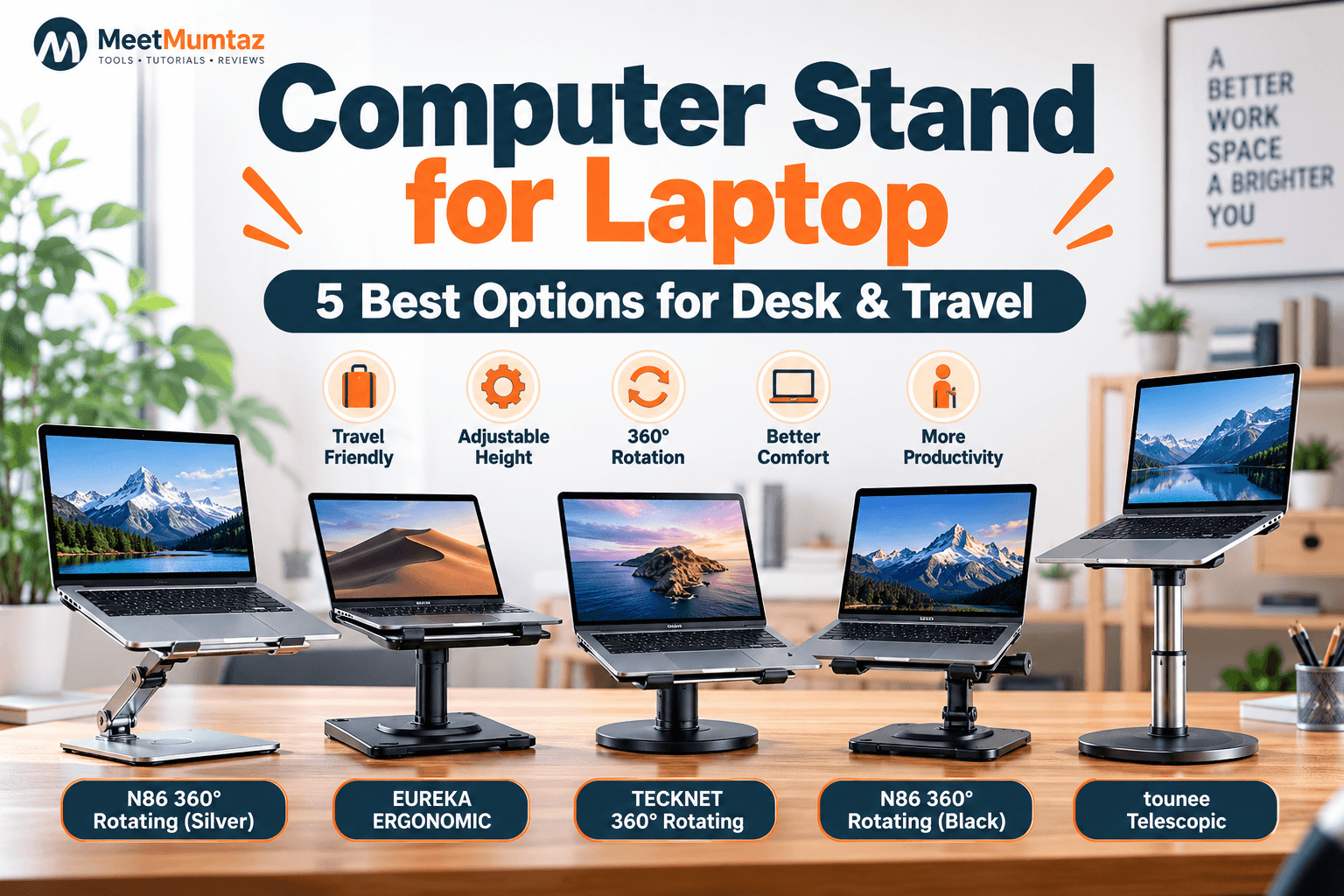
A good computer stand for laptop use can turn a basic workstation into a more flexible and organized setup. Raising a laptop gives you more freedom to position the screen, can create usable space underneath the computer, and may improve airflow around laptops with bottom ventilation.
But laptop stands aren’t all designed for the same job. A frequent traveler may prefer a lightweight collapsible laptop stand, while someone working from a permanent home office may want a sturdy desk laptop stand with height and angle adjustment. A taller telescopic model can make more sense when you’re specifically looking for a laptop stand for standing at desk height.
For this guide, we’ve selected five laptop stands covering rotation, portability, everyday desk use, and sit-to-stand workstations.
Affiliate Disclosure: This article contains affiliate links. If you purchase through our links, MeetMumtaz may earn a commission at no additional cost to you.
Quick Comparison
| Laptop Stand | Best For | Standout Feature | Price |
|---|---|---|---|
| N86 360° Rotating Laptop Stand – Silver | Best Overall | 360° rotation + locking knobs | Check Price → |
| EUREKA ERGONOMIC PC Stand | Desk Workstation | Height-adjustable design | Check Price → |
| TECKNET 360° Rotating Laptop Stand | Everyday Desk Use | 360° rotation + 10–17″ support | Check Price → |
| N86 360° Rotating Laptop Stand – Black | Dark Desk Setups | Locking knobs + rotating base | Check Price → |
| tounee Telescopic Laptop Stand | Standing Desk Use | Telescopic height + 360° swivel | Check Price → |
Prices and product specifications can change. Check the current Amazon listing before purchasing.
1. N86 360° Rotating Laptop Stand — Best Overall
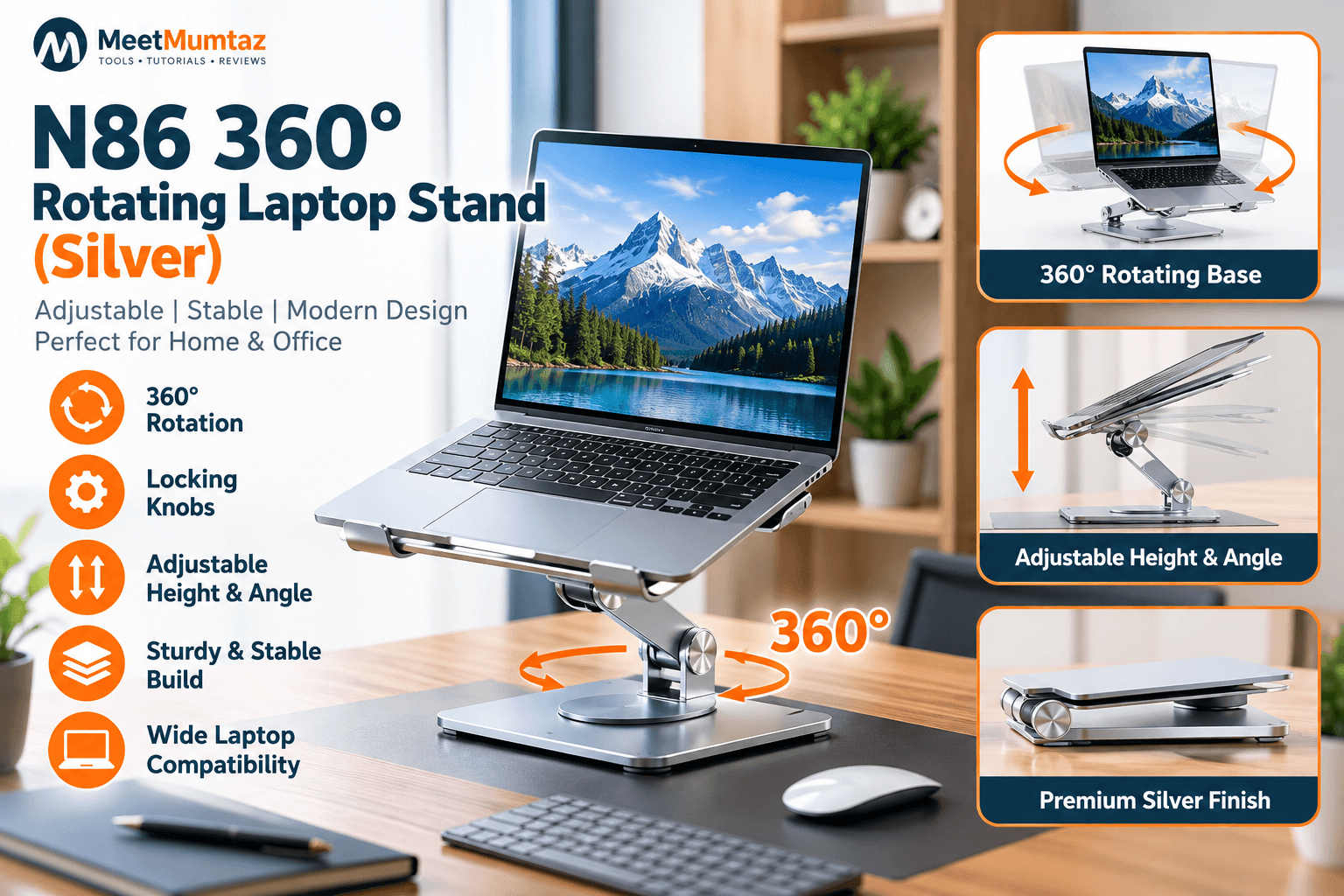
The N86 360° Rotating Laptop Stand in Silver is designed for people who want more control over laptop positioning than a simple fixed riser provides.
Its biggest differentiator is the combination of a 360-degree rotating base and locking knobs. Rotation can be useful when sharing your screen during meetings, changing your seating position, or working from different sides of a larger desk.
The locking mechanism is also worth considering because adjustable stands need to maintain their selected position while supporting a laptop.
As a desk laptop stand, the N86 is particularly suited to a permanent workstation where adjustability and screen positioning matter more than having the smallest possible travel accessory.
Key Features
- 360° rotating design
- Locking adjustment knobs
- Adjustable laptop position
- Silver finish
- Elevated desktop configuration
- Designed for home and office workstations
Pros
- Easy screen rotation
- Adjustable viewing position
- Locking mechanism
- Suitable for collaborative desks
- Clean silver finish
Cons
- More substantial than a minimalist travel stand
- Users who never rotate their laptop may not need the swivel feature
Best for: home offices, meetings, shared workspaces, and users wanting a flexible laptop holder.
Check Price on Amazon →2. EUREKA ERGONOMIC PC Stand — Best for a Permanent Desk Setup
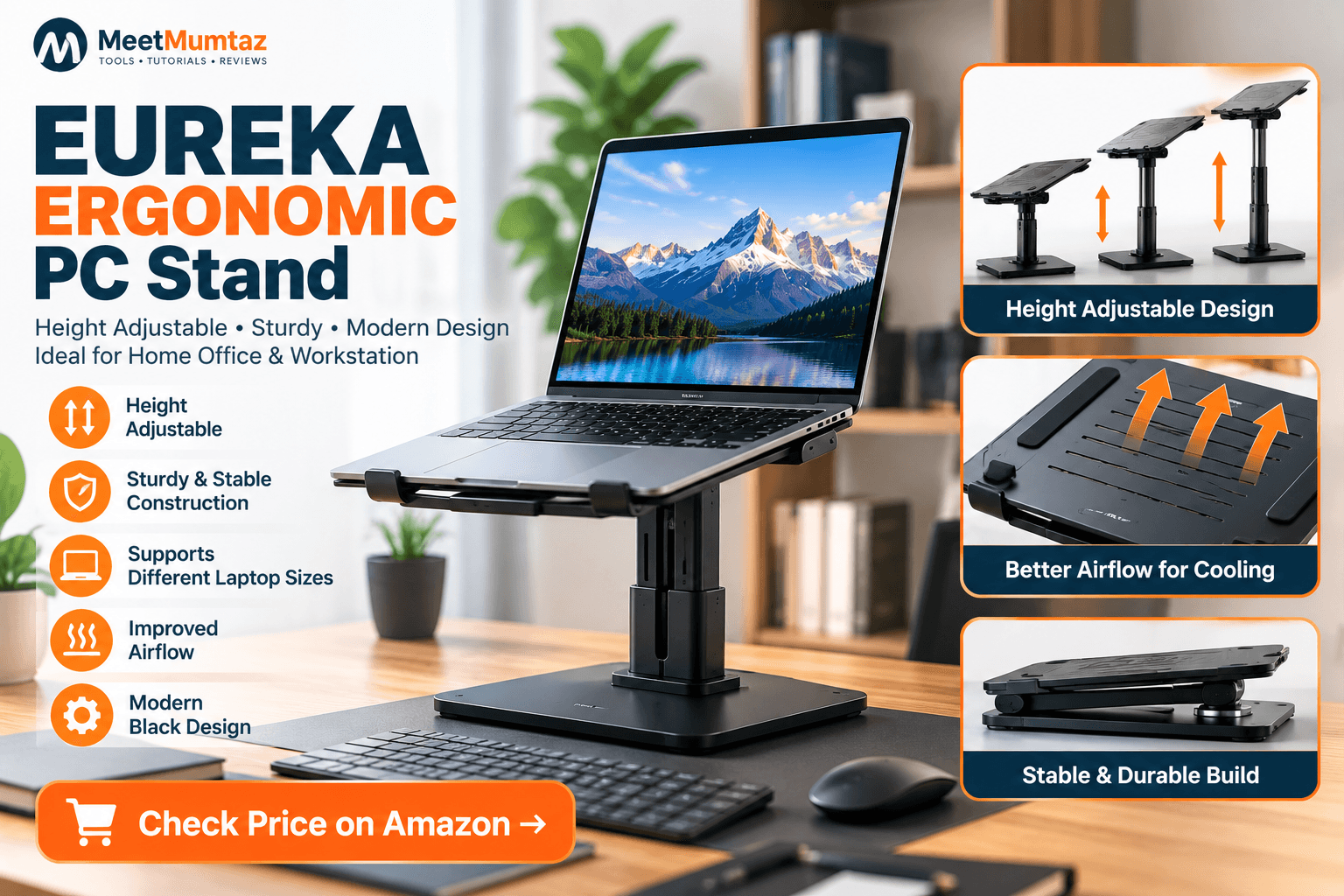
The EUREKA ERGONOMIC PC Stand takes a workstation-oriented approach with a height-adjustable design and black finish.
For users who spend most of their working day at the same desk, portability isn’t necessarily the first priority. Stability, screen position, usable desk space, and compatibility with the rest of the workstation can matter more.
A height-adjustable stand allows the laptop screen to be positioned independently from the desk surface. Pairing an elevated laptop with an external keyboard and mouse gives you additional flexibility when arranging your workstation.
The U.S. Occupational Safety and Health Administration recommends arranging computer workstation components to support neutral working postures and appropriate monitor positioning.
OSHA Computer Workstations guidance
Key Features
- Height-adjustable design
- Black finish
- Workstation-oriented construction
- Elevated laptop positioning
- Suitable for desktop setups
Pros
- Straightforward desk-focused design
- Height adjustment
- Suitable for longer-term workstation use
- Pairs naturally with an external keyboard and mouse
Cons
- Not primarily designed around maximum portability
- Buyers wanting screen rotation may prefer one of the 360° models
Best for: home offices and permanent desktop workstations.
Check Price on Amazon →3. TECKNET 360° Rotating Laptop Stand — Best for Everyday Desk Use
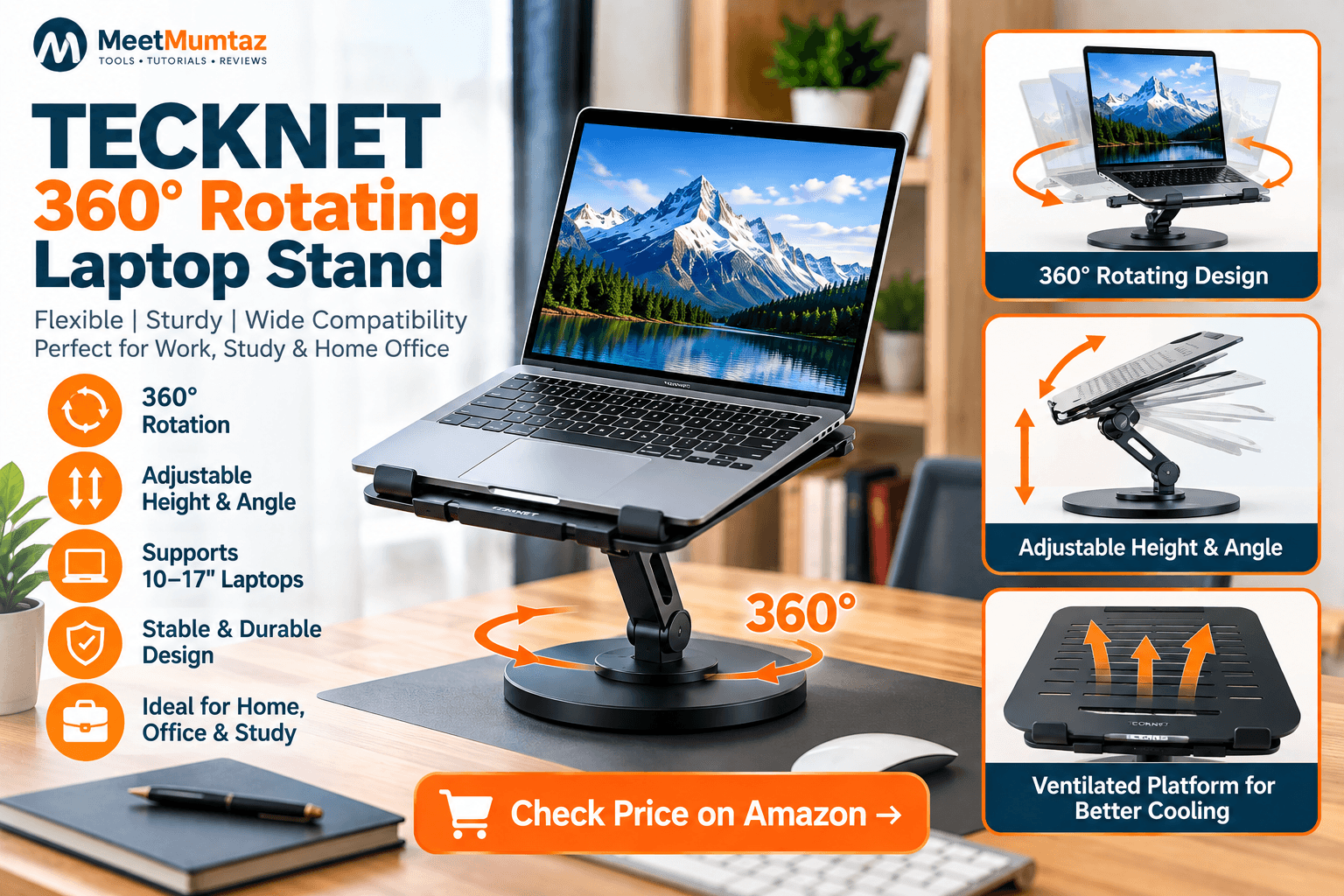
The TECKNET 360° Rotating Laptop Stand combines adjustable positioning with broad 10–17-inch laptop compatibility according to its current product title.
That range makes it relevant to users working with everything from compact laptops to larger notebooks.
Its 360° rotating design is useful when a laptop needs to move between individual work and screen sharing without repeatedly lifting the entire stand.
This type of computer stand for laptop use can work particularly well on shared desks, at reception or consultation workstations, during meetings, or in a home office where the laptop frequently changes orientation.
Key Features
- 360° rotation
- Designed for 10–17″ laptops
- Adjustable laptop positioning
- Desktop-oriented construction
- Suitable for work and study environments
Pros
- Broad stated laptop-size compatibility
- Rotating design
- Useful for shared screens
- Suitable for everyday workstation use
Cons
- Rotation may be unnecessary for a fixed forward-facing setup
- Check your laptop’s dimensions and weight against the current listing before ordering
Best for: general office work, shared desks, students, and users with larger laptops.
Check Price on Amazon →4. N86 360° Rotating Laptop Stand — Best Black Desk Option
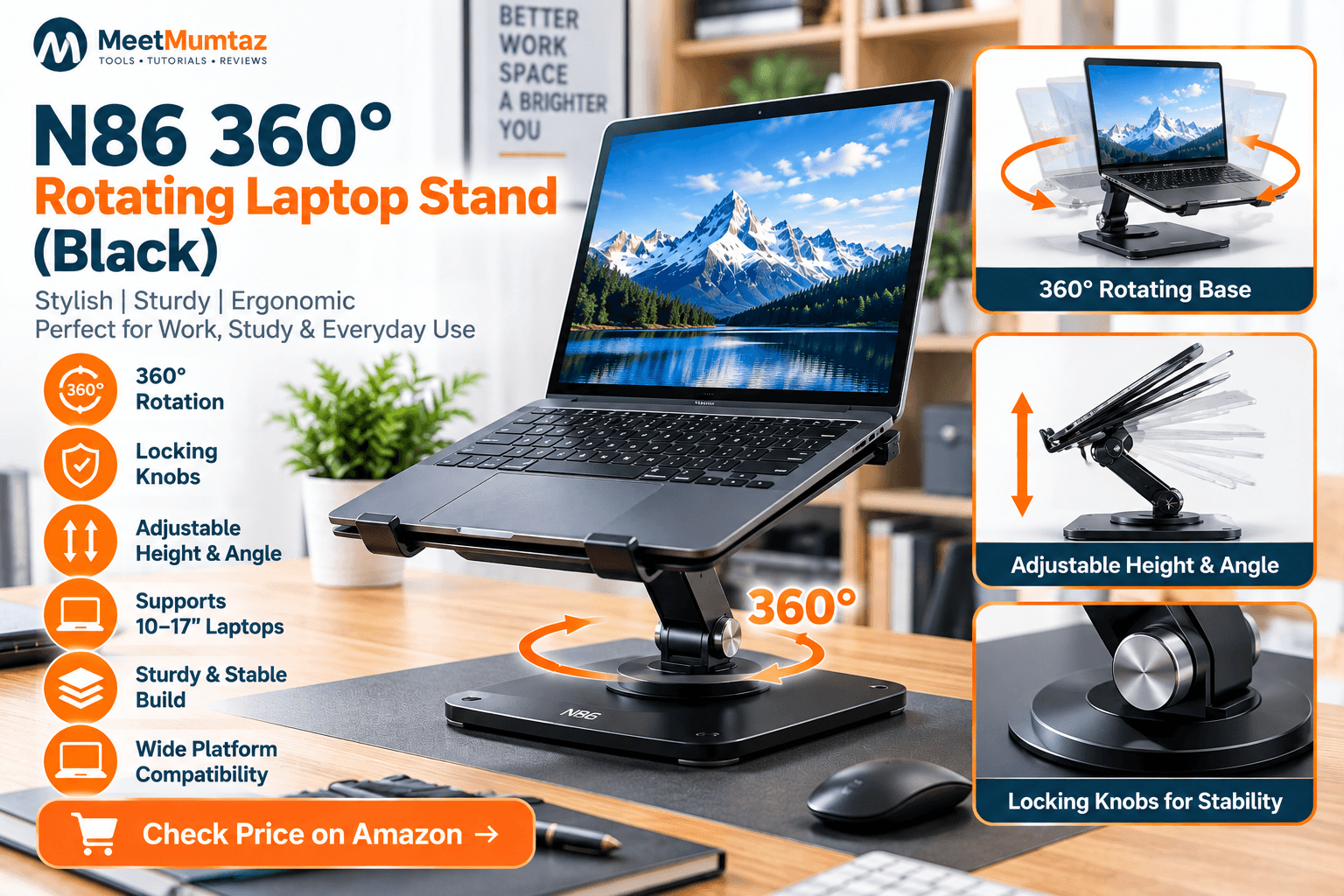
The black N86 360° Rotating Laptop Stand offers the same general product concept as the silver N86 option but provides an alternative finish for darker desk setups.
It combines 360° rotation with locking knobs, allowing the laptop position to be adjusted and the screen turned toward different parts of the workspace.
The black finish can integrate naturally with black monitors, keyboards, docking stations, and other common office accessories.
However, because this product and the silver N86 are closely related variants, buyers generally don’t need both. The choice will primarily depend on the exact current listing specifications, availability, and preferred finish.
Key Features
- 360° rotating mechanism
- Locking knobs
- Adjustable laptop position
- Black finish
- Designed for desktop use
Pros
- Rotating design
- Adjustable positioning
- Locking mechanism
- Works visually with darker workstation setups
Cons
- Very similar use case to the silver N86
- Less compelling if you don’t need rotation
Best for: black/dark desk setups and users wanting the N86 design in a different finish.
Check Price on Amazon →5. Tounee Telescopic Laptop Stand — Best for Standing Desk Use
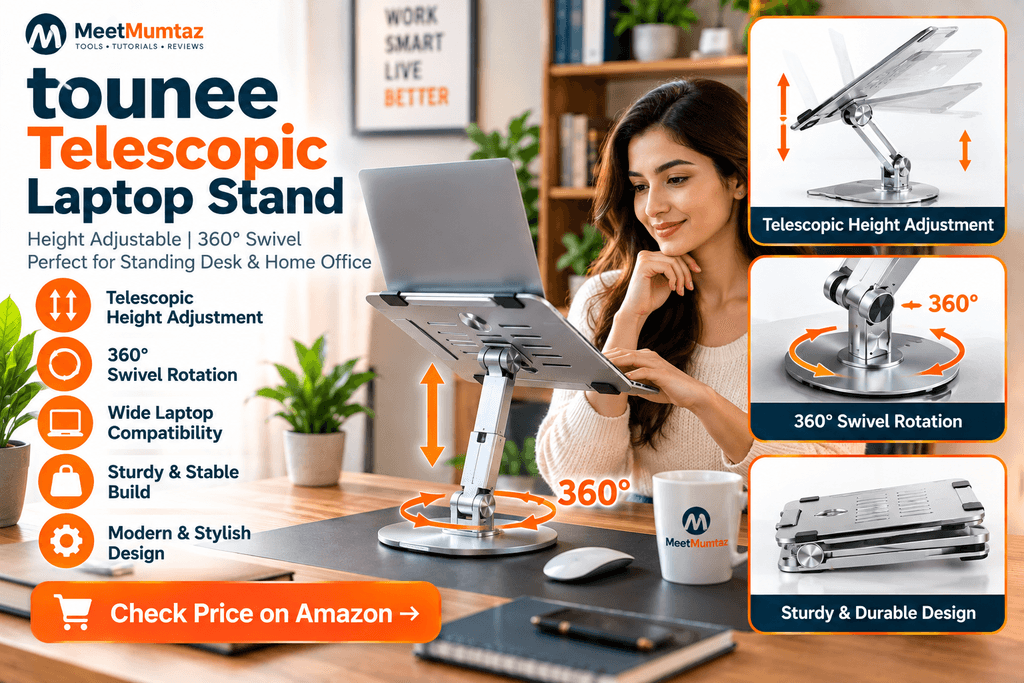
If your priority is a laptop stand for standing at desk height, the tounee Telescopic Laptop Stand is the most specialized option in this group.
Unlike a conventional laptop riser, the tounee uses a telescopic mechanism designed to provide substantially more vertical adjustment.
The version we previously researched specifies an approximate 2.1-to-21-inch height range, a 360° swivel base, compatibility with approximately 10–17-inch laptops, and a manufacturer-stated load capacity of up to 22 lb.
That combination allows the stand to move between lower seated configurations and significantly taller positions.
For standing use, however, raising the screen isn’t the only consideration. Your keyboard and mouse also need appropriate positioning. An external keyboard and mouse can therefore be particularly useful with a tall laptop stand.
Key Features
- Telescopic height adjustment
- Approximately 2.1″–21″ range according to the researched listing
- 360° swivel base
- Approximately 10–17″ laptop compatibility
- Up to 22 lb stated capacity
- Foldable design
Pros
- Excellent height range
- Suitable for sitting and standing configurations
- 360° rotation
- Broad laptop compatibility
- High stated load capacity
Cons
- Larger than a basic portable laptop riser
- Overkill if you only need a small screen-height adjustment
Best for: standing desks, sit-to-stand workstations, and flexible home offices.
Check Price on Amazon →How to Choose a Computer Stand for Laptop Use
The right computer stand for laptop use depends on where and how you work. Rather than choosing purely on appearance, consider the following factors.
Height and Angle Adjustment
For everyday desk work, adjustability gives you more control over where the screen sits relative to your eyes.
If the laptop is raised substantially, consider using an external keyboard and mouse so screen height and typing position can be adjusted independently.
Stability
The stand should comfortably support the size and weight of your laptop. This becomes particularly important with large 16- and 17-inch machines.
Check the manufacturer’s current weight and size limits rather than assuming every stand fits every laptop.
Rotation
A rotating laptop holder can be particularly convenient for meetings, shared workspaces, and presentations.
If you work alone and the laptop always faces forward, rotation may be less important.
Ventilation
Laptop vent placement varies between models. An open stand can leave more of the underside exposed to ambient airflow, but it shouldn’t be confused with an active cooling pad containing powered fans.
Desk Space
A raised laptop may free up useful space underneath the computer depending on the stand’s base and support mechanism.
Before purchasing, measure both the available desk surface and the height available beneath shelves or monitors.
Travel Laptop Stand vs. Desk Laptop Stand
A travel laptop stand and a permanent desk laptop stand prioritize different things.
Travel models generally benefit from being lightweight, compact, and easy to pack. A collapsible laptop stand can be especially convenient because it takes up less room when folded.
Desk models can prioritize stability, greater height adjustment, rotation, and larger bases because they don’t need to fit inside a backpack every day.
If you regularly switch between home and office, look for a design that provides enough adjustment while still folding into a manageable size.
For other browser-based resources you can use while working remotely or traveling, explore our free online tools.
Collapsible Laptop Stand vs. Telescopic Laptop Stand
These terms describe two different advantages.
A collapsible laptop stand focuses primarily on storage and portability. It folds down when it isn’t being used.
A telescopic stand focuses on vertical adjustment. Its mechanism extends upward to position the laptop substantially higher.
Some products combine both concepts, but don’t assume that every foldable stand reaches standing height or that every tall stand is convenient for travel.
For commuters, portability may matter most. For a sit-to-stand home office, maximum height and stability may be more important.
Laptop Stand vs. Monitor Stand
A laptop stand supports the complete laptop, while a monitor stand is intended for an external display.
A traditional monitor may use its own base or a VESA-compatible arm. A laptop needs a suitable platform or tray because the computer itself must be supported.
If you’re comparing a laptop holder with an external-monitor setup, consider the entire workstation: screen size, keyboard position, desk depth, viewing distance, and whether you regularly move the computer.
For people who manage websites from their workstation, MeetMumtaz also provides practical website and webmaster tools for common browser-based tasks.
MeetMumtaz Website & Webmaster Tools
Is a Laptop Stand Worth It?
A laptop stand can be useful if you want more flexibility in screen placement, need a rotating display for meetings, want additional clearance beneath your laptop, or are building a sit-to-stand workstation.
It isn’t a complete ergonomic solution by itself. Desk height, chair position, keyboard and mouse placement, viewing distance, and working habits all contribute to workstation comfort.
OSHA’s computer workstation resources provide additional guidance on arranging these components together.
For users working in web development or managing online projects, our developer tools provide additional browser-based utilities without requiring software installation.
Frequently Asked Questions
What is the best computer stand for laptop use?
The right stand depends on your workstation. The N86 offers rotation and locking adjustments for general desk use, while the tounee is more specialized for users requiring substantial vertical adjustment. TECKNET is another option when broad laptop-size compatibility and rotation are priorities.
Is a laptop stand good for desk work?
A laptop stand can provide more flexibility in screen positioning and desk organization. When the laptop is raised substantially, an external keyboard and mouse can help keep the input devices independently positioned.
What should I look for in a travel laptop stand?
Look at folded dimensions, weight, stability, laptop compatibility, and how quickly the stand can be opened and packed. A lightweight collapsible laptop stand is usually more practical for frequent travel than a large telescopic model.
Can I use a laptop stand while standing?
Yes, provided it offers sufficient height and stability. A dedicated laptop stand for standing at desk height generally needs substantially more vertical adjustment than a conventional desktop riser.
Are 360-degree laptop stands useful?
They can be particularly useful for meetings, presentations, shared desks, and collaborative environments. Rotation matters less when the laptop remains permanently facing one direction.
Can a laptop stand improve cooling?
An open design may expose more of the laptop’s underside to ambient airflow, but cooling results depend on the laptop’s own vent locations and thermal system. A passive stand is different from a powered cooling pad.
Is a collapsible laptop stand good for travel?
It can be. The important factors are folded size, weight, stability, and compatibility with your laptop. Not every collapsible model is equally portable.
Final Thoughts
Choosing the right computer stand for laptop use is primarily about matching the design to your workspace.
The N86 360° Rotating Laptop Stand provides a flexible combination of rotation and locking adjustment for everyday desks. The EUREKA ERGONOMIC PC Stand focuses on a more traditional workstation setup, while the TECKNET 360° Rotating Laptop Stand combines rotation with broad stated laptop compatibility.
The black N86 provides an alternative finish for darker setups, while the tounee Telescopic Laptop Stand is the standout option when substantial height adjustment for sitting and standing is the priority.
If portability matters most, pay particular attention to folded dimensions and weight before choosing a travel laptop stand or collapsible laptop stand.
Always check the latest product specifications, compatibility, price, and availability before purchasing.