Affiliate Disclosure: This article contains affiliate links. If you purchase through these links, MeetMumtaz may earn a commission at no additional cost to you.
A clean desk can make a noticeable difference in your daily work or gaming experience. However, headphones are often one of the most awkward accessories to store. Leaving a headset on your keyboard, monitor base, or desktop takes up valuable space and makes your workstation look cluttered.
A desk headphone hanger offers a simple solution. Instead of leaving your headphones on the desk, a clamp-on or under-desk hanger gives them a dedicated storage location.
Whether you use gaming headphones, wireless office headsets, or over-ear headphones for music, the right holder can keep your equipment accessible while freeing up workspace.
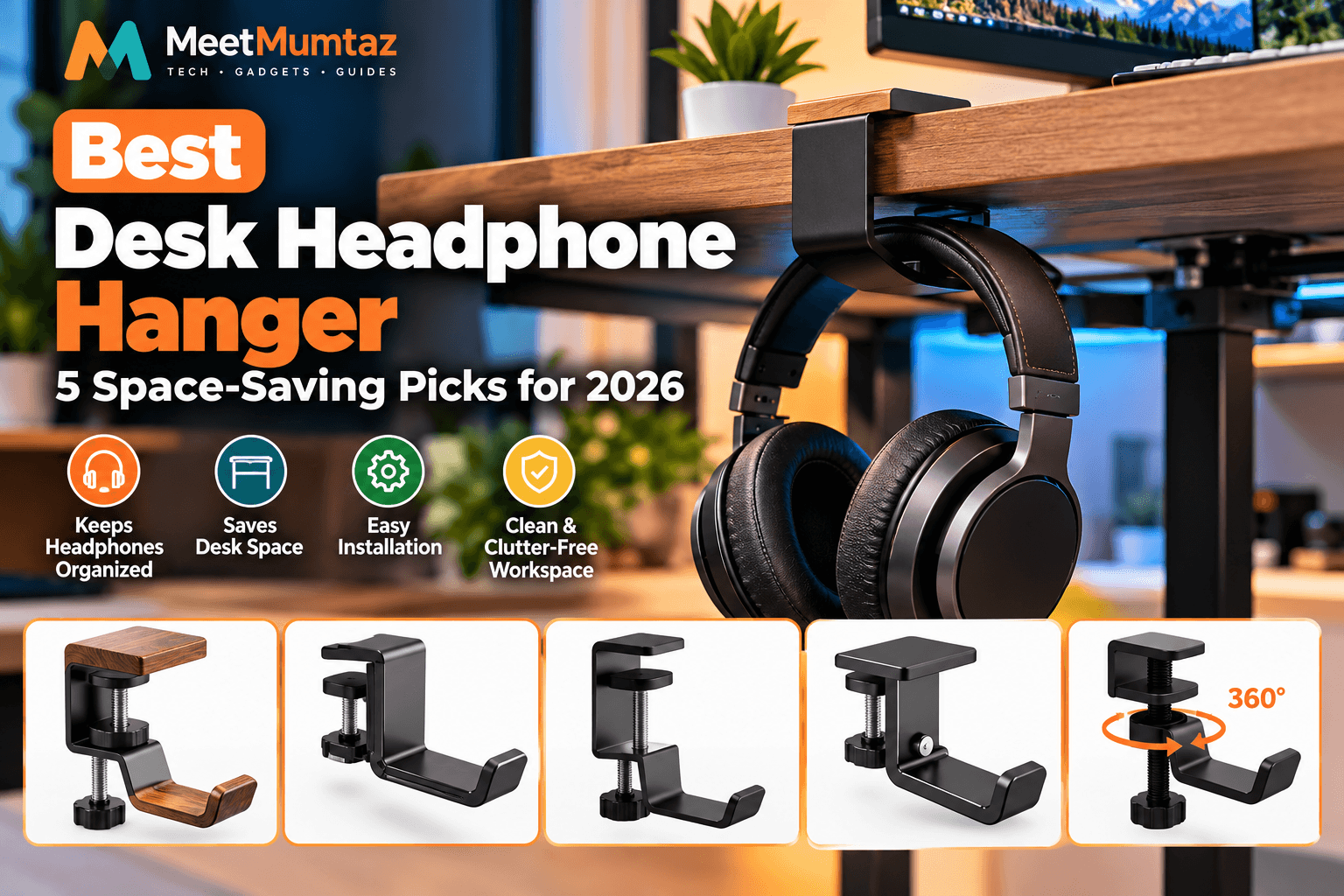
In this guide, we’ll compare five desk headphone hangers, including wooden designs, foldable aluminum hooks, adjustable clamp-on holders, and rotating metal hangers. We’ll also explain how to choose the right model for your desk.
Quick Comparison: 5 Best Desk Headphone Hangers
The following products offer different mounting styles, materials, and space-saving features. Choose according to your desk thickness, headphone size, and preferred installation method.
| Product | Best For | Design | Price | Amazon |
|---|---|---|---|---|
| Solid Wood Metal Headphone Stand | Premium desk aesthetics | Wood and metal clamp-on hook | Check current price | Check Price ↗ |
| Foldable Aluminum Headphone Hanger | Compact workstations | Foldable under-desk clamp | Check current price | Check Price ↗ |
| Adjustable Clamp-On Headphone Hook | Everyday office use | Adjustable clamp-on hook | Check current price | Check Price ↗ |
| aceyoon Foldable Headphone Stand | Gaming desks | Foldable aluminum hook | Check current price | Check Price ↗ |
| Carbon Steel 360° Rotating Hanger | Multi-purpose storage | Rotating clamp-on hook | Check current price | Check Price ↗ |
1. Solid Wood Metal Headphone Stand With Clamp-On Hook — Best Premium Design
The Solid Wood Metal Headphone Stand with Clamp-On Hook for Desk combines a decorative wooden element with a metal mounting structure.
Unlike a traditional freestanding headphone stand that occupies desktop space, this clamp-on design attaches to the edge of a suitable desk.
Its wood-and-metal appearance can complement a home office with wooden furniture, minimalist accessories, or a coordinated desk setup.
The main appeal is its combination of practical storage and a more refined appearance.
Key Features, Pros and Cons
| Category | Details |
|---|---|
| Key Features | Solid-wood and metal design; clamp-on mounting; dedicated headphone hook; space-saving desk-edge placement. |
| Pros | Attractive appearance; keeps headphones off the desktop; suitable for coordinated office setups. |
| Cons | Wood finish may not suit every workspace; desk thickness compatibility and maximum load require confirmation. |
| Best For | Home offices and premium-looking desk setups. |
| Price | See current Amazon listing. |
| Buy Now | Check Price on Amazon ↗ |
Our verdict: A good candidate for buyers who value desk appearance as much as practical headphone storage.
2. Foldable Aluminum Headphone Stand Hanger — Best for Small Desks
The Foldable Aluminum Headphone Stand Hanger is designed to keep headphones within reach without permanently occupying valuable desktop space.
Its clamp-on mounting arrangement makes it suitable for compatible desk edges, while the foldable design allows the hook to be tucked away when it is not needed.
The black aluminum construction also fits naturally into modern gaming and office workstations.
This style of hanger is especially useful for compact desks where every inch of surface area matters.
Key Features, Pros and Cons
| Category | Details |
|---|---|
| Key Features | Foldable hook; aluminum construction; clamp-on under-desk mounting; black finish. |
| Pros | Compact design; folds away when unused; keeps headphones off the desktop. |
| Cons | Requires a compatible desk edge; folding clearance and load capacity should be checked. |
| Best For | Small workstations, gaming desks, and minimalist setups. |
| Price | See current Amazon listing. |
| Buy Now | Check Price on Amazon ↗ |
Our verdict: Worth considering if you want an under-desk headphone hook that can fold out of the way.
3. Adjustable Clamp-On Headphone Hook — Best for Everyday Office Use
The Headphone Holder Adjustable Clamp-on Headphone Hook focuses on straightforward desk organization.
Rather than adding another accessory to the desktop, this hanger uses an adjustable clamp to attach to a suitable desk edge.
Its practical design may appeal to people who use headphones for video meetings, remote work, online classes, or everyday listening.
An adjustable clamp can provide installation flexibility, but buyers should still check the supported desk-thickness range and the shape of the mounting surface.
Key Features, Pros and Cons
| Category | Details |
|---|---|
| Key Features | Adjustable clamp-on mounting; headphone hook; desk-edge placement. |
| Pros | Simple storage solution; keeps headphones accessible; avoids a freestanding desktop holder. |
| Cons | Exact clamp range, materials, and load rating should be verified on the listing. |
| Best For | Office workers, students, and everyday headset users. |
| Price | See current Amazon listing. |
| Buy Now | Check Price on Amazon ↗ |
Our verdict: A straightforward option for buyers who want an adjustable headphone hook without unnecessary complexity.
4. aceyoon Foldable Headphone Stand for Desk — Best for Gaming Setups
The aceyoon Foldable Headphone Stand for Desk combines a clamp-on design with a foldable aluminum hook.
It is marketed for gaming headphones and other hanging accessories, including bags and backpacks, subject to its supported load.
The foldable mechanism is useful when you want to store your headset beneath the desk without leaving a hook protruding into your workspace all the time.
Its black finish is also well suited to gaming desks with dark accessories, monitor arms, and cable organizers.
Key Features, Pros and Cons
| Category | Details |
|---|---|
| Key Features | Foldable aluminum hook; clamp-on installation; black finish; marketed for headphones and other hanging accessories. |
| Pros | Space-saving design; folds away; useful for gaming headset storage. |
| Cons | Desk-edge compatibility matters; verify the supported weight before hanging heavier items. |
| Best For | Gaming desks and users who prefer foldable accessories. |
| Price | See current Amazon listing. |
| Buy Now | Check Price on Amazon ↗ |
Our verdict: A practical choice for gaming-headset owners who want to keep their desk clear.
5. Carbon Steel 360° Rotating Headphone Hanger — Best Multi-Purpose Hook
The Carbon Steel Under Desk Headphone Hanger is designed for users who want a more flexible storage position.
Its advertised 360-degree rotating hook allows the hanging direction to be adjusted, which can be convenient when positioning headphones beneath or beside a desk.
The product also features an adjustable clamp and is marketed for holding gaming headsets and certain other accessories.
According to the supplied product title, the clamp supports desk thicknesses up to 2.68 inches. Verify that specification against the selected listing before purchasing.
Key Features, Pros and Cons
| Category | Details |
|---|---|
| Key Features | Carbon steel construction; 360-degree rotating hook; adjustable-height design; clamp advertised for desk thickness up to 2.68 inches. |
| Pros | Adjustable hanging direction; metal construction; versatile desk-edge placement. |
| Cons | May occupy more under-desk clearance than a compact fixed hook; check the load rating. |
| Best For | Users wanting a rotating headphone hook and flexible placement. |
| Price | See current Amazon listing. |
| Buy Now | Check Price on Amazon ↗ |
Our verdict: An interesting option if you want a rotating hook rather than a fixed hanging position.
Why Use a Desk Headphone Hanger?
A desk headphone hanger is a small accessory, but it can help improve how your workspace is organized.
Save Valuable Desk Space
Traditional headphone stands sit directly on the desktop. A clamp-on hanger moves the headphones to the desk edge or underneath the work surface.
This leaves more room for your keyboard, mouse, notebook, and other accessories.
If you’re building a compact workstation, our laptop vertical stand buying guide explains another way to free up desktop space by storing a compatible laptop upright.
Keep Headphones Accessible
A dedicated headphone hook gives your headset a consistent storage location.
Instead of leaving headphones on your monitor or keyboard, you can place them on the hanger after every use.
Reduce Desktop Clutter
A clean desk is easier to organize when frequently used accessories have dedicated storage locations.
Headphone hooks can work alongside monitor mounts, laptop stands, and cable organizers.
For example, our under desk cable management tray guide explores ways to organize power cables, charging cords, and other accessories beneath the desktop.
Create a More Organized Gaming Setup
Gaming workstations often include large headsets, microphones, keyboards, controllers, and multiple monitors.
An under-desk headphone hanger keeps your headset available without taking up additional desktop space.
Desk Headphone Stand vs. Under-Desk Headphone Hook
A desk headphone stand and a headphone hook serve similar purposes, but their installation and space requirements differ.
| Feature | Desktop Headphone Stand | Under-Desk Headphone Hook |
|---|---|---|
| Placement | On top of desk | Desk edge or underside |
| Desktop space | Uses some surface area | Usually frees up surface area |
| Installation | Usually none | Clamp, adhesive, or screws |
| Portability | Easy to move | Depends on mounting style |
| Best for | Displaying headphones | Concealed, space-saving storage |
If you prefer to display your headphones, a freestanding stand may be more appealing.
If your priority is saving space, a clamp-on or under-desk hanger may be a better choice.
How to Choose the Best Headphone Hook for Your Desk
Before purchasing a desk headphone hanger, consider the following factors.
1. Desk Thickness Compatibility
Clamp-on hangers are not universally compatible with every desk.
Measure the thickness of your desktop and compare it with the product’s supported clamp range.
Also check for desk frames, drawers, or support bars that could interfere with installation.
2. Hook Width and Headphone Support
A hanger should provide enough support for the headphone headband.
A hook that is too narrow or has a sharp contact edge may create unwanted pressure on the padding.
Look for a smooth, appropriately sized contact surface.
3. Build Material
Metal hangers may offer a rigid structure, while wooden elements can provide a more decorative appearance.
The overall design, mounting quality, and supported load matter more than material alone.
4. Foldable or Fixed Design
A foldable headphone hook can be useful on a compact desk because it can be moved out of the way when not in use.
A fixed hook may be preferable if you want a simple storage position with fewer moving parts.
5. Rotating Function
A rotating hanger allows you to change the direction of the hook.
This may be useful if you need to position your headphones away from your chair, drawers, or other accessories.
6. Weight Capacity
Check the manufacturer’s supported weight before hanging large gaming headsets, bags, or other accessories.
Never assume that a headphone hook is suitable for heavy objects simply because it is made of metal.
Can You Use a Headphone Hook With a Laptop Under-Desk Mount?
A headphone hanger and an under-desk laptop mount are different accessories.
A headphone hook is designed to support a headset or another lightweight item within its rated capacity. An under desk laptop mount is specifically designed to support a laptop or similar device.
If you use both accessories, plan their placement carefully so they do not interfere with each other.
Leave enough clearance for cables, ventilation, and comfortable leg movement.
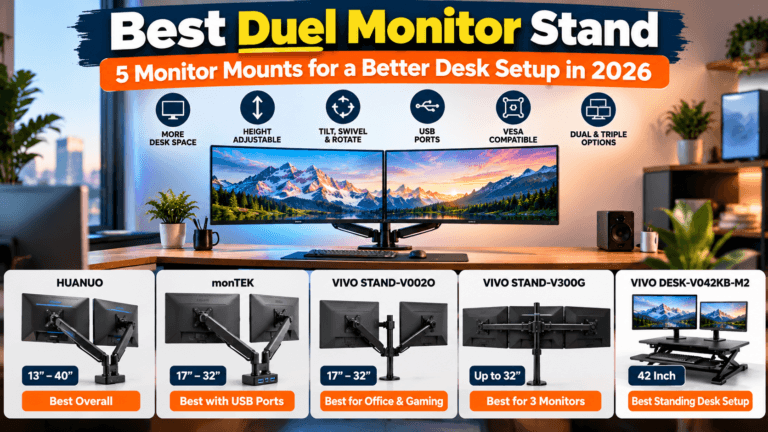
For a multi-monitor workstation, our dual monitor stand comparison explores additional mounting accessories that can help organize the space above your desk.
How to Install a Clamp-On Headphone Hanger
Installing a clamp-on hanger is generally straightforward, although the exact process depends on the model.
Step 1: Choose a location. Select a desk edge that keeps headphones accessible without interfering with your chair or knees.
Step 2: Check the mounting surface. Make sure the desk thickness and shape fall within the manufacturer’s supported range.
Step 3: Attach the clamp. Follow the supplied installation instructions and tighten the clamp only as directed.
Step 4: Check stability. Confirm that the hanger does not move unexpectedly before placing your headphones on it.
Step 5: Test the hanging position. Ensure the headphones do not touch the floor, interfere with drawers, or pull on connected cables.
If your headset uses a wired connection, leave sufficient cable slack to prevent strain on the connector.
Common Mistakes to Avoid
Ignoring desk thickness: A clamp that does not fit properly may slip or damage the mounting surface.
Choosing a narrow hook: A small contact area may place excessive pressure on a padded headband.
Overloading the hanger: Follow the manufacturer’s weight limits.
Blocking drawers or legroom: Check the hook’s position before installation.
Leaving cables under tension: Wired headphones need enough slack to hang comfortably.
Confusing a headphone hook with a laptop mount: A headphone hanger should never be used to support a laptop unless the manufacturer explicitly rates it for that purpose.
Frequently Asked Questions
What is the best desk headphone hanger?
The best choice depends on your desk thickness, headphone size, and preferred design. Foldable aluminum hooks are useful for compact setups, while rotating models offer more positioning flexibility.
Is a headphone hook better than a headphone stand?
A hook usually saves more desktop space, while a freestanding stand may be better for displaying headphones. Both can work well when appropriately sized.
Can a desk headphone hanger damage headphones?
A poorly designed or incorrectly used hanger can place unwanted pressure on the headband. Choose a smooth support surface and avoid overloading the hook.
Are clamp-on headphone hangers easy to install?
Many clamp-on models are relatively straightforward to install, but compatibility depends on desk thickness, mounting clearance, and the product’s instructions.
Can I use a headphone hanger on a standing desk?
Potentially, yes. Make sure the hanger remains clear of the desk frame, chair, and surrounding objects throughout the desk’s full height range.
Can a headphone hook hold a backpack?
Only if the product is explicitly rated for the backpack’s weight. Never exceed the manufacturer’s load limit.
Are foldable headphone hangers worth buying?
A foldable model can be convenient when you want to reduce protruding accessories beneath a compact desk.
Final Verdict: Which Desk Headphone Hanger Should You Buy?
A desk headphone hanger is an affordable-looking but practical category of desk accessory that can help reduce clutter and keep your headset within easy reach.
The Solid Wood Metal Headphone Stand is worth considering for a premium desk aesthetic.
The Foldable Aluminum Headphone Hanger and aceyoon Foldable Headphone Stand appeal to users who want compact, fold-away storage.
The Adjustable Clamp-On Headphone Hook offers a straightforward approach to everyday headphone organization.
Finally, the Carbon Steel 360° Rotating Headphone Hanger provides flexible positioning for users who prefer an adjustable hanging direction.
Before buying, confirm your desk’s thickness, the hook’s dimensions, and the manufacturer’s supported load.
The right headphone hanger should fit securely, protect your headset, and help create a cleaner, more organized workstation.