

If you’re wondering how to check URLs are SEO friendly, you don’t need to rely on guesswork. A well-structured URL should be easy for users to understand, accurately describe the page, and help search engines interpret its context.
SEO-friendly URLs are typically short, descriptive, readable, and logically structured. They avoid unnecessary parameters, random characters, excessive folders, and keyword stuffing.
In this guide, you’ll learn how to identify SEO friendly URLs, what makes a URL friendly, which common URL problems to avoid, and how to improve your website’s URL structure for both users and search engines.
You can also analyze an existing URL with the SEO Friendly URL Checker to quickly identify common URL structure issues.
What Is an SEO-Friendly URL?
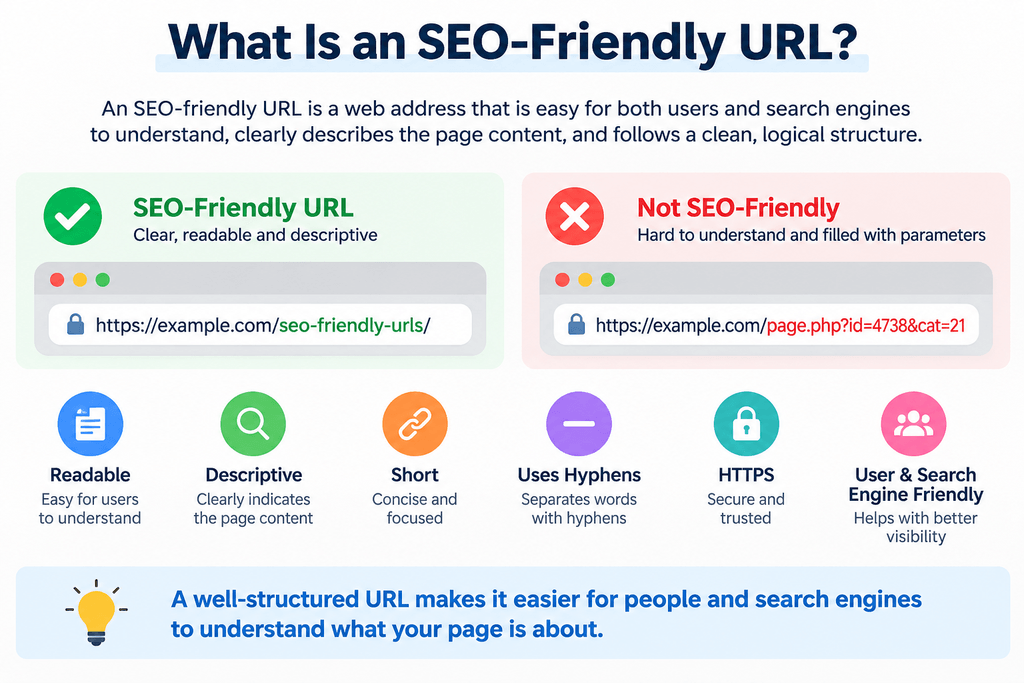
An SEO-friendly URL is a web address structured so that both users and search engines can easily understand what the page is about.
Consider these two URLs:
SEO-friendly:
Difficult to understand:
The first example immediately provides context. The second relies on parameters and numbers that tell a visitor very little about the page.
Making a URL friendly doesn’t mean inserting as many keywords as possible. The goal is to create a clean, meaningful, and maintainable URL structure.
How to Check URLs Are SEO Friendly
When checking whether a URL is SEO friendly, evaluate its readability, length, keyword usage, structure, characters, protocol, and overall relevance to the page.
Here are the most important checks.
1. Check Whether the URL Is Easy to Read
Look at the URL without reading the page title.
Can you reasonably understand what the page is about?
For example:
example.com/technical-seo-guide/
is much clearer than:
example.com/p=84729/
A readable URL gives users context before they even visit the page.
2. Keep the URL Short and Descriptive
Shorter URLs are generally easier to read, copy, share, and maintain.
However, don’t remove useful words simply to achieve an arbitrary character count.
Instead of:
example.com/blog/seo/guides/2026/website/seo-friendly-url-complete-guide/
a simpler structure might be:
example.com/seo-friendly-url-guide/
Remove unnecessary folders and words while retaining enough information to describe the page.
3. Include a Relevant Keyword Naturally
A descriptive keyword can make the topic of a page clearer.
For example, a page targeting SEO-friendly URLs could use:
example.com/seo-friendly-urls/
rather than:
example.com/page-17/
But avoid stuffing multiple variations into one slug:
example.com/seo-friendly-url-friendly-urls-seo-search-engine-friendly-url/
That is harder to read and provides a poor user experience.
4. Use Hyphens Between Words
For multi-word URLs, hyphens provide clear word separation.
Recommended:
example.com/free-seo-tools/
Instead of:
example.com/free_seo_tools/
or:
example.com/freeseotools/
Google’s URL structure best practices recommend using hyphens to separate words rather than underscores.
5. Avoid Unnecessary URL Parameters
Parameters are sometimes necessary for filtering, tracking, sorting, or application functionality.
For example:
example.com/products?category=12&sort=4&id=958
may be generated dynamically.
Parameters aren’t automatically bad for SEO, but unnecessary or uncontrolled parameter combinations can create complicated URL structures and potentially produce many similar URLs.
Whenever possible, important indexable content should have a clear and stable URL.
6. Check for HTTPS
A properly configured website should use HTTPS.
For example:
rather than:
http://example.com/seo-tools/
HTTPS encrypts data transmitted between the visitor and website.
When checking whether you have an SEO friendly website, URL structure is only one consideration, but a correctly configured HTTPS implementation should be part of the site’s technical foundation.
7. Avoid Unnecessary Special Characters
URLs containing excessive symbols and complicated query strings can become difficult for users to interpret.
For important content pages, prefer simple words and hyphens where possible.
A clean URL:
example.com/keyword-density-checker/
is easier to understand than something such as:
example.com/index.php?p=32&type=%20seo&id=9
8. Use Lowercase URLs Consistently
Using lowercase URLs can help maintain a consistent URL structure.
For example:
example.com/seo-friendly-urls/
is preferable to mixing variations such as:
example.com/SEO-Friendly-URLs/
Some servers can treat URLs with different capitalization as different resources, so consistency helps prevent avoidable complications.
What Makes a URL Friendly for SEO?
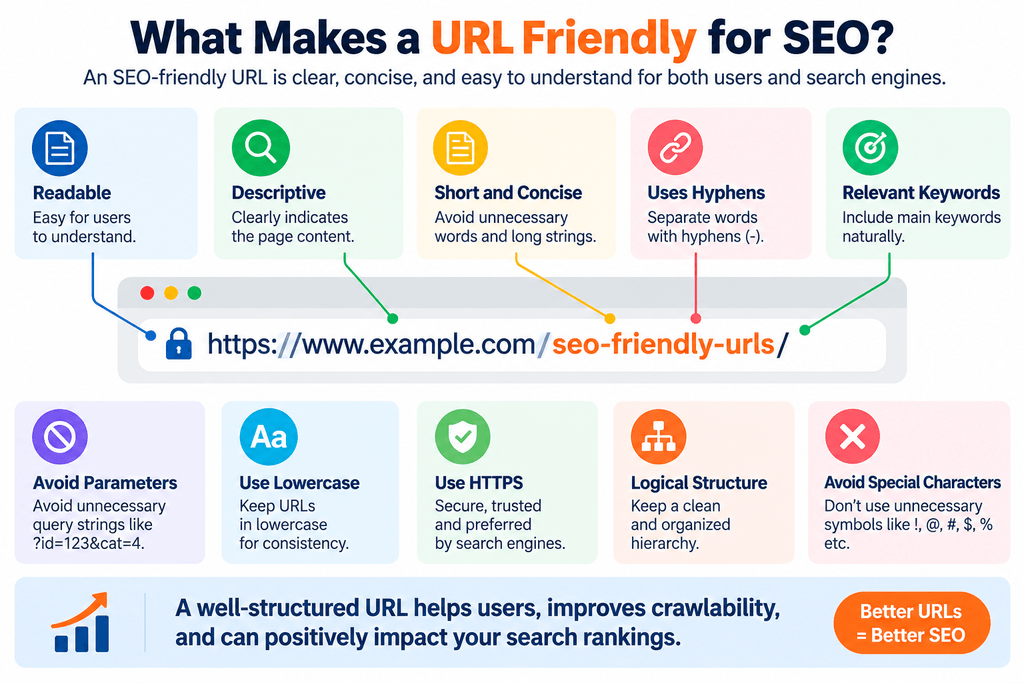
A good URL doesn’t need to be complicated.
In most cases, a strong URL is:
- Readable by humans
- Descriptive of the page
- Relatively concise
- Separated with hyphens
- Free from unnecessary parameters
- Consistently lowercase
- Served through HTTPS
- Logically organized
- Stable over time
The best SEO friendly URLs make sense even when viewed outside the context of the webpage.
For example:
example.com/robots-txt-generator/
immediately communicates what users are likely to find on that page.
SEO-Friendly URLs vs. Search Engine Friendly URLs
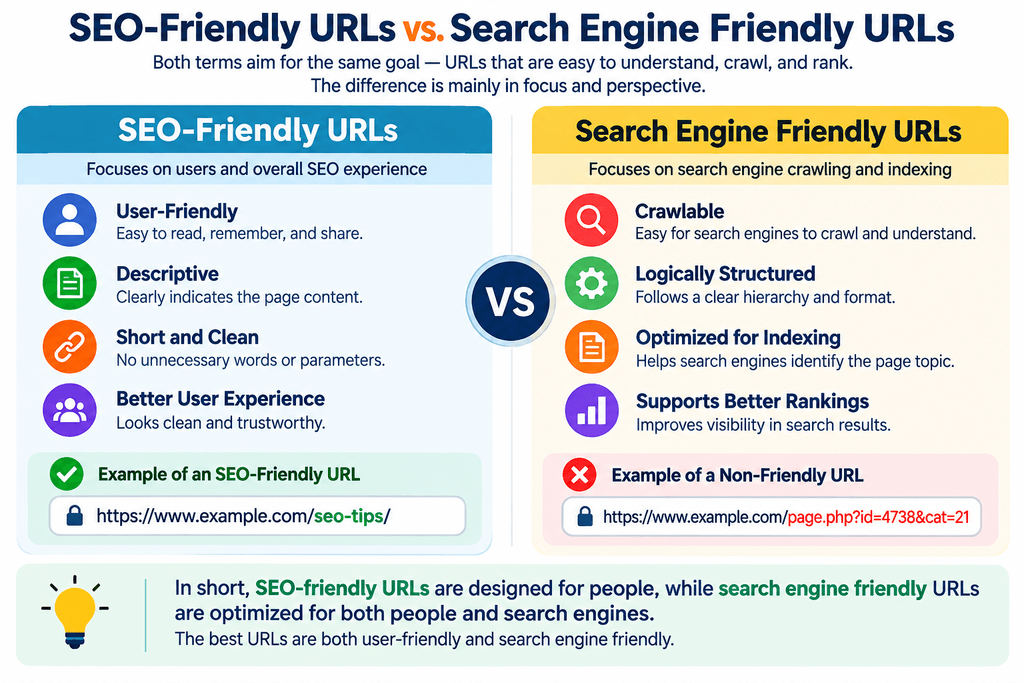
The terms SEO friendly URLs and search engine friendly URLs are often used to describe essentially the same goal: URLs that are understandable, crawlable, and logically structured.
However, search engine friendliness involves more than appearance.
A clean-looking URL isn’t useful if search engines cannot crawl or index the page.
For example, a URL could look perfect:
example.com/product-schema-generator/
but still have indexing problems caused by robots directives, canonicalization, redirects, or other technical configurations.
You can use a Robots.txt Validator when reviewing robots.txt directives and a Noindex Tag Checker to check whether a page contains a noindex directive.
Examples of SEO Friendly URLs
Understanding the difference becomes easier with examples.
Blog Post
Good:
example.com/how-to-improve-seo/
Poor:
example.com/blog.php?id=192837
Product Page
Good:
example.com/wireless-headphones/
Poor:
example.com/product?id=88392&cat=18
SEO Tool
Good:
example.com/schema-markup-generator/
Poor:
example.com/tool.php?t=24
Category Page
Good:
example.com/seo-tools/
Poor:
example.com/category.php?id=7&type=tools
These examples demonstrate why friendly URLs SEO practices focus heavily on readability and logical organization.
How URL Structure Affects Website SEO
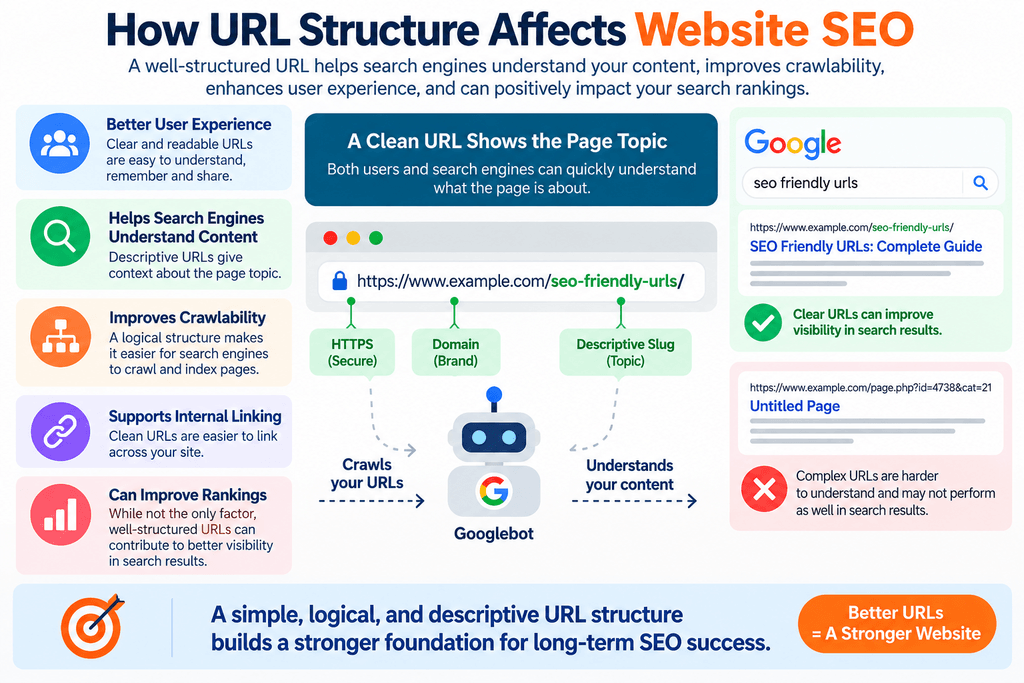
URLs are only one part of SEO, but good URL architecture can make a website easier to navigate and maintain.
A logical structure can also help establish relationships between sections of a site.
For example:
example.com/seo-tools/
example.com/seo-tools/url-checker/
example.com/seo-tools/schema-generator/
This creates an understandable hierarchy.
However, adding multiple folders simply to create a hierarchy isn’t necessary. Your URL architecture should reflect the actual structure of the website without becoming unnecessarily deep.
For broader optimization, you can explore additional SEO Tools for checking metadata, indexing directives, headings, links, and other on-page and technical SEO elements.
Should You Put Your Primary Keyword in the URL?
Using a relevant keyword in the slug can make a URL more descriptive, but it should happen naturally.
For example, if a page is about checking URL structure:
example.com/seo-friendly-url-checker/
is clear and relevant.
You don’t need to include every keyword variation in the URL.
Avoid:
example.com/seo-friendly-urls-url-friendly-search-engine-friendly-urls/
A single concise description is enough.
Are Long URLs Bad for SEO?
A long URL isn’t automatically bad.
Some websites naturally require additional directories, identifiers, or parameters.
The more important question is whether those elements serve a real purpose.
If you can turn:
example.com/category/marketing/seo/resources/guides/how-to-create-seo-friendly-urls/
into:
example.com/seo-friendly-urls/
without losing meaningful site structure, the shorter version will usually be easier for people to read and share.
Don’t shorten URLs solely to reach a specific character count. Prioritize clarity.
Static URLs vs. Dynamic URLs
Static-looking URLs typically contain descriptive words:
example.com/free-seo-tools/
Dynamic URLs may include parameters:
example.com/page.php?id=82&category=4
Modern search engines can crawl many dynamic URLs, so a parameter doesn’t automatically make a URL bad.
Problems arise when parameter combinations create huge numbers of duplicate or near-duplicate URLs, inconsistent canonical signals, or unnecessary crawl paths.
For large websites, managing parameterized URLs can therefore become an important technical SEO task.
What Is an SEO Friendly Website?
An SEO friendly website isn’t defined by its URLs alone.
It should also have crawlable navigation, useful content, sensible internal linking, appropriate titles and descriptions, mobile usability, good performance, proper indexing controls, canonicalization, and technically accessible pages.
You can use the Meta Generator to create basic metadata and the Heading Tag Analyzer to review heading structure.
URL optimization should work alongside these other SEO elements rather than being treated as an isolated ranking tactic.
Common SEO URL Mistakes to Avoid
Even websites with good content can develop messy URL structures over time.
Common problems include:
- Extremely long URLs
- Keyword stuffing
- Random numbers with no useful context
- Excessive folder depth
- Unnecessary parameters
- Inconsistent uppercase and lowercase versions
- Multiple URLs serving substantially the same content
- Changing established URLs without redirects
- Using unclear slugs
- Leaving old URLs broken after a migration
If an existing URL must change, the old address may need to redirect to the appropriate new location. MeetMumtaz’s 301 Redirect Generator can help create common redirect rules.
Should You Change Existing URLs for SEO?
Be careful when changing an already published URL.
If a page is indexed, receives traffic, has backlinks, or has been shared elsewhere, changing its URL can create problems if the migration isn’t handled correctly.
Don’t change an established URL merely because you found a slightly shorter version.
When a URL genuinely needs to change, implement an appropriate redirect from the old URL to the new one, update internal links, review the canonical URL, and update relevant sitemap references.
For canonicalization issues, you can also use the Canonical Tag Generator when creating canonical markup.
How to Check URLs Are SEO Friendly With a URL Checker
A URL checker can speed up basic URL analysis.
Instead of manually reviewing every characteristic, a tool can check common factors such as:
- URL length
- HTTPS usage
- Word separators
- Special characters
- Readability
- Parameters
- Keyword placement
- Overall structure
Use the free SEO Friendly URL Checker to analyze a URL and identify common areas that may need improvement.
Automated tools are useful for quick checks, but their recommendations should still be considered in the context of the actual website.
SEO-Friendly URL Checklist
Before publishing a new page, ask:
- Does the URL describe the page?
- Can a human easily read it?
- Is it reasonably concise?
- Does it use hyphens between words?
- Is it lowercase?
- Does it avoid unnecessary parameters?
- Does it avoid keyword stuffing?
- Is the page served over HTTPS?
- Does the URL fit the site’s existing structure?
- Is this a URL you can keep stable long term?
If the answer to most of these questions is yes, you likely have a clean and URL friendly structure.
Frequently Asked Questions
How do I check if a URL is SEO friendly?
Review whether the URL is readable, descriptive, reasonably short, lowercase, uses hyphens appropriately, avoids unnecessary parameters and special characters, and accurately represents the page. You can also use an automated URL checker for a quick assessment.
What are SEO friendly URLs?
SEO friendly URLs are web addresses designed to be understandable to users and search engines. They generally use meaningful words and a clean, logical structure.
What are search engine friendly URLs?
Search engine friendly URLs are crawlable, accessible URLs with understandable and manageable structures. A descriptive URL alone doesn’t guarantee indexability; other technical signals also matter.
Should URLs contain keywords?
A relevant keyword can make a URL more descriptive, but keywords should be used naturally. There is no need to insert multiple variations of the same keyword into a slug.
Are hyphens better than underscores in URLs?
For separating words in URLs, hyphens are generally the recommended approach.
Does changing a URL improve SEO?
Not necessarily. Changing an established URL can cause problems if redirects and related signals aren’t handled correctly. Existing URLs should generally only be changed when there is a clear reason.
Can dynamic URLs rank in Google?
Yes. Dynamic URLs can be crawled and indexed. The main concern is managing unnecessary parameters, duplicate URL combinations, and overall crawl efficiency.
Final Thoughts
Knowing how to check URLs are SEO friendly is useful when creating new pages, optimizing existing content, or reviewing the technical structure of a website.
Focus on URLs that are clear, descriptive, concise, stable, and easy for people to understand. Use relevant words naturally, separate them with hyphens, avoid unnecessary parameters, and don’t stuff multiple keyword variations into a slug.
Most importantly, remember that SEO friendly URLs are only one component of an SEO friendly website. Strong content, crawlability, indexing, internal linking, metadata, redirects, canonicalization, and overall technical health still matter.
Before publishing your next page, run its address through the SEO Friendly URL Checker and explore the complete collection of SEO Tools to check other important optimization elements.


