

Your WiFi password is one of the first lines of defense between your network and people who should not have access to it. A short, predictable, or reused password can make an otherwise well-configured wireless network unnecessarily vulnerable.
The strongest WiFi password is not simply a complicated-looking word with a number at the end. A strong password should be long, difficult to predict, unique to your WiFi network, and generated from a sufficiently large set of possible characters.
For most people, the easiest approach is to use a strong password generator to create a long random password rather than trying to invent one manually.
In this guide, we’ll explain what makes a strong WiFi password, how long it should be, which mistakes to avoid, and how to create a secure password that is still practical to use.
What Is the Strongest WiFi Password?
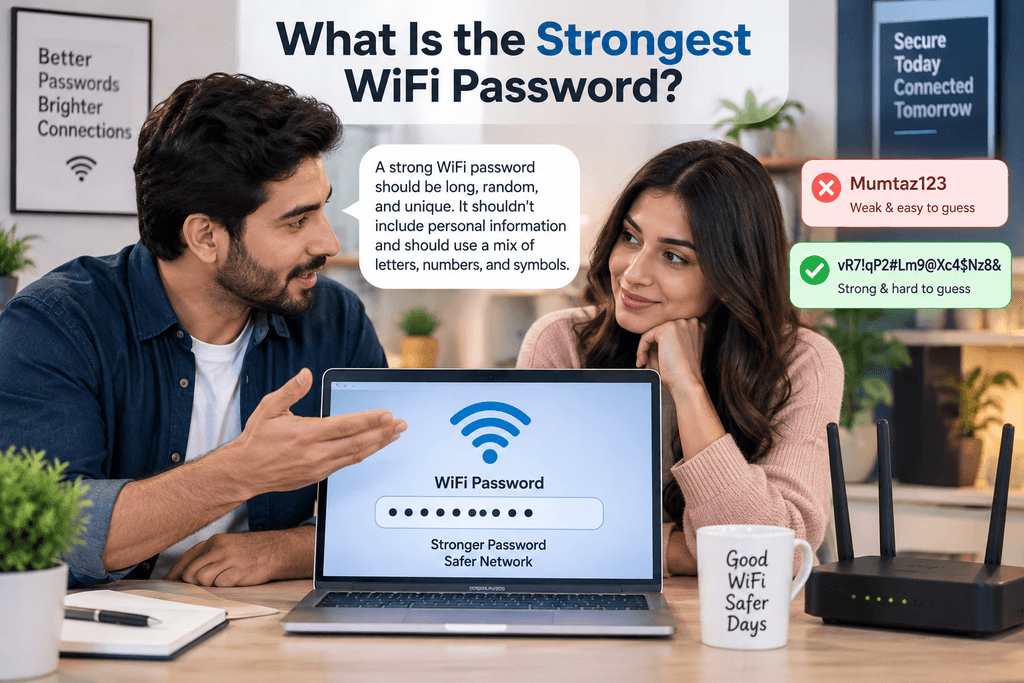
There isn’t one universal password that can be called the strongest WiFi password.
In fact, publishing a supposedly “strongest” password for everyone to copy would immediately make it a poor password because it would no longer be secret or unique.
A strong WiFi password should instead have several characteristics:
- Long enough to resist guessing
- Unique to your network
- Random or highly unpredictable
- Not based on personal information
- Not reused from another account
- Compatible with your router’s security settings
For example, a random password such as:
vR7!qP2#Lm9@Xc4$Nz8&
is structurally much harder to guess than something predictable such as:
Mumtaz123
The important factor isn’t making a password look strange. It is increasing its length and unpredictability.
Why Does Your WiFi Password Need to Be Strong?
Your wireless network may connect many devices, including:
- Phones
- Laptops
- Smart TVs
- Security cameras
- Tablets
- Smart home devices
- Gaming systems
- Work computers
Someone who gains unauthorized access to your WiFi may consume your internet connection or potentially interact with other poorly secured devices and services on the network.
A strong password therefore helps reduce the risk of unauthorized access.
Password security should work alongside appropriate router configuration, current encryption standards, firmware updates, and good device security.
What Makes a WiFi Password Strong?
Password strength is influenced by several factors.
Length
Length is one of the most important characteristics.
Every additional unpredictable character increases the number of possible combinations an attacker would need to consider.
A very short password can remain weak even when it contains uppercase letters, numbers, and symbols.
Randomness
Random passwords are difficult to predict because they don’t follow common human patterns.
Humans frequently create passwords based on:
- Names
- Birth years
- Phone numbers
- Favorite teams
- Cities
- Common phrases
- Keyboard patterns
Attackers know these habits.
Random generation helps avoid them.
Uniqueness
Your WiFi password should not be the same password you use for:
- Banking
- Social media
- WordPress
- Hosting
- Shopping websites
- Work accounts
If one reused password becomes exposed elsewhere, every account or service using it becomes more vulnerable.
Character Variety
When supported, a generated password can combine:
- Uppercase letters
- Lowercase letters
- Numbers
- Symbols
However, complexity alone should not replace sufficient length.
P@ssw0rd! may contain multiple character types, but it is still based on an extremely predictable word.
How Long Should a WiFi Password Be?
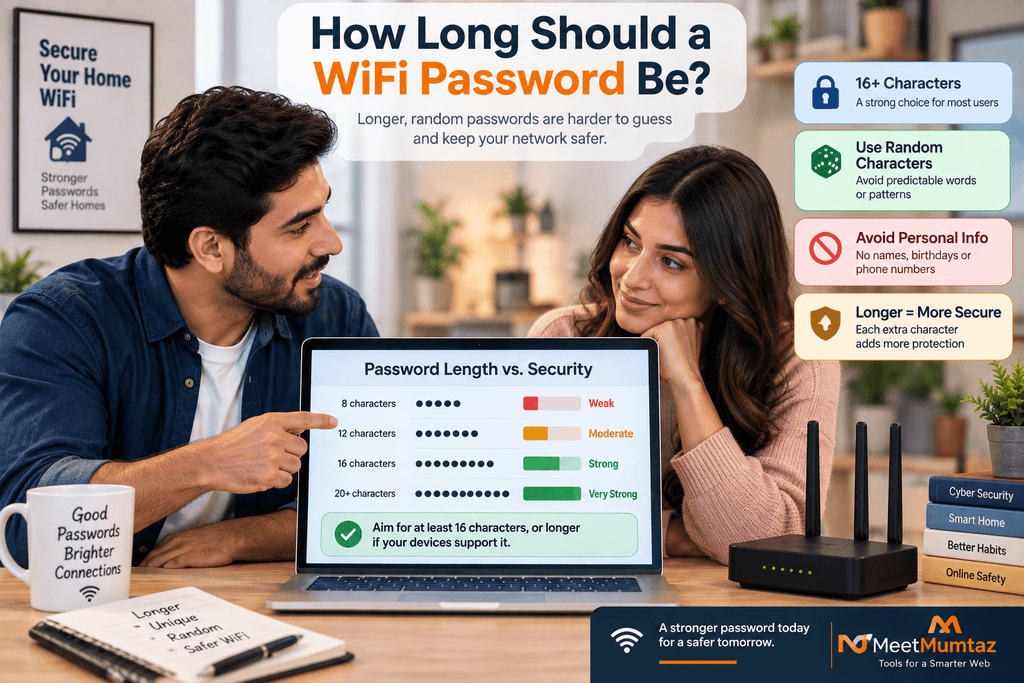
There is no need to make your WiFi password impossibly inconvenient, but short passwords should be avoided.
For a randomly generated WiFi password, 16–20+ characters is a practical strong target for many users, assuming the router and connected devices support it.
Longer passwords can provide additional resistance to guessing when they are truly random.
For example:
K7!mQ2#vR9@xL4$p
is stronger than:
Wifi123!
The first is longer and much less predictable.
If you choose a passphrase instead of a fully random string, use several unrelated words and make the overall phrase sufficiently long.
Strong WiFi Password vs. Easy WiFi Password
An easy password is convenient to remember, but convenience can introduce predictable patterns.
Examples of weak approaches include:
12345678
password123
homewifi
admin123
qwerty123
familyname2026
These types of passwords are easy for humans to remember precisely because they follow familiar patterns.
The goal is to find a practical balance.
For a home WiFi network, you normally don’t need to type the password every day. Once your devices are connected, they can usually retain the network credentials.
That makes using a stronger, longer password much more practical than many people assume.
What Is a WiFi Password Generator?
A WiFi password generator creates a random password based on selected criteria.
Depending on the generator, you may be able to choose:
- Password length
- Uppercase characters
- Lowercase characters
- Numbers
- Symbols
The generator then creates a password without relying on predictable personal information.
For example, a generated result might resemble:
G8#pV4!zK7@mN2$xQ9
You should generate your own password rather than copying an example from an article.
Any password publicly displayed online should be treated only as an illustration.
Why Use a Random WiFi Password Generator?
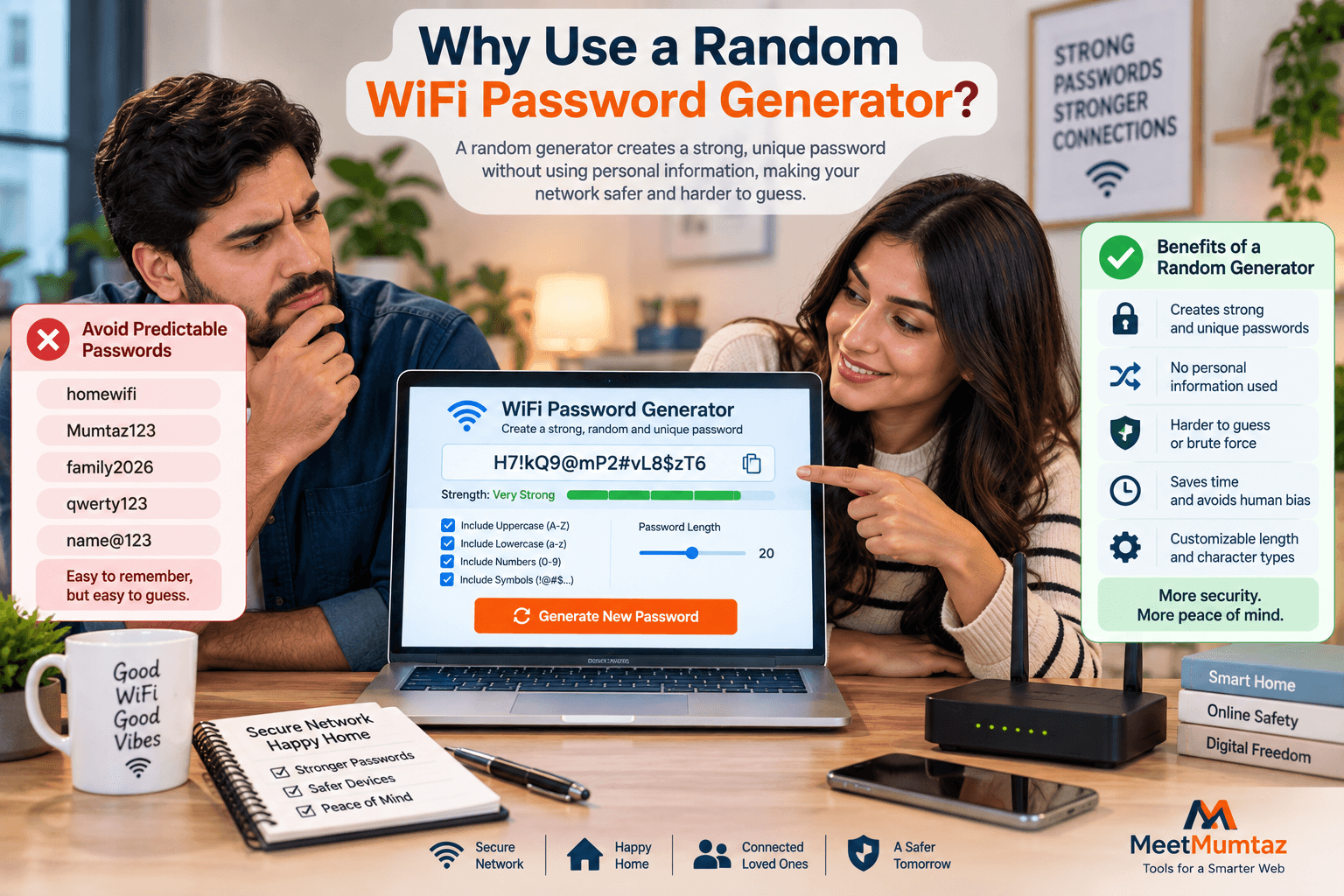
People are not particularly good at creating unpredictable passwords.
We naturally look for patterns that are easy to remember.
For example, someone might create:
It looks reasonably complicated because it includes letters, numbers, and a symbol.
But its structure is predictable:
Name + word + year + symbol
A random WiFi password generator removes much of that human predictability.
Instead of inventing a password from familiar information, the generator can create an unrelated sequence of characters.
How to Create the Strongest WiFi Password
You can create a strong WiFi password in a few simple steps.
Step 1: Choose Sufficient Length
Start with at least 16 characters for a strong randomly generated password.
If your router and devices comfortably support longer passwords, you can increase the length.
Step 2: Use Random Characters
Avoid meaningful personal information.
Randomness is more useful than trying to create complicated variations of common words.
Step 3: Include Multiple Character Types
When compatible with your devices, use:
- A–Z
- a–z
- 0–9
- Symbols
This increases the available character set.
Step 4: Generate the Password Securely
Use a trustworthy password generator that performs password generation appropriately.
Generate the password specifically for your WiFi network.
Step 5: Store It Safely
Once you have generated the password, save it in a secure password manager or another appropriately protected location.
Don’t rely on remembering a long random string.
Strong WiFi Password Examples
Examples can help demonstrate structure, but never use passwords copied directly from this article.
Here are illustrative formats:
R7!xP9#mK4@vN2$z
Q8&bL3!tW6#pY9@cR5
N4$xV7@mP2!kT8#qZ6
These examples demonstrate:
- Good length
- Multiple character types
- No obvious words
- No personal information
- No simple sequence
Generate a fresh password for your own network.
What Should You Never Use in a WiFi Password?
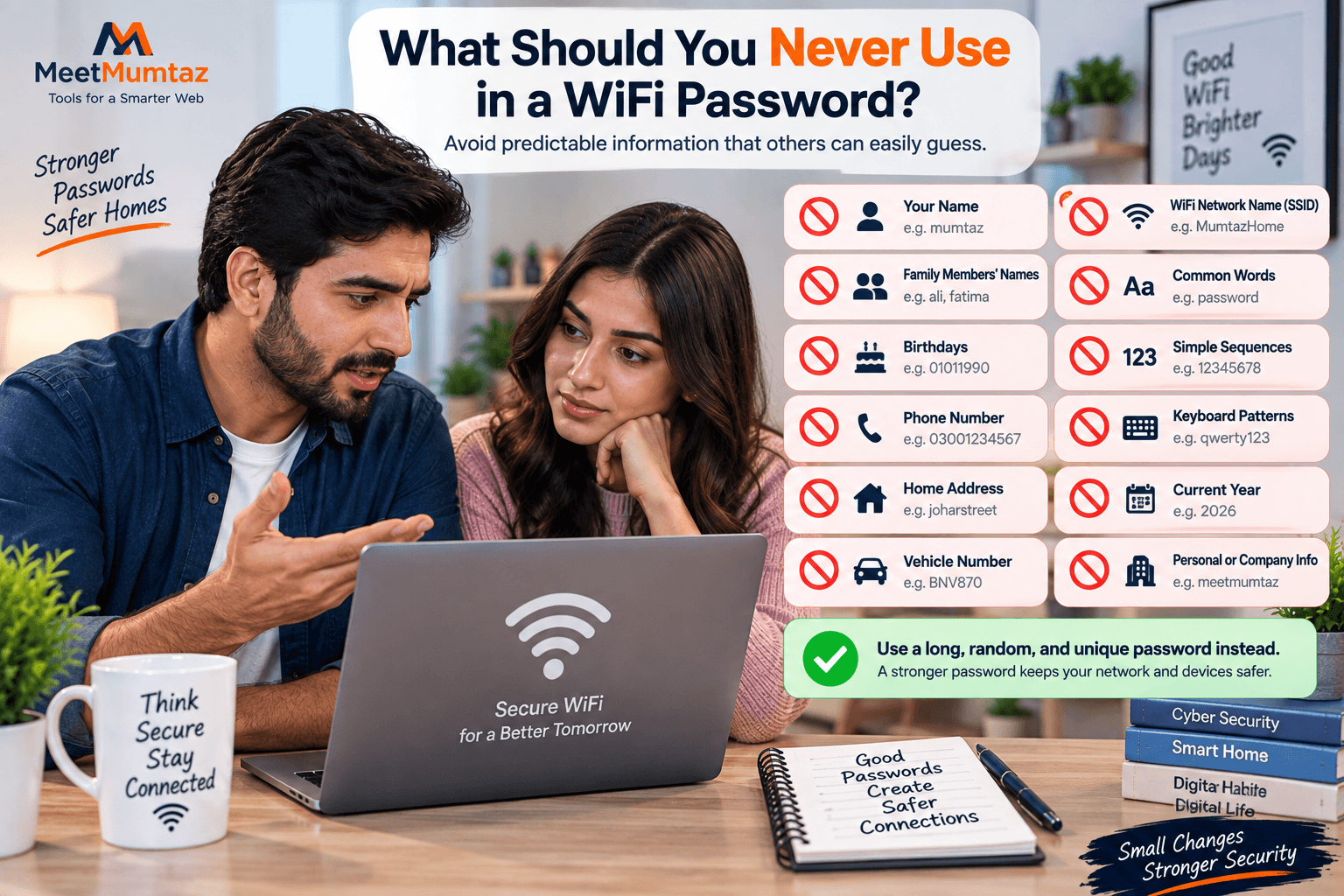
Avoid information that someone could easily know or discover.
Don’t build your password around:
- Your name
- Spouse’s name
- Children’s names
- Birthday
- Phone number
- Home address
- Vehicle number
- Company name
- WiFi network name
- Current year
- Simple number sequences
For example, if your WiFi network is named:
MumtazHome
using:
MumtazHome123
as the password would be highly predictable.
Your network name and password should not reveal each other.
Should Your WiFi Name Be Included in the Password?
No.
Your SSID—the name users see when searching for wireless networks—is normally visible to nearby devices.
If the SSID is:
MyFamilyWiFi
don’t use:
MyFamilyWiFi2026
as the password.
The attacker already knows the network name, so using it as the foundation of the password reduces unpredictability.
Keep the SSID and password independent.
Random Password vs. Passphrase for WiFi
You don’t necessarily need a chaotic-looking string.
Another approach is a long passphrase made from multiple unrelated words.
Conceptually, a passphrase could follow a pattern such as:
River-Coffee-Lantern-Planet-47
Again, don’t use this exact example.
The advantage of a passphrase is that it can be easier to type and remember while still providing substantial length.
A fully random password, however, can provide excellent unpredictability for a given length when generated properly.
Choose whichever approach works best with your devices and security needs.
Strong Password Generator vs. Manual Password Creation
Manual password creation often feels safer because you know exactly how the password was made.
But humans tend to follow predictable patterns.
Common examples include:
Name + 123
Name + Birth Year
Word + !
City + Year
Favorite Team + Number
A strong password generator can avoid these patterns by selecting characters randomly.
For WiFi networks, generated passwords are particularly practical because connected devices generally save them after the initial setup.
Should a WiFi Password Contain Symbols?
Symbols can increase the number of possible characters available for password generation.
For example:
A7kP4mN8
uses letters and numbers.
Adding supported symbols increases the character set:
A7!kP4#mN8$
However, device compatibility matters.
Some older devices or unusual network interfaces can be inconvenient when entering certain special characters.
If you have compatibility problems, a longer password containing uppercase letters, lowercase letters, and numbers can still be strong when generated randomly.
Don’t sacrifice length simply to include symbols.
Is a 12-Character WiFi Password Strong Enough?
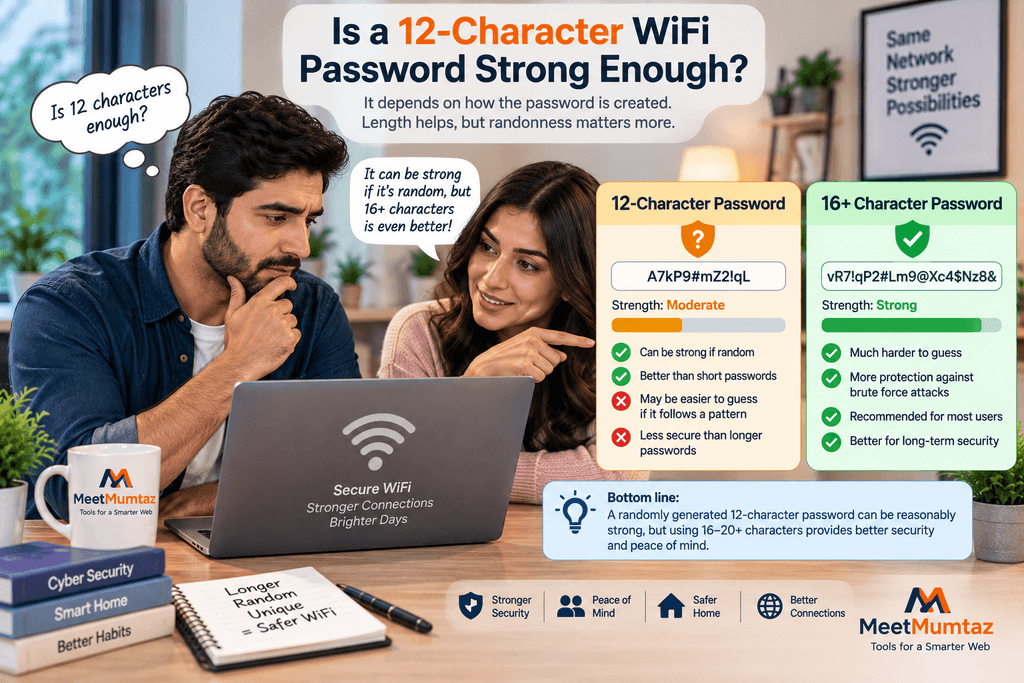
It depends on how the password was created.
A random 12-character password is substantially different from a predictable 12-character phrase.
For example:
Password2026
is predictable despite its length.
For newly generated WiFi passwords, choosing 16 characters or more provides a stronger practical baseline.
Increasing length is generally straightforward because WiFi passwords don’t need to be typed frequently.
Is a 20-Character WiFi Password Strong?
A randomly generated 20-character password can provide very strong protection against guessing.
For example, the structure might look like:
X7#mQ2!vN9@pL4$kR8&z
Again, don’t use that exact example.
Generate your own.
Password strength depends on more than visual complexity, but a long, unique, randomly generated password is a strong foundation.
Can a WiFi Password Be Too Long?
WiFi security standards and router interfaces impose their own password requirements and limits.
A password that is technically allowed by one router may also be inconvenient to enter on devices such as smart TVs, printers, cameras, or IoT products.
You therefore don’t need to maximize length purely for the sake of it.
For most home users, a well-generated password in the 16–24+ character range offers a practical balance between security and usability.
Always follow the requirements of your router and wireless security configuration.
WiFi Password and WPA2/WPA3 Security
A strong password works best when paired with appropriate wireless encryption.
Modern networks commonly use WPA2 or WPA3 security, depending on router and device support.
If WPA3 is available and all required devices support it, it can provide improved wireless security capabilities.
If compatibility requires WPA2, use an appropriate secure WPA2 configuration with a strong unique password.
Avoid obsolete wireless security configurations when modern alternatives are available.
Your router firmware should also be kept current.
Password strength cannot compensate for every weakness in outdated network equipment or configuration.
Should You Change the Default Router Password?
Your WiFi password and router administration password are separate credentials.
The WiFi password allows devices to connect to the wireless network.
The router admin password protects access to the router’s management interface.
Both should be secure.
If your router uses a default or easily predictable administration password, change it according to the manufacturer’s instructions.
Don’t use the same password for WiFi access and router administration.
How Often Should You Change Your WiFi Password?
You don’t necessarily need to change a strong WiFi password on an arbitrary monthly schedule.
Change it when there is a reason.
For example:
- Someone who should no longer have access knows it
- You suspect unauthorized access
- The password was shared too widely
- You discover it was reused elsewhere
- Your router was reset
- You move into a property with existing network credentials
- You are still using a weak or default password
A strong, unique password that remains private does not automatically become weak simply because time passes.
What If You Forget Your WiFi Password?
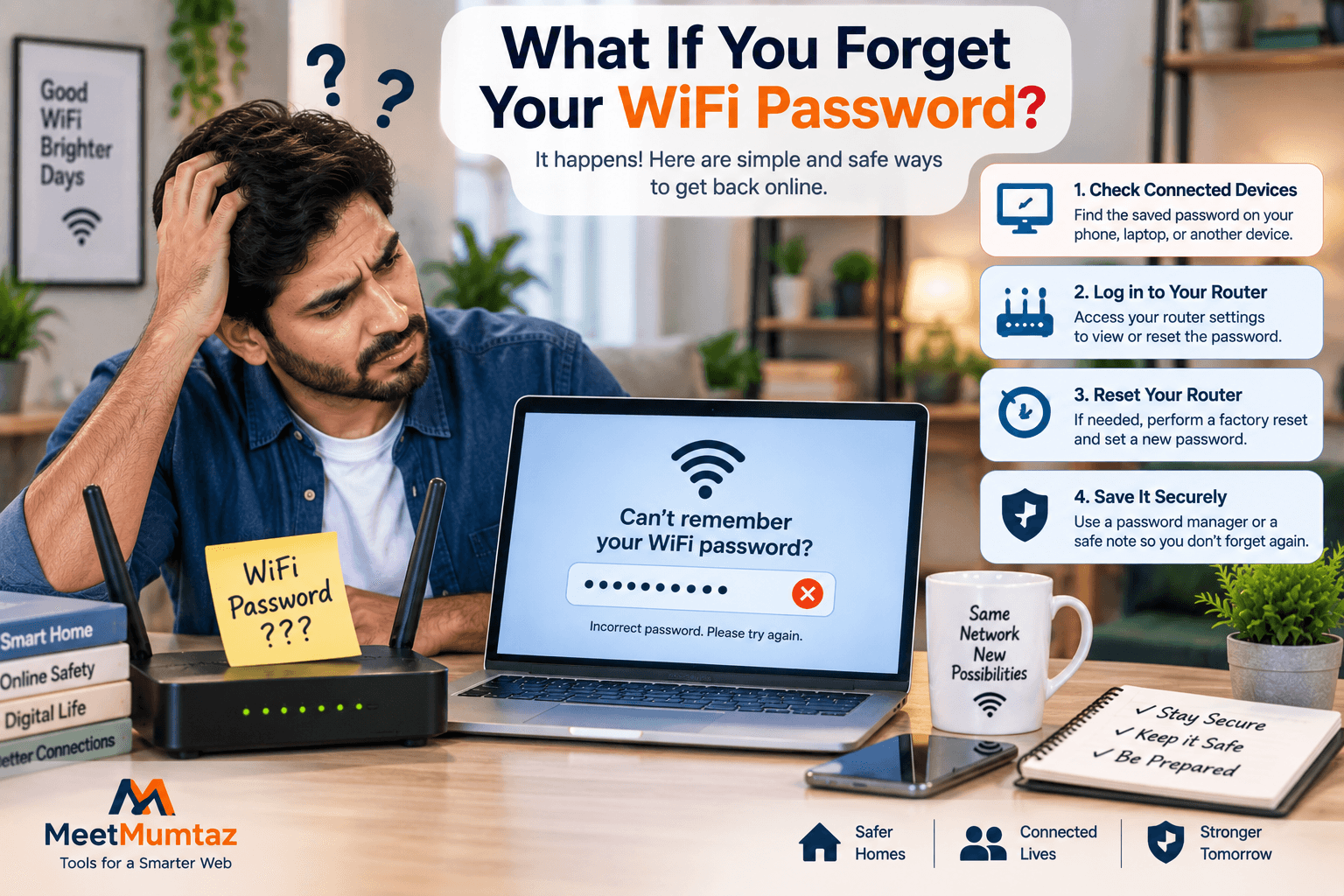
A long random password can be difficult to remember.
That’s expected.
Store it securely instead of weakening it for memorability.
Options may include:
- Reputable password manager
- Secure device credential storage
- Protected offline record
If you completely lose access, consult your router manufacturer’s recovery or reset instructions.
Avoid keeping sensitive credentials in publicly accessible notes or documents.
Should You Share Your WiFi Password?
Sometimes you need to give network access to visitors.
If your router supports a guest network, consider using it instead of sharing access to your primary network.
A guest network can separate visitor access from your main network configuration.
You can also give the guest network a separate password.
This allows you to change visitor access without updating the credentials on every personal device connected to your main WiFi.
Home WiFi Password vs. Guest WiFi Password
Your main WiFi network and guest network should ideally use different passwords.
For example:
Main network:
Long, private password used only by trusted household devices.
Guest network:
Separate strong password used for visitors.
Don’t simply reuse the main password.
Separation gives you greater control over access.
If a guest password becomes too widely shared, you can change it without reconnecting all of your own devices.
WiFi Password Security for Businesses
Business WiFi requires additional planning.
A single shared password may not be the best solution for every organization.
Depending on the size and security requirements of the business, administrators may use:
- Separate employee and guest networks
- Managed access
- Enterprise authentication
- Network segmentation
- Centralized security policies
Small businesses using a shared WiFi password should still make it long, random, unique, and appropriately controlled.
Avoid displaying private staff network credentials where customers or visitors can see them.
WiFi Password Security for Smart Home Devices
Smart homes can contain many WiFi-connected devices.
These may include:
- Cameras
- Doorbells
- Speakers
- Smart plugs
- TVs
- Appliances
- Lighting systems
Some IoT devices have limited interfaces, making complicated password entry frustrating.
When setting up a strong WiFi password, confirm that essential devices support the characters you plan to use.
If symbols create compatibility issues, use a sufficiently long random alphanumeric password rather than weakening the password dramatically.
Common WiFi Password Mistakes
Using Personal Information
Names, dates, and phone numbers are easier to predict than random values.
Reusing Passwords
Your WiFi password should not also unlock your email or WordPress account.
Using Keyboard Patterns
Passwords such as qwerty123 or 12345678 are extremely predictable.
Using the SSID
Don’t base the password on your network name.
Using a Short Password
Short passwords provide fewer possible combinations.
Sharing It Publicly
Don’t post your private network password in public chats, websites, or social media.
Never Changing a Compromised Password
If someone who shouldn’t have access knows the password, replace it.
Strongest WiFi Password Checklist
Before setting your new WiFi password, check the following:
Length
Aim for around 16–20+ characters for a random password.
Randomness
Avoid obvious words and predictable patterns.
Uniqueness
Use it only for the WiFi network.
Personal Information
Don’t include names, birthdays, phone numbers, or addresses.
Character Variety
Use supported uppercase, lowercase, numbers, and symbols where practical.
Storage
Save the password securely.
Encryption
Use an appropriate modern WiFi security configuration.
Router Security
Secure the router administration account separately.
Guest Access
Use a guest network where appropriate.
Following all of these practices is much better than searching for one magical password that is supposedly impossible to break.
Frequently Asked Questions
What is the strongest WiFi password?
There is no single strongest WiFi password. A strong WiFi password is long, unique, unpredictable, and preferably randomly generated specifically for your network.
How many characters should a strong WiFi password have?
For a randomly generated WiFi password, around 16–20+ characters is a practical strong target for many users. Longer passwords can be used when supported and convenient.
Should I use my phone number as a WiFi password?
No. Phone numbers are personal information and can be predictable or discoverable. Generate an unrelated password instead.
Is a random WiFi password better?
A properly generated random password avoids many predictable patterns people use when creating passwords manually.
Should I use the same WiFi password everywhere?
No. Your WiFi password should be unique and should not be reused for email, banking, social media, hosting, WordPress, or other accounts.
Can I use only letters and numbers?
Yes, provided the password is sufficiently long and randomly generated. Symbols can increase the available character set, but length and unpredictability remain important.
Is my router admin password the same as my WiFi password?
They serve different purposes. The WiFi password controls wireless network access, while the router administration password protects the router’s management interface. Use different strong credentials for each.
Is a password generator safe for WiFi passwords?
It depends on how the generator is implemented. Prefer a trustworthy generator designed to create passwords securely, ideally without unnecessarily transmitting generated credentials to remote servers.
Should I write my WiFi password down?
A long random password is difficult to memorize. Secure storage is better than weakening the password. A reputable password manager is one practical option.
Should I change my WiFi password today?
If your current password is short, predictable, reused, publicly shared, still set to an insecure default, or known by someone who should no longer have access, changing it to a strong unique password is sensible.
Final Thoughts
The strongest WiFi password isn’t a secret phrase you can copy from a website.
It is a password created specifically for your network that is long, random, unique, and difficult to predict.
Avoid names, birthdays, phone numbers, network names, common words, and reused credentials. Instead, use a trustworthy WiFi password generator or strong password generator to create a fresh random password.
For many home networks, a random password of around 16–20+ characters offers a practical combination of strength and usability.
Finally, remember that password strength is only one part of wireless security. Use appropriate WPA2/WPA3 settings, protect your router administration account separately, keep your router updated, and use a guest network when it makes sense.
A strong password combined with good router security practices provides a much better foundation for protecting your wireless network.


