Affiliate Disclosure: This article contains affiliate links. If you purchase through these links, MeetMumtaz may earn a commission at no additional cost to you.
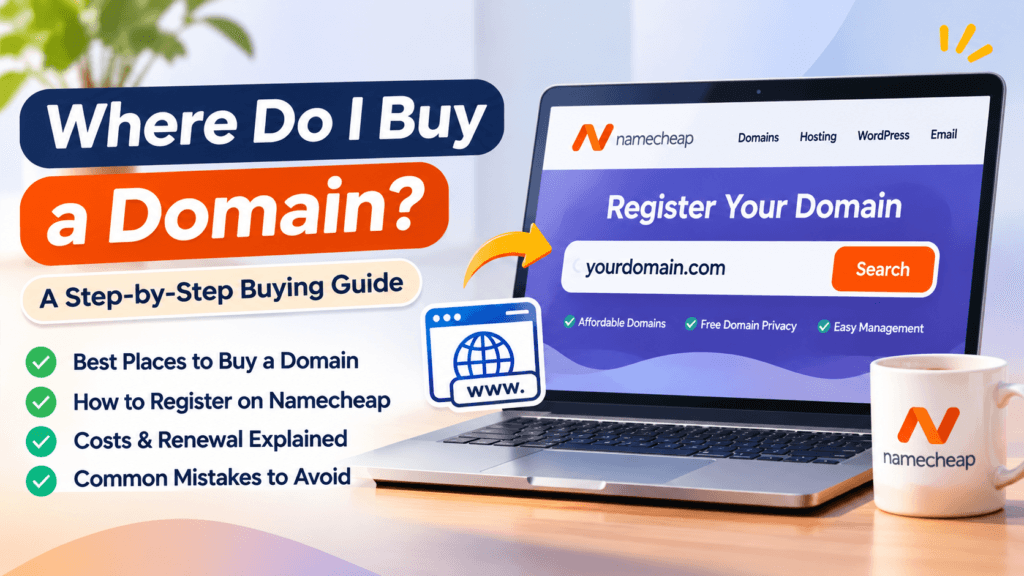
If you’re planning to launch a website, start a blog, build an online store, or create a professional email address, one of your first questions might be: Where do I buy a domain?
The answer is simple: you can buy a domain name from an accredited domain registrar or a company that offers domain registration services. Popular options include Namecheap, GoDaddy, Porkbun, Dynadot, and Cloudflare Registrar.
However, choosing where to buy your domain is about more than finding the lowest advertised price. Renewal fees, domain ownership, privacy protection, DNS management, and customer support can affect your experience long after the initial purchase.
In this guide, you’ll learn where to purchase a domain, how to register one through Namecheap, what costs to expect, and which mistakes to avoid before completing your order.
Quick Comparison: Where Can You Buy a Domain Name?
The following comparison highlights the practical differences between several domain registration providers. Prices vary by domain extension, promotion, and registration term.
| Domain Provider | Best For | Key Advantage | What to Check | Visit |
|---|---|---|---|---|
| Namecheap Our Recommended Starting Point | Beginners, bloggers and small businesses | Domain search, DNS tools and eligible privacy protection | Renewal price and optional add-ons | Check Domain Price |
| Porkbun | Buyers comparing straightforward domain pricing | Simple registration experience | Extension-specific pricing | Compare on official website |
| Dynadot | Domain portfolio management | Domain management and bulk tools | Renewal and transfer costs | Compare on official website |
| Cloudflare Registrar | Users comfortable with Cloudflare DNS | At-cost registration model for supported domains | Cloudflare nameserver requirements | Compare on official website |
| GoDaddy | Users wanting domains and related services | Broad domain and website product range | Promotional renewal pricing and extras | Compare on official website |
Provider features and pricing can change. Check the final checkout price, renewal terms, and domain extension eligibility before purchasing.
Where Do I Buy a Domain Name?
You buy a domain through a domain registrar, which is a company authorized to provide domain registration services for supported extensions.
For example, if you want to registermybusiness.com, you search for that name at a registrar. If it is available, you select a registration period, provide the required registrant information, and complete payment.
The registrar then manages your domain registration through the relevant registry.
A domain name is not the same thing as a website. Buying a domain gives you the right to use that name for the registration period, subject to the applicable registration rules. You still need website hosting or another platform if you want to publish a website.
You can learn more about how registrars work through the official
Before choosing where to purchase your domain, it’s worth comparing registration services, renewal costs, privacy protection, and domain management features. Our best domain registrar comparison explains what to look for when selecting a reliable provider.
Why Namecheap Is a Good Starting Point for Buying a Domain
For someone registering their first domain, Namecheap is worth considering because it combines domain search, registration, DNS management, and related services in one account.
You can check domain availability, compare extensions, manage renewal settings, and connect your domain to a hosting provider.
Namecheap also offers privacy protection for eligible domains, although availability depends on the extension and registry requirements.
The main reason to consider Namecheap is convenience. You can register a domain first and decide where to host your website later.
However, it is still important to compare the initial registration price with the renewal price before purchasing.
Namecheap Domain Registration: Features, Pros and Cons
Namecheap Domain Registration
A practical choice for first-time domain buyers, bloggers and small businesses.
| Key Features |
|
|---|---|
| Pros |
|
| Cons |
|
How to Buy a Domain Name on Namecheap: Step by Step
Buying a domain is straightforward, even if you’ve never created a website before.
Step 1: Choose a Domain Name
Start with a name that represents your business, blog, or project.
A good domain name should be easy to spell, pronounce, remember, and type.
For example, if you’re starting a photography business, you might consider a domain that combines your brand name with a relevant word.
Avoid unnecessary hyphens, confusing numbers, or names that could infringe on someone else’s trademark.
Before buying, check whether the name is already used by another business.
Step 2: Search for Your Domain on Namecheap
Enter your preferred domain name in the search field.
Namecheap will show whether the domain is available and may suggest alternative extensions if your first choice is unavailable.
For example, if your preferred .com is taken, you might consider .net, .org, or another extension that fits your project.
However, don’t choose an unfamiliar extension just because its first-year price is low. Consider its long-term suitability and renewal cost.
Step 3: Compare Domain Extensions
The extension is the part after the final dot in a domain name.
Common examples include:
| Extension | Common use |
|---|---|
.com | Businesses, brands and general websites |
.net | Technology and general websites |
.org | Organizations, communities and general websites |
.co | Businesses and startups |
.io | Technology projects and startups |
.store | Online shops |
.blog | Blogs and publishing websites |
Some extensions have eligibility requirements, restrictions, or special pricing.
For most general-purpose businesses, .com is a sensible first option when a suitable name is available at an acceptable price.
Step 4: Check the Registration and Renewal Prices
Before adding the domain to your cart, compare the first-year registration price with the amount you’ll pay when renewing.
A domain advertised at a low introductory price may cost considerably more in the second year.
Also check whether the price applies only to new registrations, requires a coupon, or depends on a minimum registration term.
If you’re building a long-term business, renewal costs matter more than a small one-time discount.
Step 5: Add the Domain to Your Cart
Once you’ve selected an available domain, add it to your cart.
Review the registration period and any additional services included in the order.
You may see optional products such as hosting, email services, or SSL certificates.
These products are not necessarily required to register the domain itself.
Only add services you actually need.
Step 6: Review Domain Privacy and Contact Information
Domain registrations require contact information, subject to the relevant registrar and registry rules.
Where supported, domain privacy services can help prevent personal contact details from being publicly displayed.
Check whether privacy protection is available for your chosen extension.
Make sure your registration information is accurate. Incorrect contact details can create problems with domain verification, transfers, or account recovery.
Step 7: Create Your Account and Complete Payment
Create or sign in to your Namecheap account, review the checkout total, and choose an available payment method.
Before paying, confirm the domain spelling, extension, registration duration, optional extras, and renewal conditions.
After successful payment and registration processing, the domain should appear in your account.
Keep the confirmation email and enable account security features, including two-factor authentication where available.
Step 8: Connect Your Domain to Your Website
After registration, you can connect your domain to your hosting provider by configuring its nameservers or DNS records.
Your hosting company will usually provide the necessary instructions.
If you’re planning to build a WordPress website, you can also explore our
DNS changes may take time to propagate, so your website might not become accessible immediately.
Once your domain is registered, the next step is connecting it to a website. If you’re planning to use WordPress, our Namecheap EasyWP hosting guide explains the available hosting options, features, and considerations before launching your site.
How Much Does It Cost to Buy a Domain?
Domain registration prices depend on the extension, registrar, registration term, and available promotions.
There is no single fixed price for every domain.
For example, a .com registration can have a different price from .store, .io, or a country-code extension.
The total cost can also change when a promotional first-year rate expires.
Here is a simple hypothetical example:
| Cost component | Example |
|---|---|
| First-year domain registration | $9 |
| Second-year renewal | $17 |
| Third-year renewal | $17 |
| Illustrative three-year total | $43 |
These are example figures for explaining long-term costs, not current Namecheap prices or a quote for a specific extension.
When comparing registrars, calculate the total cost over the period you expect to keep the domain.
For a personal blog or business website, looking at three years of costs can give you a more realistic picture than comparing first-year discounts alone.
Domain Registration vs. Web Hosting: What’s the Difference?
A domain name and web hosting serve different purposes.
Your domain is the address people type into their browsers, while hosting provides the infrastructure that stores and serves your website’s content.
For example:
- Domain:
yourbusiness.com - Hosting: The service that makes your website accessible online.
You can purchase your domain from Namecheap and host your website with another provider.
You don’t have to buy both services from the same company.
However, purchasing them together can make account management simpler for beginners.
Should You Buy a Domain and Hosting Together?
Buying a domain and hosting together can be convenient, but it isn’t always the cheapest or most flexible option.
If you already have a hosting provider you trust, you can register your domain separately and connect it using DNS settings.
If you’re starting from scratch, a bundled hosting plan might simplify the setup process.
Some hosting promotions include an eligible domain registration for a limited term. Always review the extension eligibility, renewal pricing, and terms before relying on a free-domain offer.
You can explore
if you prefer to compare domain and hosting options together.
Can I Buy a Domain Without Hosting?
Yes. You can register a domain without purchasing web hosting.
This is useful when you want to reserve a business name before launching your website.
You can keep the domain in your registrar account, configure a temporary landing page, or connect it to a hosting service later.
Just remember that registering a domain does not automatically create a working website.
You must maintain the domain registration and renew it on time if you want to keep using it.
Can I Buy a Domain Permanently?
No. Standard domain registrations are for fixed periods rather than permanent ownership.
Many common domain extensions allow registration for periods of up to 10 years, although the permitted term depends on the extension and registry rules.
You can generally renew the domain before its expiration date.
If you miss renewal deadlines, the domain may enter expiration, grace, redemption, or deletion stages, depending on the extension and provider.
To reduce the risk of losing an important domain, consider enabling auto-renewal and keeping your payment details up to date.
7 Mistakes to Avoid When Buying a Domain Name
1. Choosing a Domain Based Only on Its First-Year Price
A cheap introductory offer may become expensive when the domain renews.
Always compare long-term costs.
2. Ignoring Trademark Conflicts
A domain being available doesn’t mean the name is legally safe to use.
Check existing brands and trademarks before registering a business domain.
3. Selecting a Confusing Domain Name
Long names, unusual spelling, repeated hyphens, and numbers can make your domain difficult to remember.
Choose something simple whenever possible.
4. Buying Unnecessary Add-Ons
Review optional services at checkout.
You may not need hosting, premium email, or other products immediately.
5. Forgetting to Enable Account Security
Your domain is an important digital asset.
Use a strong password, enable two-factor authentication, and protect your account recovery email.
6. Ignoring Domain Renewal Notifications
An expired domain can disrupt your website and business email.
Keep your contact information current and monitor renewal dates.
7. Registering the Domain Under Someone Else’s Account
Whenever possible, register business domains under an account controlled by the business or authorized owner.
If a freelancer or agency helps you, clarify who controls the registrar account and registration details.
Where Is the Best Place to Buy a Domain for a Small Business?
For many small businesses, the best registrar is one that offers transparent pricing, reliable account management, suitable domain extensions, and straightforward DNS controls.
Namecheap is a reasonable starting point because it provides domain registration and related management tools in one place.
However, you should compare its renewal pricing and terms against alternatives before making a final decision.
Frequently Asked Questions
Where do I buy a domain for my website?
You can buy a domain through registrars such as Namecheap, Porkbun, Dynadot, GoDaddy, or Cloudflare Registrar. Compare availability, renewal pricing, privacy options, and account features before purchasing.
Is Namecheap a good place to buy a domain?
Namecheap is a practical option for beginners and small businesses because it offers domain search, registration, DNS management, and other related services. Check the current renewal price and terms for your chosen extension.
Can I buy a domain without creating a website?
Yes. You can register a domain now and connect it to a website or hosting service later.
How long does a domain registration last?
The registration period depends on the domain extension and registry rules. Many common extensions support registration terms between one and 10 years.
Can I transfer my domain to another registrar?
Usually, yes, subject to transfer eligibility, registry policies, and applicable restrictions. Some newly registered or recently transferred domains may be temporarily ineligible for transfer.
Do I need domain privacy protection?
Privacy protection can be useful where supported because it can limit public exposure of certain registration contact details. Availability varies by extension and registry requirements.
Can I get a domain for free?
Some hosting companies offer eligible domain registrations as part of paid hosting promotions. These offers generally have conditions and do not mean the domain is permanently free.
Final Verdict: Where Should You Buy Your Domain?
If you’re wondering where do I buy a domain, start by choosing a reputable registrar, checking whether your preferred name is available, and comparing the full registration and renewal costs.
For beginners, bloggers, and small businesses, Namecheap is a practical place to start because its domain registration and management tools are accessible from one account.
Before completing your purchase, check the domain spelling, renewal price, privacy eligibility, and optional services.
You don’t need to buy everything at once. Register your domain first, secure your account, and connect it to your website whenever you’re ready.
Ready to register your domain? Check whether your preferred name is available using the Namecheap domain search below.
Find Your Domain Name Today
Search available domain names, compare extensions, and review current registration and renewal prices before buying.
Check Domain Availability on Namecheap Affiliate link. Prices and domain availability may change.