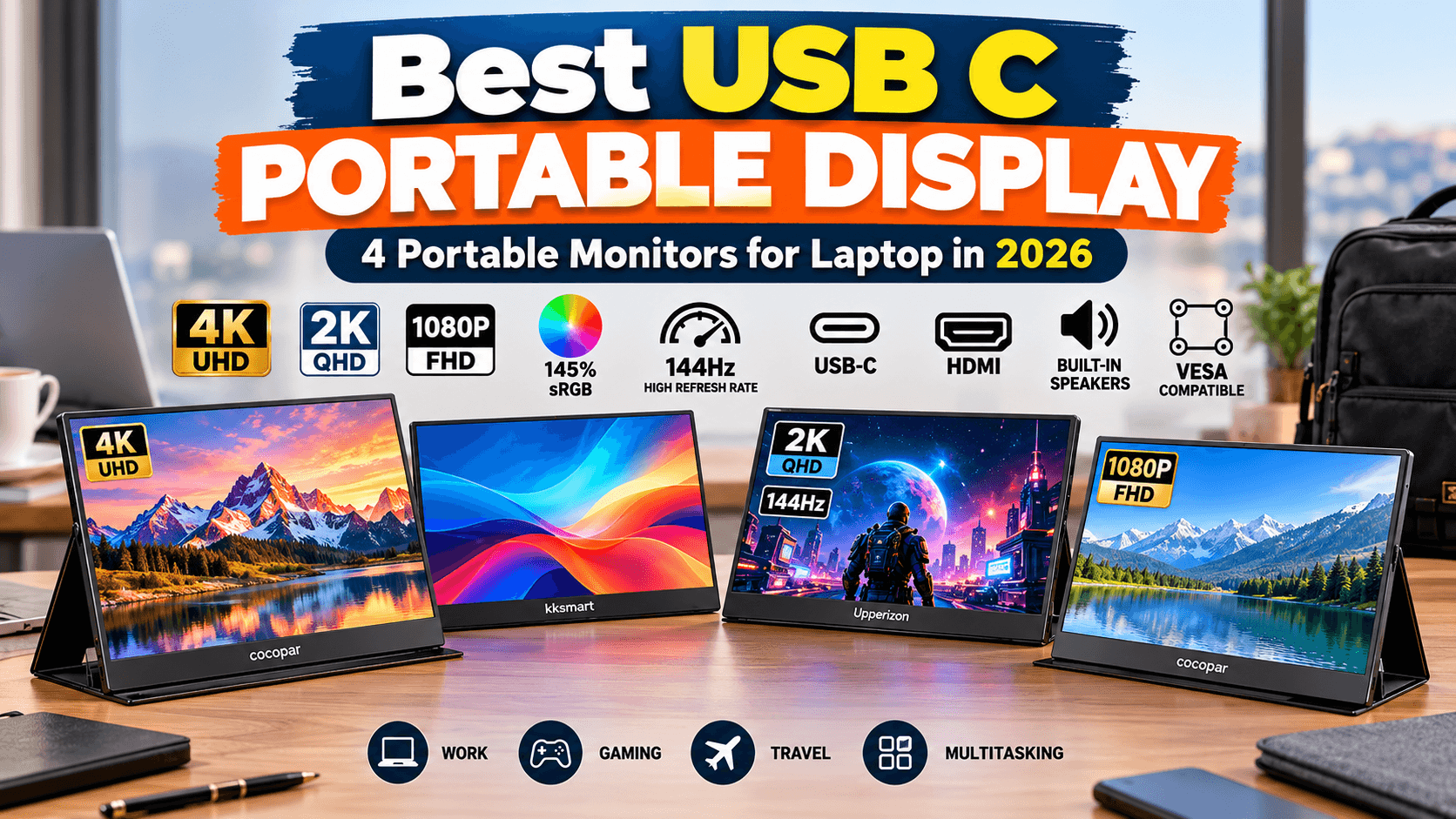
A USB C portable display can turn a single-screen laptop into a flexible dual-monitor workstation almost anywhere. Whether you are working from home, traveling for business, studying, editing content, or gaming, a portable monitor gives you extra screen space without the bulk of a traditional desktop display.
The latest portable monitors also offer much more than basic Full HD resolution. You can now find compact displays with 4K UHD panels, 2K QHD resolution, high refresh rates, USB-C and HDMI connectivity, built-in speakers, kickstands, and VESA mounting support.
For this guide, I selected four portable monitors for different types of users. The cocopar 15.6-inch 4K UHD is our Best Overall pick, while the Upperizon 16-inch 2K QHD stands out for users who want a high refresh rate. The kksmart and cocopar Full HD models provide practical alternatives for everyday second-screen productivity.
Affiliate Disclosure: This article contains affiliate links. If you make a purchase through one of these links, MeetMumtaz may earn a commission at no additional cost to you.
Quick Comparison: Best USB C Portable Displays
| Product | Resolution | Refresh Rate | Best For | Check Price |
|---|---|---|---|---|
| cocopar 15.6″ 4K UHD | 4K UHD / 145% sRGB | 60Hz | Best Overall | Check Price → |
| kksmart Portable Monitor | Portable Display | — | Everyday Second Screen | Check Price → |
| Upperizon 16″ 2K QHD | 2560 × 1600 / 145% sRGB | 144Hz USB-C / 120Hz HDMI | Gaming | Check Price → |
| cocopar 15.6″ 1080P FHD | 1080P / 85% sRGB | 60Hz | Everyday Productivity | Check Price → |
1. cocopar Portable Monitor 15.6 Inch 4K UHD — Best Overall
The cocopar Portable Monitor 15.6 Inch 4K UHD is our Best Overall choice for buyers looking for a high-resolution USB C portable display for work, entertainment, and travel.
Its biggest advantage is its 4K UHD resolution. On a compact 15.6-inch display, the higher pixel density can provide excellent detail for text, images, videos, spreadsheets, and creative applications.
According to the supplied product specifications, this model also offers 145% sRGB color coverage and a 60Hz refresh rate. That combination makes it especially attractive for users who prioritize image detail and color capability rather than high-refresh-rate gaming.
Connectivity is another strength. With both USB-C and HDMI, the monitor can work with a variety of compatible laptops, MacBooks, Surface devices, PCs, and game consoles.
The integrated kickstand makes it particularly useful for travel because you don’t need to carry a separate stand. VESA compatibility also allows you to mount it as part of a permanent workstation.
Key Features, Pros & Cons
| Key Features | Pros | Cons |
|---|---|---|
| 15.6-inch portable display | Excellent 4K resolution | Limited to 60Hz |
| 4K UHD resolution | 145% sRGB listed coverage | 4K may be unnecessary for basic office use |
| USB-C + HDMI | Flexible connectivity | 4K output requires compatible hardware |
| Built-in speaker | Useful for travel and multimedia | Built-in audio cannot replace dedicated speakers |
| Kickstand + VESA support | Works for portable and permanent setups | — |
| Check Price on Amazon → | ||
Best for: Professionals, travelers, content creators, and anyone who prioritizes resolution and image detail.
2. kksmart Portable Monitor — Best Second Monitor for a Laptop
If your main goal is adding a second monitor for a laptop, the kksmart Portable Monitor is a practical option.
A portable second display can make everyday multitasking much easier. You can keep research open on one screen while writing on another, view spreadsheets beside your browser, or keep email and communication apps visible while working on your primary laptop display.
The kksmart model offers both USB-C and HDMI connectivity, giving you flexibility across different devices. Its supplied product information lists compatibility with laptops, MacBooks, Surface devices, PCs, Xbox, and PS5.
VESA compatibility is another useful feature. Although the monitor is designed for portable use, you can also integrate it into a more permanent desk setup.
Built-in speakers add convenience for presentations, videos, casual entertainment, and gaming.
Key Features, Pros & Cons
| Key Features | Pros | Cons |
|---|---|---|
| Portable second display | Excellent for dual-screen productivity | Fewer detailed panel specs in supplied title |
| USB-C connectivity | Simple connection with compatible laptops | USB-C video support must be checked |
| HDMI connectivity | Useful with PCs and compatible consoles | — |
| Built-in speaker | Convenient for travel | — |
| VESA compatible | Can also be used in a desk setup | — |
| Check Price on Amazon → | ||
Best for: Remote workers, students, travelers, and users who primarily need extra laptop screen space.
3. Upperizon Portable Monitor 16 Inch 2K QHD — Best for Gaming
The Upperizon Portable Monitor 16 Inch 2K QHD is the performance-focused choice in this comparison.
It features a 2560 × 1600 2K QHD resolution, providing considerably more detail than a conventional 1080P portable display.
But resolution isn’t its biggest advantage.
According to the supplied product specifications, the monitor supports up to 144Hz through USB-C and 120Hz through HDMI. That makes it particularly attractive for gaming and users who prefer smoother motion.
Its 16-inch display also provides slightly more workspace than the 15.6-inch alternatives.
The combination of 145% sRGB listed coverage, USB-C, HDMI, a built-in kickstand, speakers, and VESA compatibility gives the Upperizon a strong feature set for both gaming and productivity.
Key Features, Pros & Cons
| Key Features | Pros | Cons |
|---|---|---|
| 16-inch display | More screen space | Slightly larger for travel |
| 2560 × 1600 2K QHD | Excellent resolution/performance balance | Not 4K |
| Up to 144Hz USB-C | Excellent for smooth gaming | Requires compatible source hardware |
| Up to 120Hz HDMI | Strong HDMI gaming option | Actual output depends on device and connection |
| 145% sRGB | Strong listed color coverage | — |
| Kickstand + VESA + speaker | Versatile portable or desk setup | — |
| Check Price on Amazon → | ||
Best for: Gamers and users looking for a combination of 2K resolution and a high refresh rate.
4. cocopar Portable Monitor 15.6 Inch 1080P FHD — Best for Everyday Productivity
Not everyone needs 4K resolution or a 144Hz refresh rate.
For browsing, documents, email, spreadsheets, studying, WordPress, and general multitasking, the cocopar 15.6-inch 1080P FHD Portable Monitor offers a straightforward alternative.
The monitor provides 1080P Full HD resolution, a 60Hz refresh rate, and 85% sRGB listed color coverage.
It supports both USB-C and HDMI, which means it can function as a USB-C second screen or a portable PC monitor HDMI solution.
This version also comes with a cover stand. That’s particularly useful for travel because the cover can help protect the display while also serving as its support.
Built-in speakers and VESA mounting further increase its versatility.
Key Features, Pros & Cons
| Key Features | Pros | Cons |
|---|---|---|
| 15.6-inch display | Practical laptop-friendly size | Lower resolution than 2K and 4K models |
| 1080P Full HD | Suitable for everyday productivity | 60Hz only |
| 85% sRGB | Adequate for general use | Lower listed coverage than premium options |
| USB-C + HDMI | Flexible device connectivity | USB-C video requires compatible hardware |
| Cover stand | Useful protection during travel | — |
| VESA + built-in speaker | Suitable for portable and desk use | — |
| Check Price on Amazon → | ||
Best for: Office work, studying, travel, browsing, and everyday dual-screen productivity.
Which USB C Portable Display Should You Choose?
Your ideal portable monitor depends on what you actually want from the second screen.
For the best combination of resolution and overall features, I recommend the Cocopar 15.6-inch 4K UHD. Its 4K resolution and listed 145% sRGB coverage make it particularly appealing for detailed productivity and visual work.
If you’re primarily looking for a straightforward second monitor for a laptop, the kksmart Portable Monitor is designed around that everyday use case.
For gaming, the Upperizon 16-inch 2K QHD is the standout choice. Its listed 144Hz USB-C and 120Hz HDMI capabilities give it a clear refresh-rate advantage over the 60Hz models.
Finally, the Cocopar 15.6-inch 1080P FHD makes sense for everyday productivity when you simply want more workspace without paying primarily for higher resolution or refresh rate.
USB-C vs HDMI for a Portable Monitor
Both USB-C and HDMI are useful, but they serve slightly different situations.
USB-C can create a particularly clean portable setup because compatible devices can transmit a display signal through the USB-C connection. Depending on the monitor and source device, USB-C can also simplify power requirements.
However, one important detail is often overlooked:
Not every USB-C port supports video output.
Before buying a USB C monitor for a laptop, check whether your laptop supports DisplayPort Alt Mode, Thunderbolt, or another compatible video-output implementation through its USB-C port.
HDMI remains extremely useful because it is widely available on laptops, PCs, and game consoles.
For that reason, a portable monitor offering both USB-C and HDMI gives you greater flexibility.
Can You Use a Portable Monitor as a Second Monitor for a Laptop?
Yes. In fact, this is one of the strongest reasons to buy one.
A second monitor for a laptop gives you additional workspace without requiring a permanent dual-monitor desk.
For example, you can keep research open on the portable monitor while writing on your laptop. You can also place a spreadsheet on one display and a browser on the other, keep email visible while working, or use one screen for a video call while taking notes on the second.
For remote workers and frequent travelers, this can recreate much of the productivity of a desktop dual-monitor setup.
Is a Portable PC Monitor HDMI Connection Useful?
Yes.
A portable PC monitor HDMI connection is particularly useful if your laptop doesn’t support video over USB-C or if you want to connect the monitor to another compatible device.
HDMI can also make the monitor useful with desktops and gaming consoles.
That’s why having both HDMI and USB-C is preferable for many buyers: USB-C provides modern connectivity while HDMI provides broader compatibility.
What About a 13 Inch Portable Monitor?
A 13-inch portable monitor may be worth considering if minimizing size and weight is your main priority.
Smaller displays fit more easily into compact laptop bags and can work well for occasional travel.
However, smaller size also means less working space.
The 15.6- and 16-inch monitors reviewed here offer more room for spreadsheets, browsers, WordPress dashboards, editing applications, and side-by-side windows while remaining considerably more portable than conventional desktop monitors.
For frequent lightweight travel, 13 inches may be appealing. For a better balance between portability and productivity, 15.6 to 16 inches is often more comfortable.
Is a USB Screen Monitor Good for Travel?
A USB screen monitor can be especially useful for remote workers, students, developers, SEO professionals, writers, and business travelers.
Instead of relying on one laptop display in a hotel, university, shared office, or temporary workspace, you can quickly create a dual-screen environment.
Before choosing one, consider:
- Screen size
- Resolution
- Refresh rate
- USB-C video compatibility
- HDMI connectivity
- Stand design
- Power requirements
- VESA support
- Overall portability
The highest specification isn’t always the best travel option. The right monitor should fit comfortably into your normal working setup.
If you regularly travel with a laptop and portable monitor, you may also need reliable storage for large files and backups. Explore our best 4TB external hard drive and SSD options to compare portable storage solutions for work and travel.
What to Check Before Buying a USB C Monitor for Laptop
A portable display is only one part of a productive laptop setup. For readers who also manage large creative projects, our external hard drive 4TB comparison covers storage options for backups, media files, and everyday work.
USB-C Video Compatibility
This should be your first check.
A USB-C connector doesn’t automatically guarantee video output. Verify the specifications of your laptop’s USB-C port before relying on a one-cable display connection.
Resolution
For general productivity, 1080P can still be perfectly adequate.
A 2K QHD display provides additional detail and workspace, while 4K UHD is attractive for users who prioritize maximum resolution.
Refresh Rate
For browsing, documents, spreadsheets, and general office work, 60Hz is normally sufficient.
For gaming and smoother motion, a higher refresh rate such as 120Hz or 144Hz can provide a noticeable advantage when supported by your hardware.
Screen Size
A smaller monitor is easier to transport, while a larger display provides more usable workspace.
The 15.6- to 16-inch range provides a useful middle ground for many laptop users.
Stand and VESA Support
An integrated kickstand can simplify a travel setup because you don’t need another accessory.
A cover stand provides additional protection, while VESA compatibility is particularly useful if you also want to use the portable monitor permanently at your desk.
Frequently Asked Questions
What is a USB C portable display?
A USB C portable display is a compact external monitor that can receive a video signal from a compatible device through USB-C. Many portable displays also include HDMI for broader compatibility.
Can USB-C run a portable monitor with one cable?
It can when both the laptop and monitor support the necessary video and power capabilities. Not every USB-C port provides video output, so compatibility should be checked before purchasing.
Can I use a portable monitor with HDMI?
Yes. Portable monitors with HDMI input can connect to compatible laptops, PCs, and other devices. Some monitors may still require a separate power connection.
Is 1080P enough for a portable monitor?
For office work, browsing, email, studying, and general secondary-screen use, 1080P is usually sufficient. Higher resolutions are more attractive when you need additional detail.
Is 2K or 4K better for a portable display?
It depends on your priorities. 4K provides more resolution, while a 2K monitor paired with a higher refresh rate can be more attractive for gaming and smooth motion.
Are portable monitors worth it for remote work?
They can be extremely useful for people who frequently work away from a permanent desk. A portable second screen provides additional workspace without requiring a conventional desktop monitor.
Final Verdict
A USB C portable display is a practical upgrade for anyone who regularly works or plays on a laptop and wants additional screen space without sacrificing portability.
The cocopar 15.6-inch 4K UHD Portable Monitor is our Best Overall choice because it combines 4K resolution, listed 145% sRGB coverage, USB-C and HDMI connectivity, a kickstand, speakers, and VESA compatibility.
For gaming and high-refresh performance, the Upperizon 16-inch 2K QHD is the strongest alternative, thanks to its listed 144Hz USB-C and 120Hz HDMI support.
The kksmart Portable Monitor is a practical choice for everyday second-screen use, while the cocopar 15.6-inch 1080P FHD provides a simpler Full HD option for general productivity.
Before purchasing any portable display, confirm your laptop’s USB-C video capabilities and then choose based on the features that matter most to you: resolution, refresh rate, screen size, connectivity, and portability.